STL vs OBJ: Which 3D File Format Should You Use?
STL vs OBJ comes down to what travels with the shape. STL stores nothing but triangles, and virtually every slicer and print service accepts it. OBJ stores shared vertices, quads, UV coordinates and smooth normals, and links to colours and textures through a separate .mtl file. Use STL (or 3MF) to print and OBJ (or GLB) when the model has to look right on screen. Neither format records units.
Updated 2026-11-17
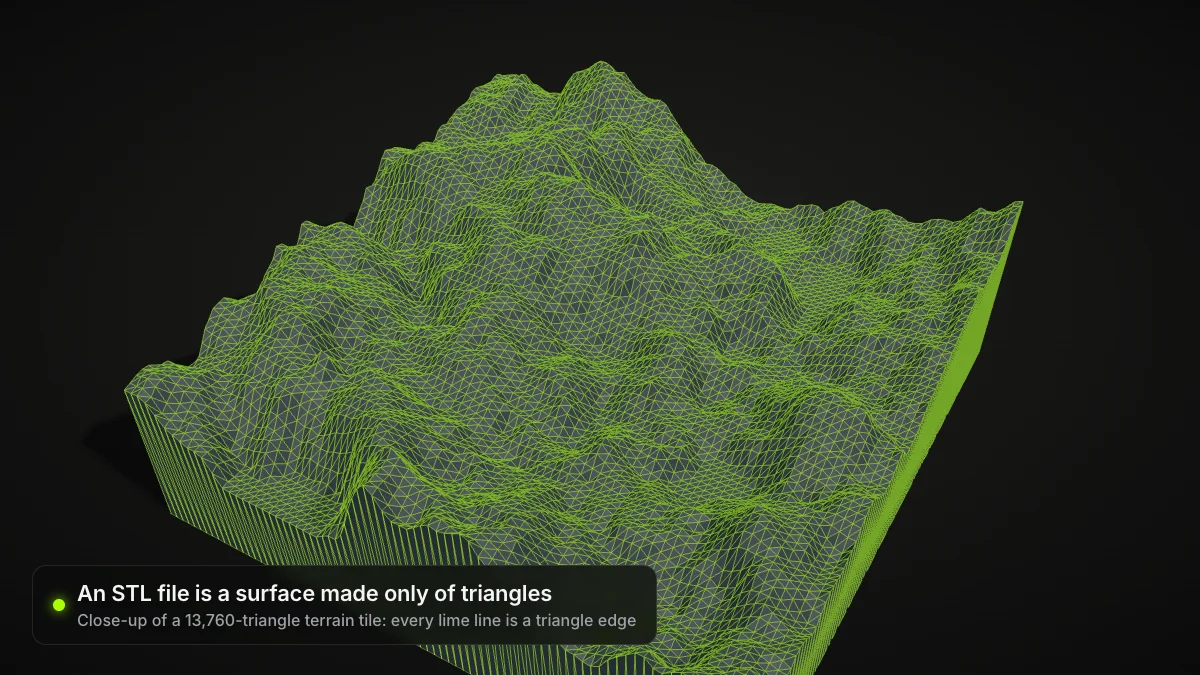
STL and OBJ both describe a 3D shape as a polygon mesh, and both have been around for over 30 years. The clearest way to see the STL vs OBJ difference is to save one model both ways.
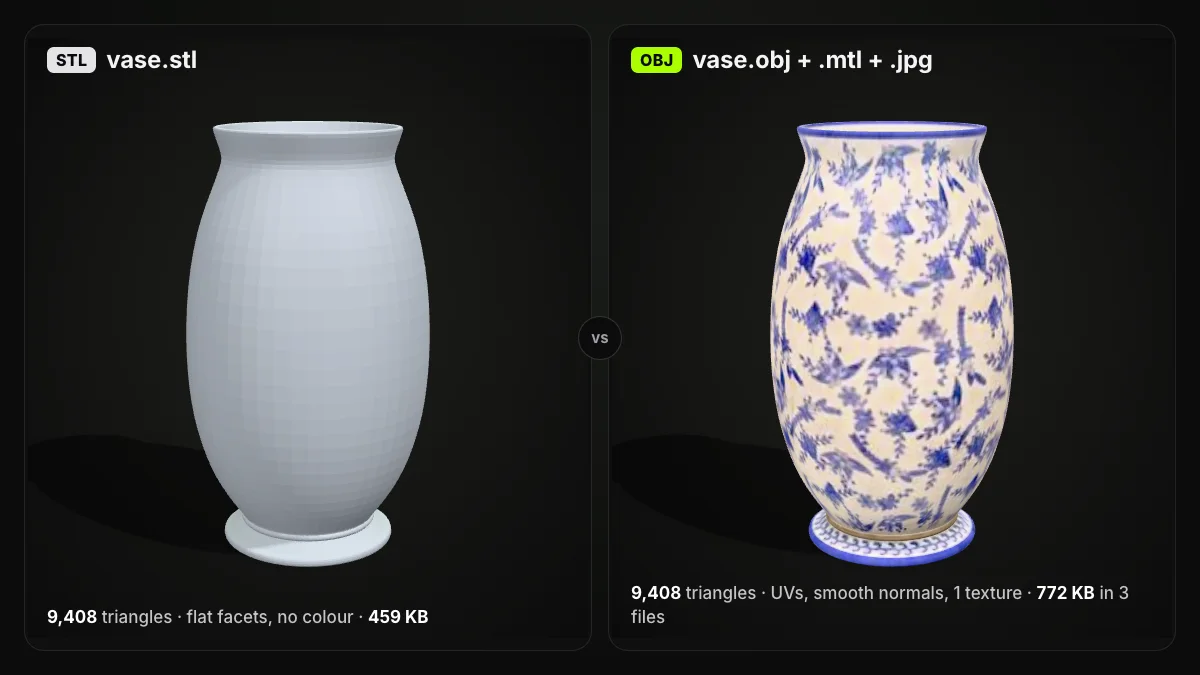
STL vs OBJ at a glance
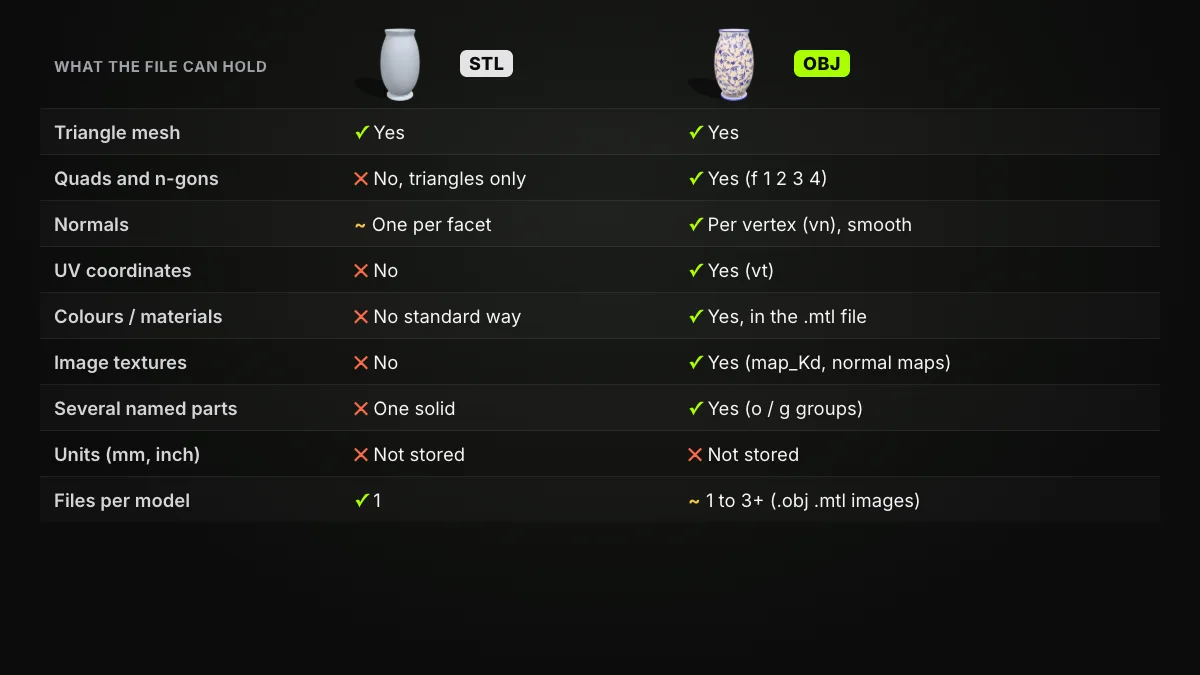
| STL | OBJ | |
|---|---|---|
| Origin | 3D Systems, for stereolithography (late 1980s) | Wavefront Technologies, Advanced Visualizer (around 1990) |
| Encoding | Binary (common) or ASCII text | ASCII text |
| Faces | Triangles only | Triangles, quads and n-gons |
| Vertices | Repeated in every triangle | Stored once, shared by index |
| Normals | One per facet | Per vertex (vn), for smooth shading |
| UV coordinates | No | Yes (vt) |
| Colour and texture | No standard support | Through a .mtl file and images |
| Several parts | One object per file | Named objects and groups (o, g) |
| Units | Not stored | Not stored |
| Files per model | 1 | 1, or 3 and more with materials |
| 3D printing | Read by virtually every slicer | Most slicers import it |
| Other 3D software | Opens widely, shape only | Opens in almost every 3D app |
The Library of Congress format descriptions back the key rows: STL has "no standard support" for colours or textures and "can define only a single object" (fdd000504), while OBJ takes colours and textures from an associated material library (fdd000507).
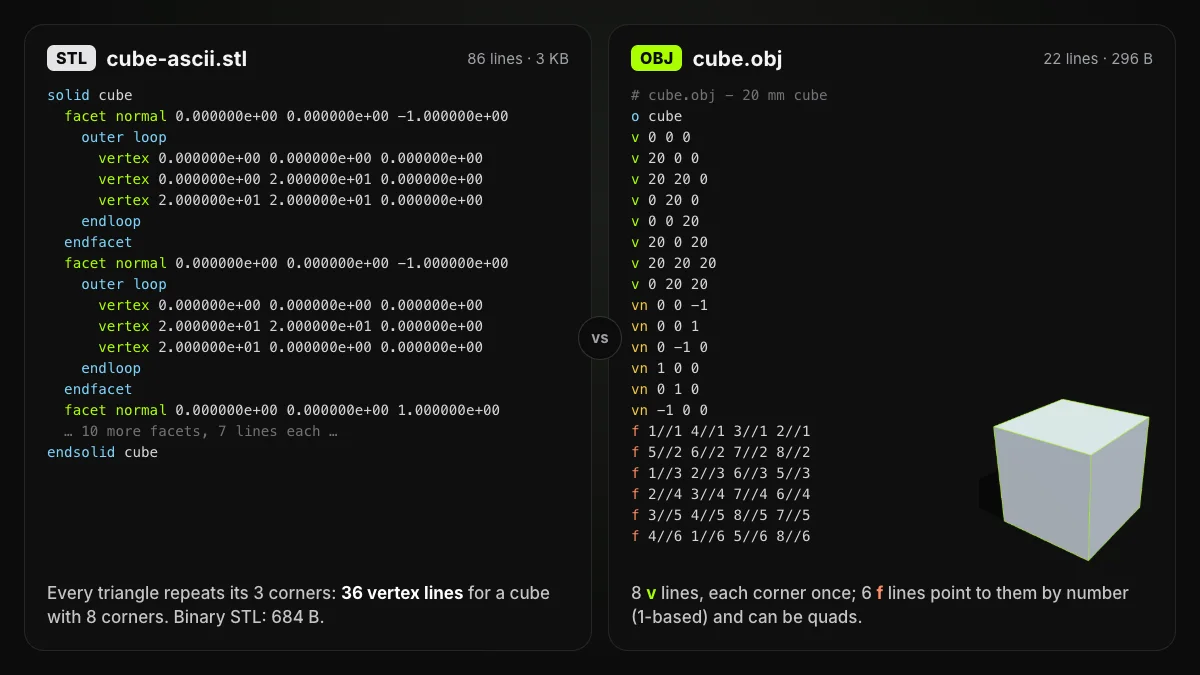
OBJ vs STL in plain text: the same cube
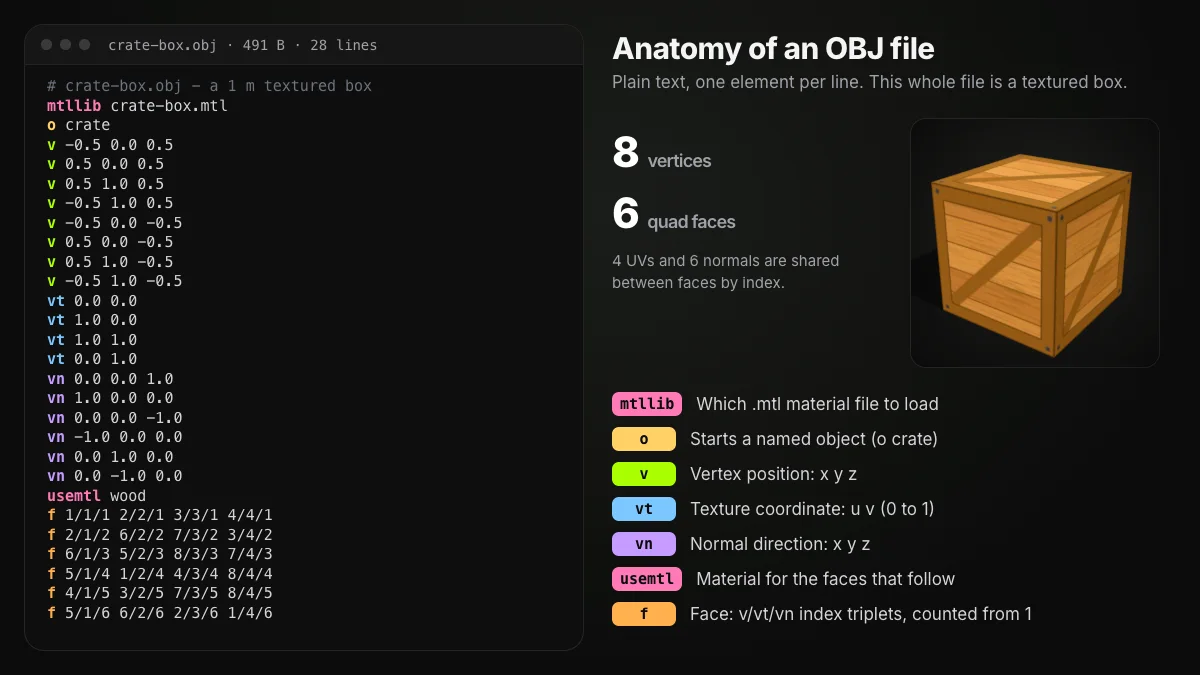
Write a 20 mm cube both ways and the core difference is plain to see. ASCII STL lists 12 triangles, each with its own normal and its own three corners, so the cube's 8 corners appear in 36 vertex lines. OBJ lists the 8 corners once, then builds 6 four-sided faces that point to them by number.
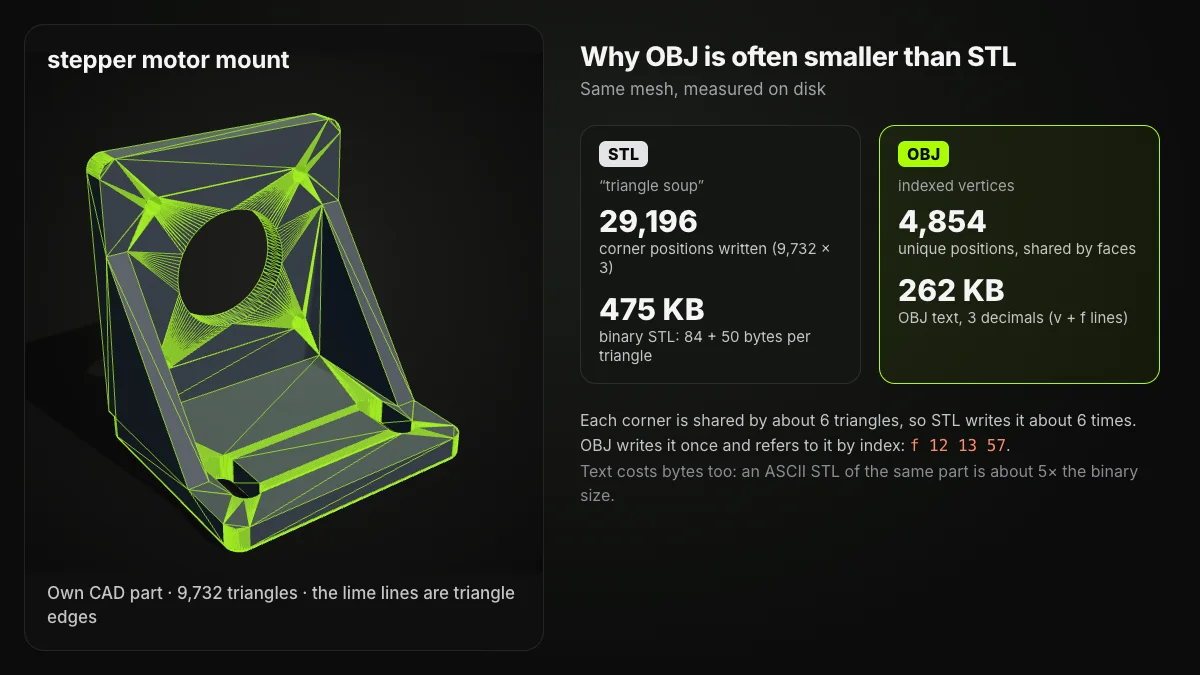
The pattern scales to real parts. A corner in a mesh is typically shared by about six triangles, so STL writes it about six times; OBJ writes it once. For the byte-level layout of STL, see what is an STL file; for every OBJ keyword and the .mtl file, see what is an OBJ file.
STL vs OBJ file size: one vase, six ways
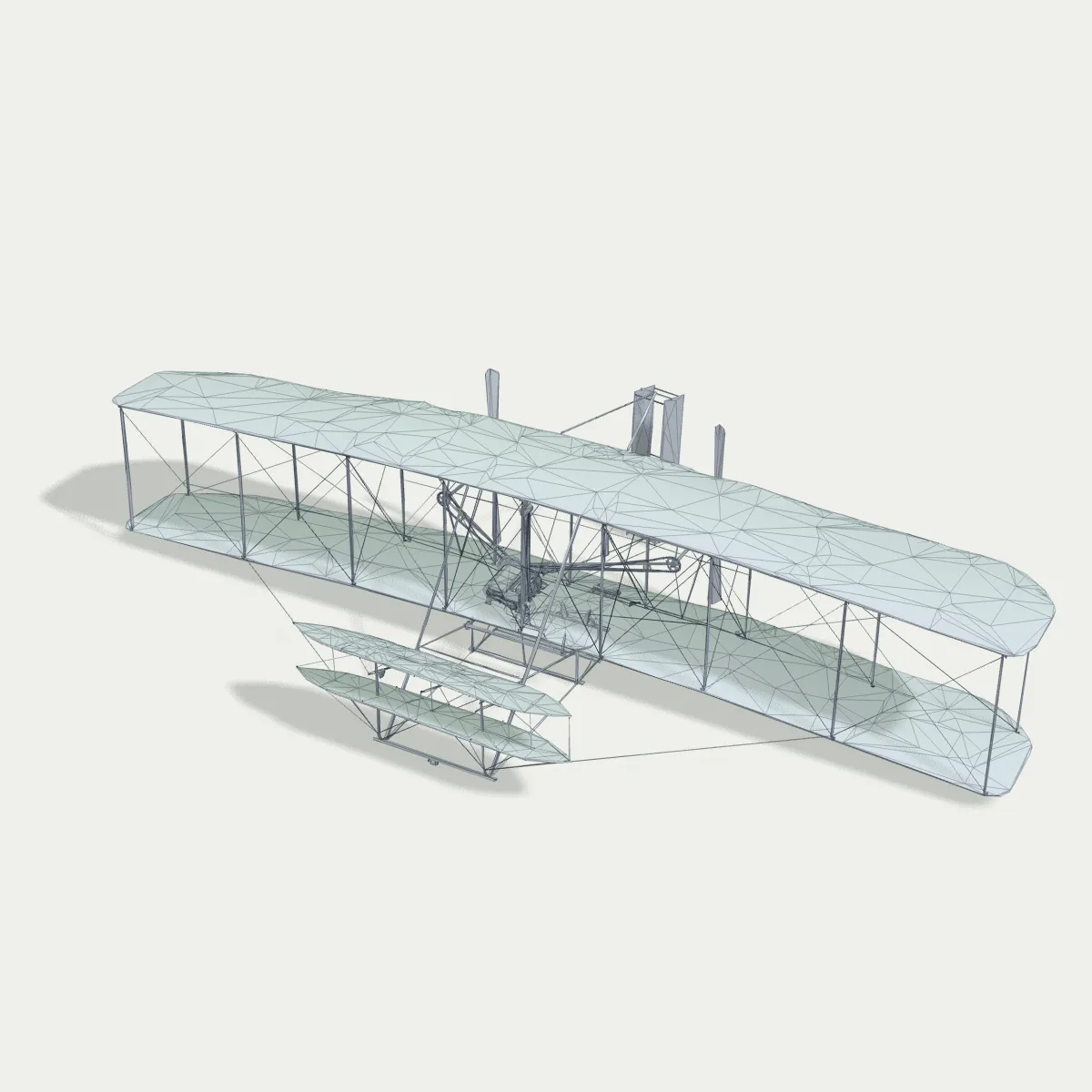
We exported the vase from the first picture six ways and measured the files on disk:
| Version | Size |
|---|---|
| Binary STL | 459 KB |
| ASCII STL | 2.75 MB |
| OBJ, geometry only | 268 KB |
| OBJ with UVs and normals | 725 KB |
| OBJ + .mtl + colour texture | 772 KB |
| GLB with the texture inside | 282 KB |
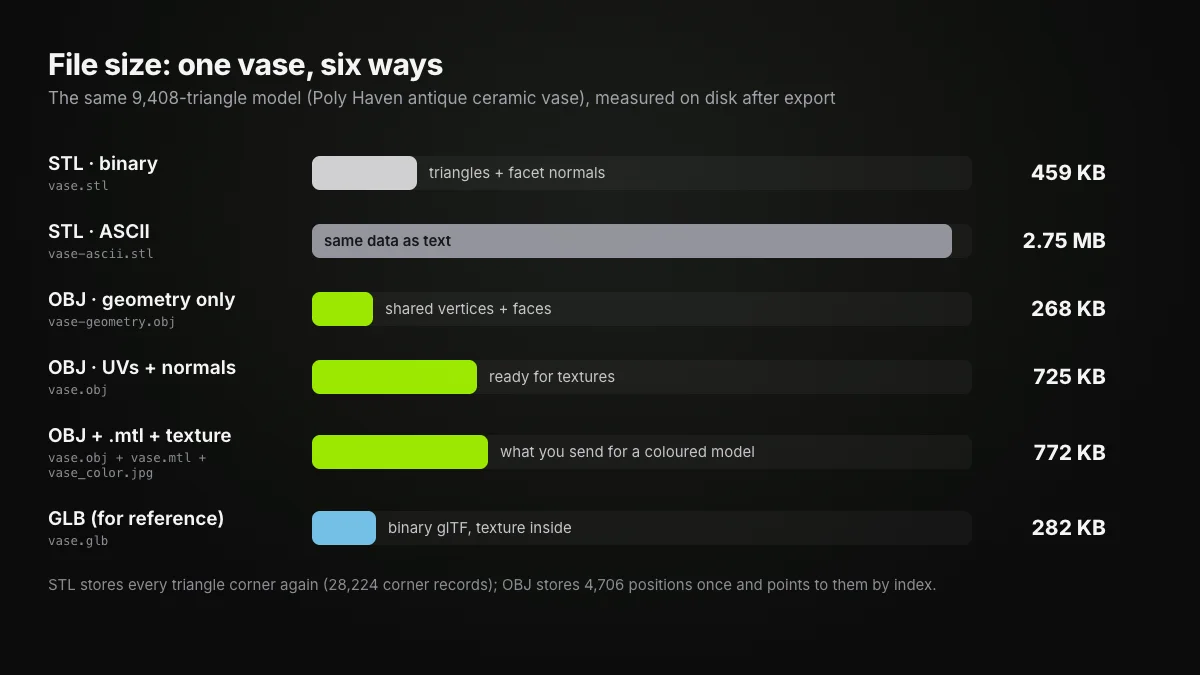
Three things stand out. A geometry-only OBJ beat binary STL by about 40 % even though it is text, purely because of shared vertices. Adding UVs and normals made the OBJ bigger than the STL, which is the cost of carrying what a texture needs. And ASCII STL was about six times the binary version. OBJ size also depends on how many decimals the exporter writes, so treat "OBJ is smaller" as a tendency, not a rule. And for a textured model in one compact file, GLB held the painted vase in 282 KB, less than the colourless binary STL.
STL or OBJ for 3D printing?
A slicer needs only the surface, so for a one-colour print STL is the simple, safe answer: any slicer opens it, and the colour comes from the filament. Most slicers also import OBJ, so a downloaded OBJ can usually go straight onto the build plate; its textures are just ignored.
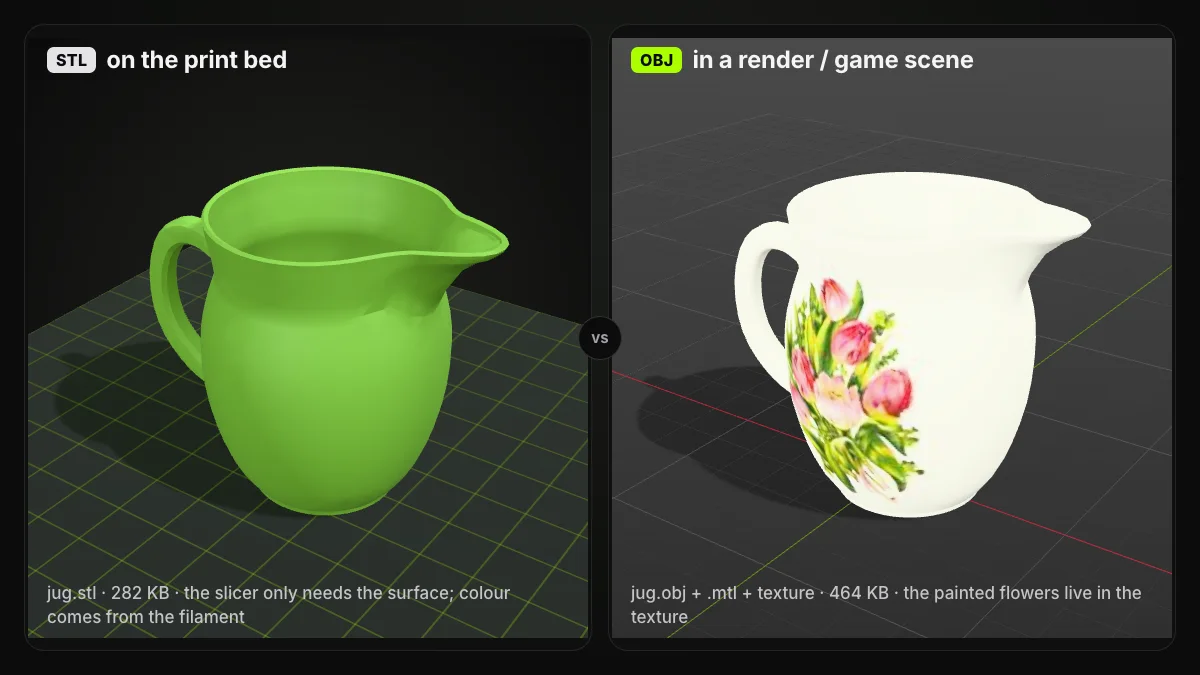
Colour is where the answer changes. The Library of Congress cites All3DP calling OBJ "the de facto file format for multi-color 3D printing", and full-colour services take it as a package: JLC3DP, for example, asks for the OBJ, its MTL and the PNG textures in one ZIP or RAR archive. On filament printers with several spools, 3MF is usually the better pick because it keeps parts, colours and units together; 3MF vs STL covers that format.
Sending a file to a print service?
For a single-colour part, send STL unless the service lists another format first, and state the units in your order. For a full-colour print, zip the .obj, .mtl and every texture image together, with no subfolders, and open the .mtl to check that the texture paths are plain file names.
STL vs OBJ: which to use when
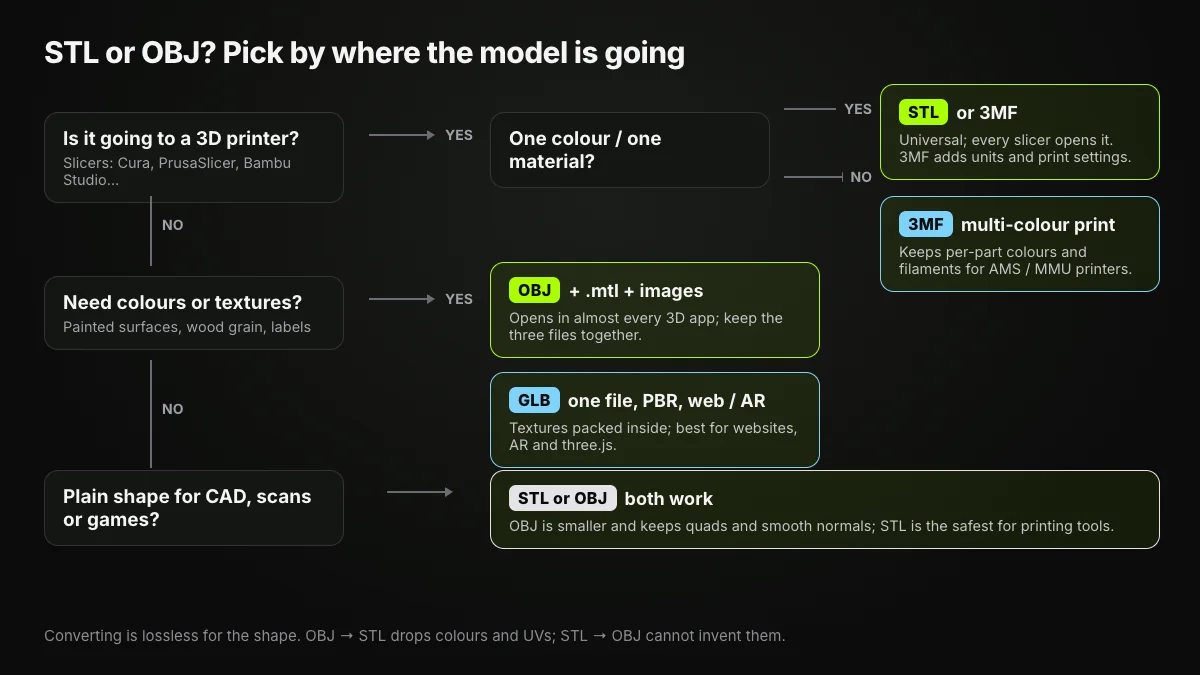
- One-colour 3D printing: STL. 3MF if you also want units and print settings in the file.
- Multi-colour printing: 3MF on filament printers; OBJ with its .mtl and textures for full-colour print services.
- Rendering, games and AR: OBJ when you need wide compatibility; GLB when you want one file with PBR materials. Neither STL nor OBJ carries animation.
- 3D scans: keep the textured OBJ as the master and export an STL copy when it is time to print.
- Plain shapes between programs: either works. OBJ keeps quads and smooth normals and is often smaller; STL is the safest bet for printing tools.
Converting STL to OBJ and OBJ to STL
Whichever side of the OBJ vs STL choice you start on, the shape survives the trip in both directions. What changes is everything around it.
OBJ to STL. Our OBJ to STL converter runs in your browser and writes a binary STL. Quads and n-gons are split into triangles; materials, colours and UVs are dropped; all objects in the file end up in one STL. It does not repair the mesh, so holes in the OBJ stay in the STL.
STL to OBJ. The STL to OBJ converter writes one .obj with the same triangles and their normals. It cannot invent what the STL never had, so there are no UVs, colours or .mtl; you would unwrap and texture the model in a 3D editor. The OBJ can also come out larger than a binary STL, because the size advantage in the charts above needs an exporter that shares vertices and trims decimals.
Convert OBJ to STL in your browser
Free, no sign-up, nothing uploaded. Preview the OBJ, convert, then check the triangle count and file size of the binary STL.
Neither direction fixes scale, because neither format records units. If a converted model looks 1,000 times too small in the slicer, it was probably modelled in metres; scale it by 1,000.
Summary
In the STL vs OBJ choice, STL is the minimal, universal print format: triangles only, one object, no colour. OBJ is the richer mesh: shared vertices, quads, UVs and normals, with materials in a .mtl and images beside it, often in a smaller file. Print with STL, keep OBJ (or GLB) for anything that needs to look right, and convert between them knowing that only the shape makes the trip both ways.
Frequently asked questions
What is the difference between STL and OBJ?
STL describes a surface as separate triangles, each repeating its three corners, with no colour or texture. OBJ lists each vertex once and builds faces from vertex numbers; it allows quads, UV coordinates and smooth normals, and gets colours and textures from a companion .mtl file and images.
Is STL or OBJ better for 3D printing?
For a single-colour print, STL is the safe choice because virtually every slicer and print service reads it. Most slicers import OBJ too, so it works if that is the file you have. For multi-colour prints on filament printers, 3MF usually serves better than either.
Which is smaller, STL or OBJ?
It depends on what the OBJ contains. A geometry-only OBJ that shares vertices is often smaller than a binary STL: 268 KB against 459 KB for our 9,408-triangle vase. Once UVs and normals are added, the same OBJ grew to 725 KB. An ASCII STL is the largest of all.
Does converting OBJ to STL lose quality?
The shape survives: every triangle keeps its position, and quads are split into triangles. What is lost is everything except the surface, meaning materials, colours, UV coordinates and the separation into named objects.
Can an STL file have colour?
Not in a standard way. The Library of Congress notes that STL has no standard support for colours or textures, and the vendor tricks that hide colour in spare bytes are not compatible with each other. Use OBJ with an .mtl, GLB or 3MF if colour matters.
Can I 3D print an OBJ file directly?
Usually yes. Most slicers import OBJ and treat it as a mesh, ignoring textures. If your slicer or print service only takes STL, convert the OBJ first; the geometry carries over unchanged.