Reduce STL File Size
Fewer Triangles, Same Printed Shape
Reduce STL file size without remodelling anything: this STL size reducer welds the shared corners of your mesh, then removes triangles where the shape changes least, and shows the original and the lighter version side by side.
Before and after, side by side
Drop a file to compare the original and the reduced mesh side by side.
Drop a binary or ASCII STL of up to 200 MB; OBJ, PLY, GLB, 3MF and FBX files open as well. Decide how far to go as a share of the triangles, as an exact triangle count or as a target size in MB, and add a tolerance in millimetres so the surface never drifts further than you allow. Before and after, the panel lists triangles, megabytes, estimated deviation, volume change and size change, so you can tell whether a part will still fit. Watertight meshes stay watertight. An ASCII file gets a one-click lossless switch to binary STL, which alone makes it about five times smaller. Download STL for any slicer, or 3MF for a smaller zipped file. The work happens on your own computer and the file is never uploaded.
Try it on three sample STL files
Each sample shows a different reason an STL gets heavy: a dense 3D scan, a CAD part exported with very fine curves, and a text (ASCII) STL. Click Try to reduce STL file size on one of them right away, or download it and open it in your slicer to compare.
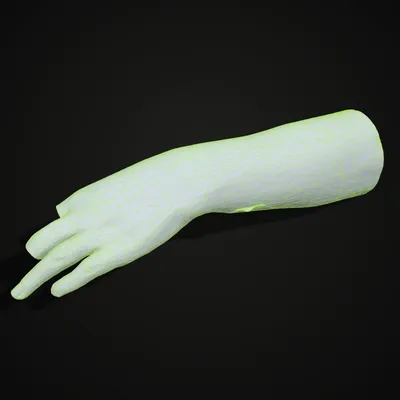
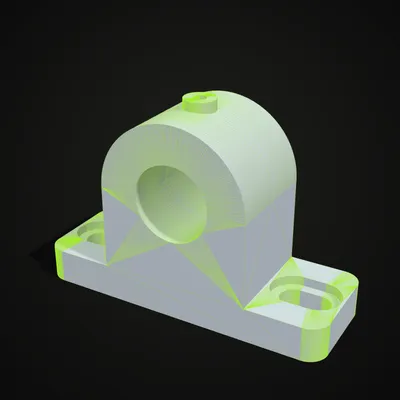
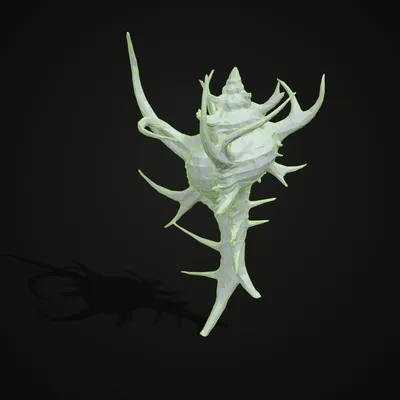
Reduce STL file size by 92% in 17 seconds
The recording loads the hand scan sample (11,988 triangles, 585 KB), sweeps the compare handle across the model and slides the target from 50% down to 8%. The result is 956 triangles and a 47 KB file, with the panel reporting about 0.45 mm of estimated deviation and 1.6% less volume. Wireframe mode makes the coarser triangles on the right half easy to see before the STL is downloaded.
Before and after: four heavy STL files
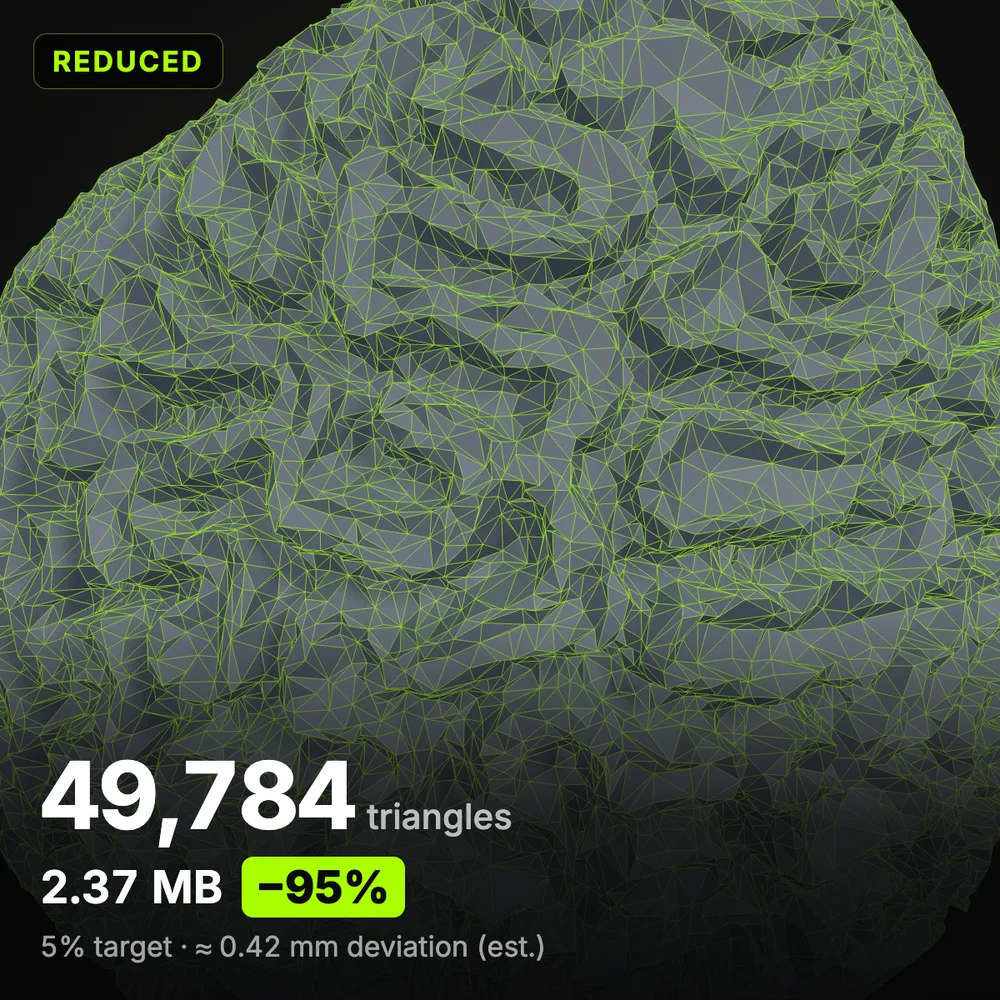
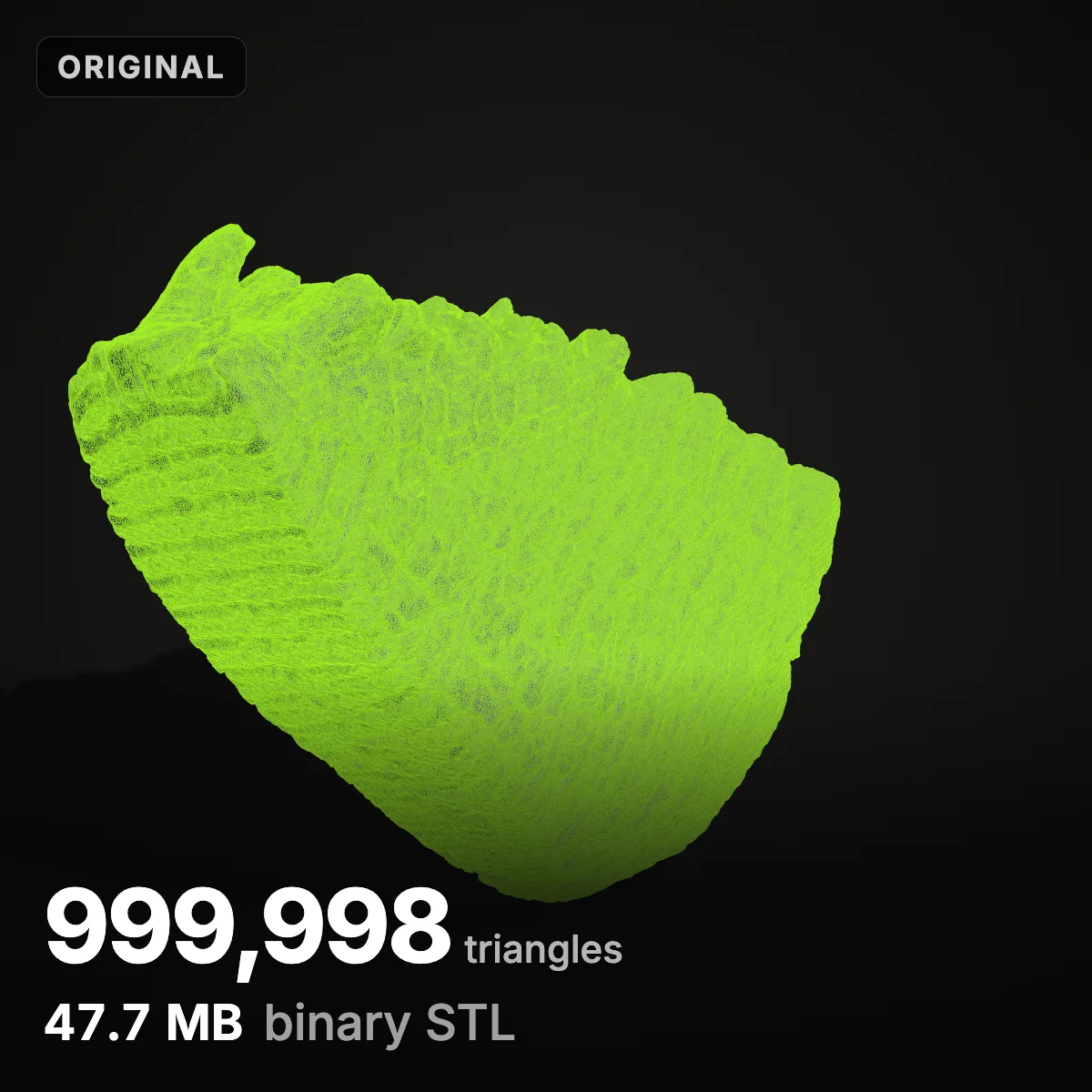
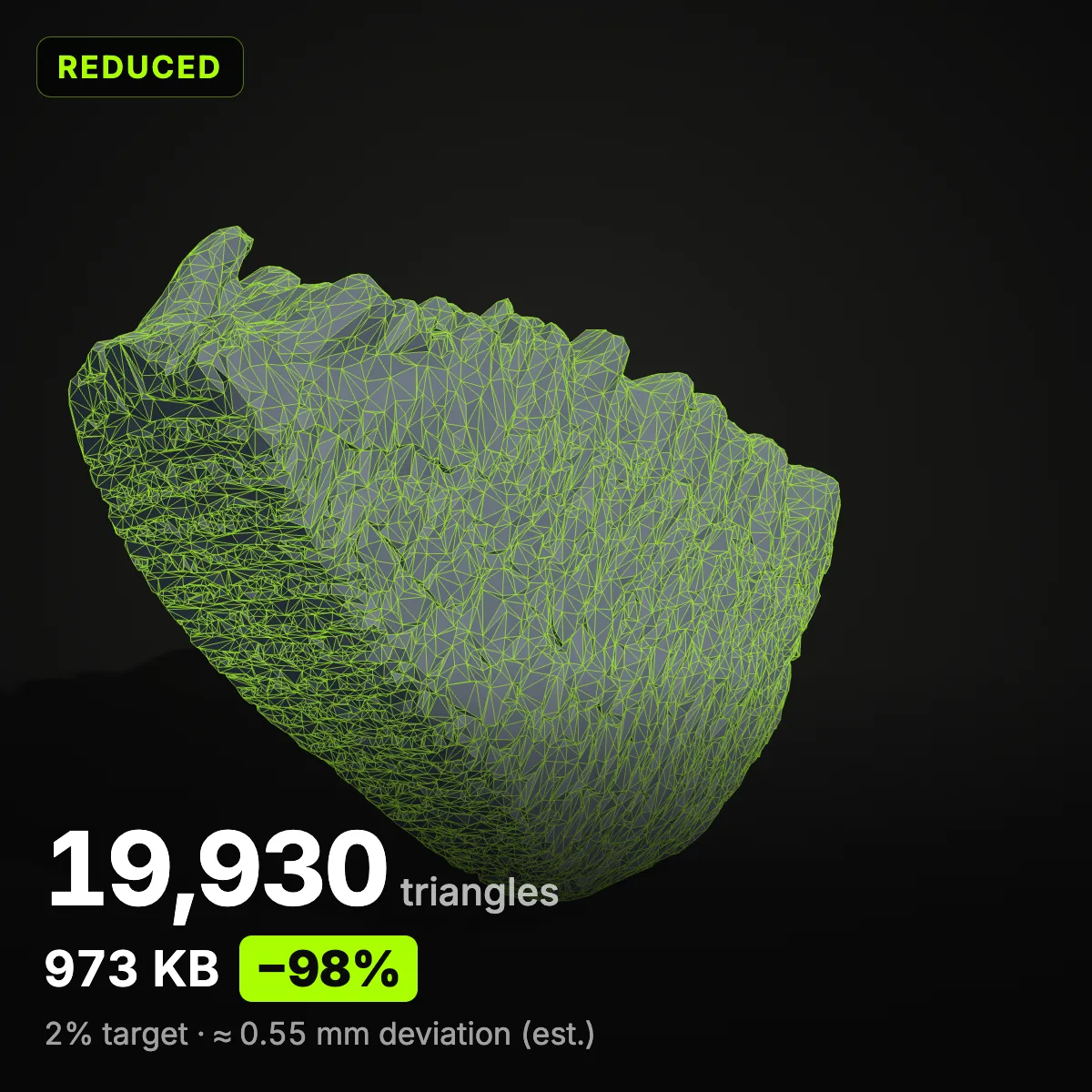
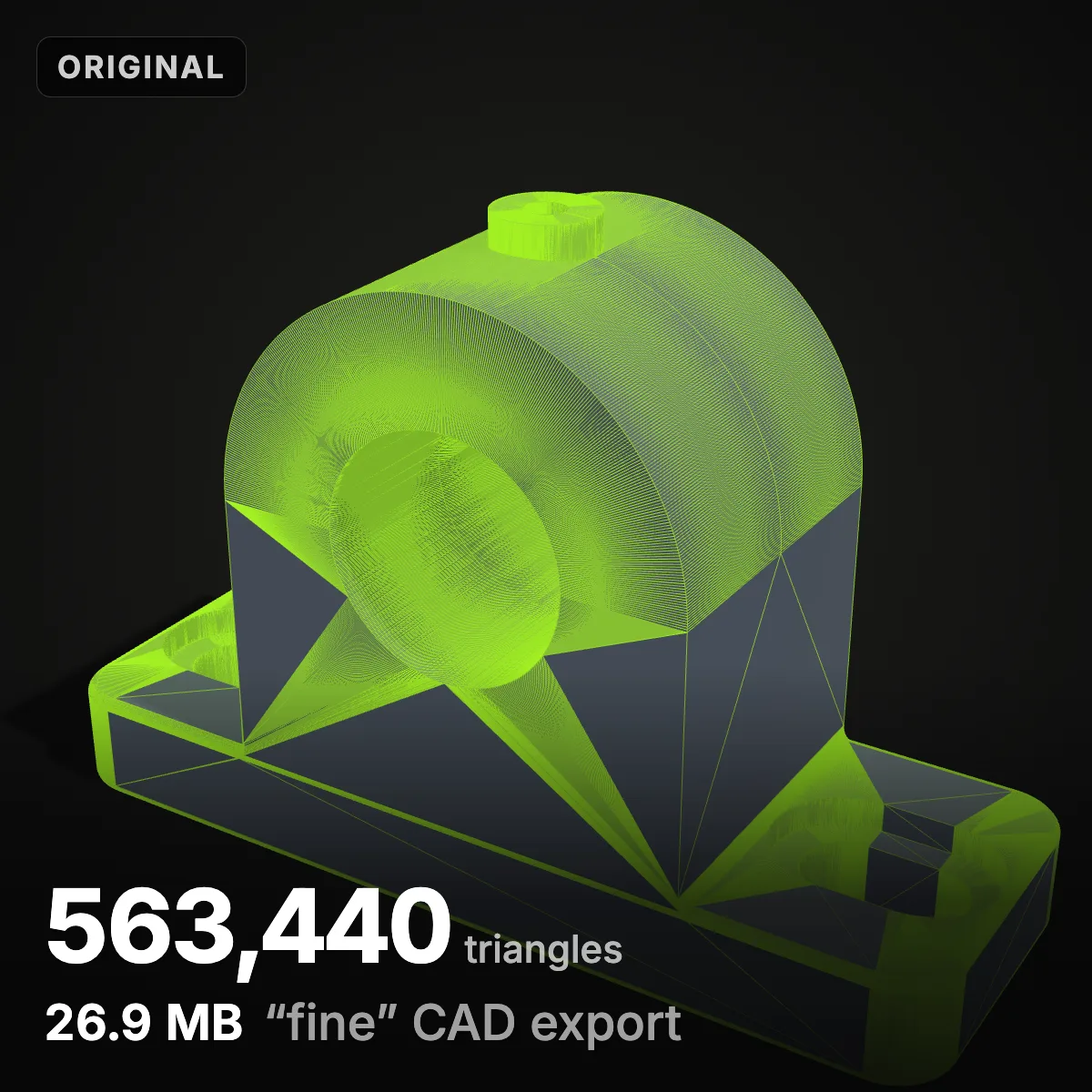
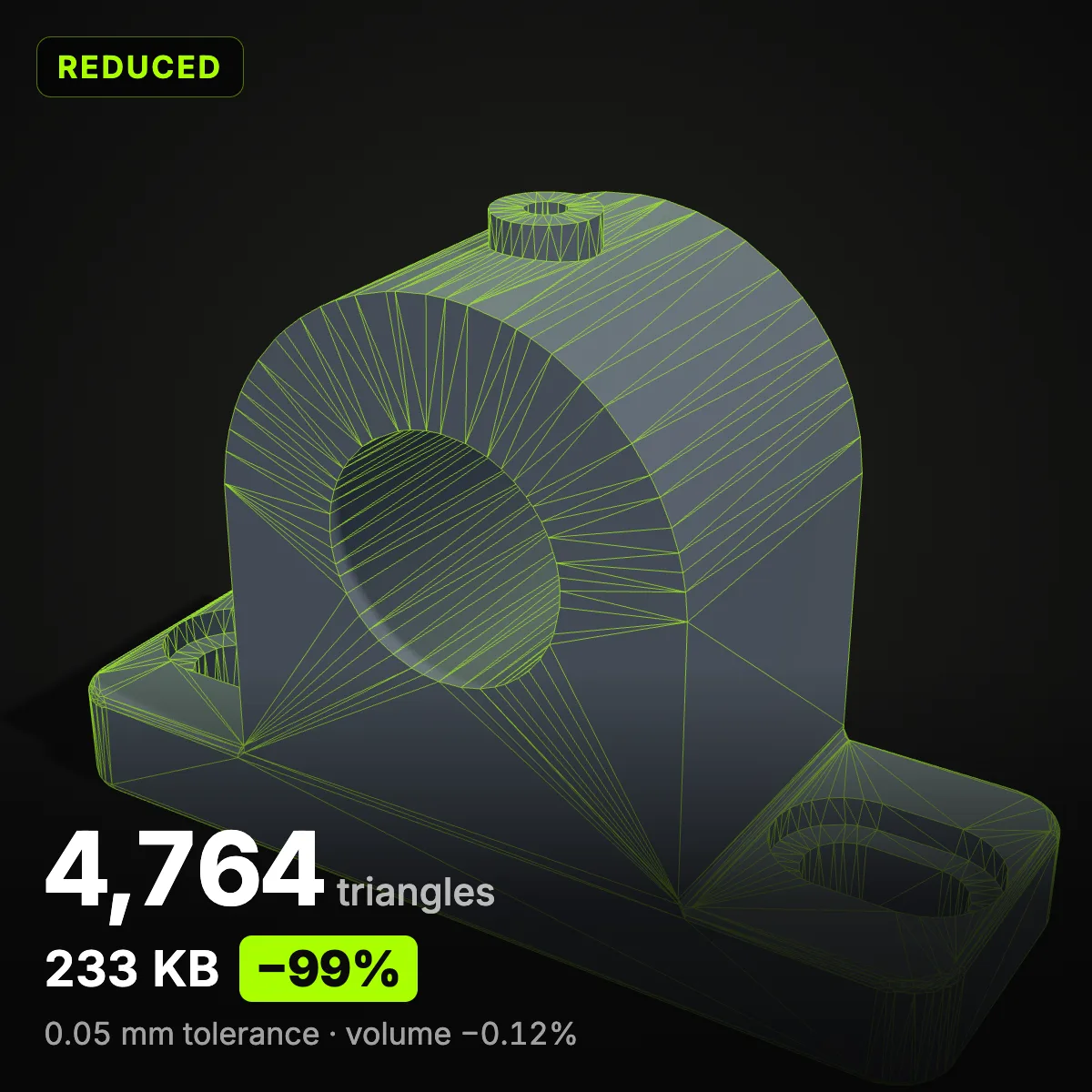
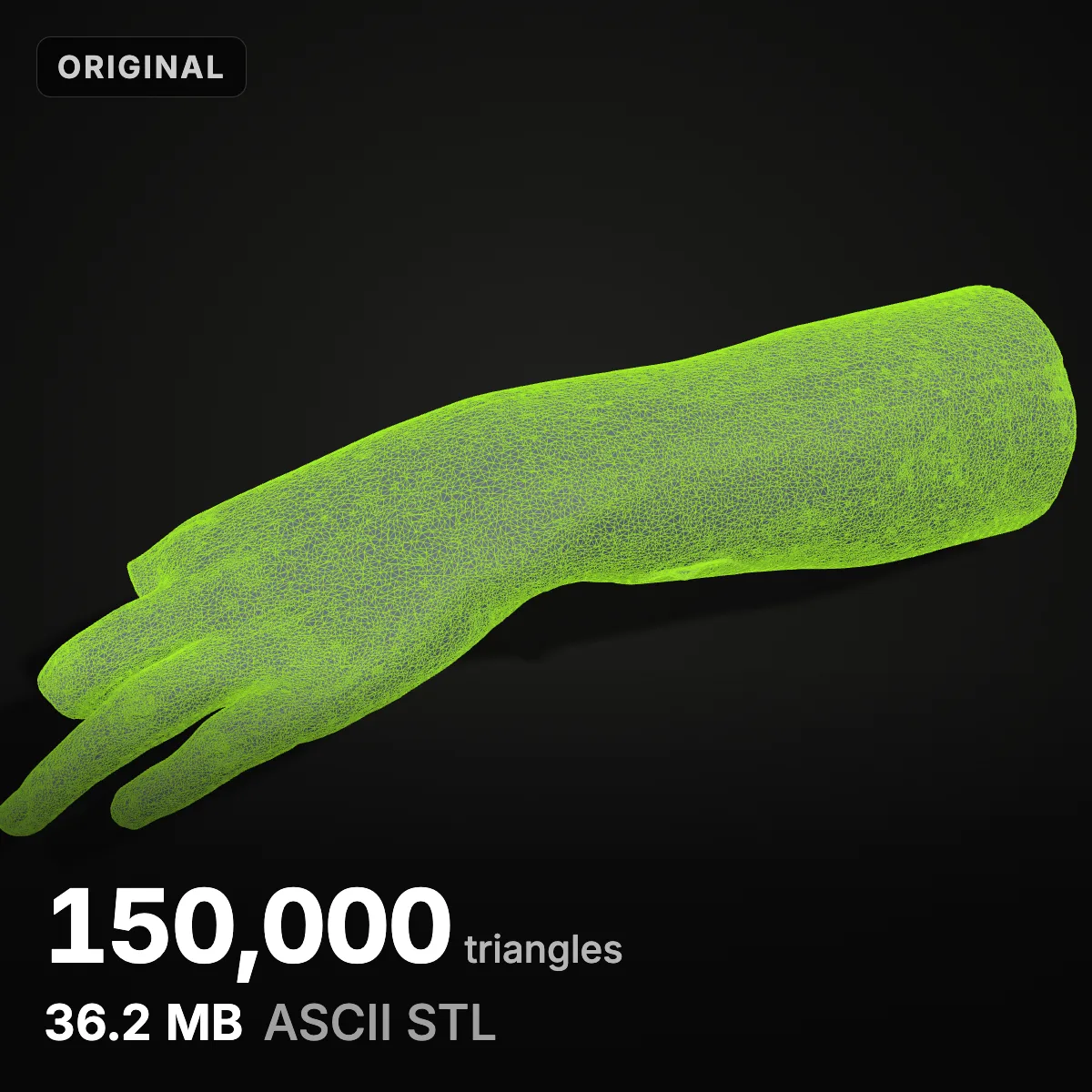
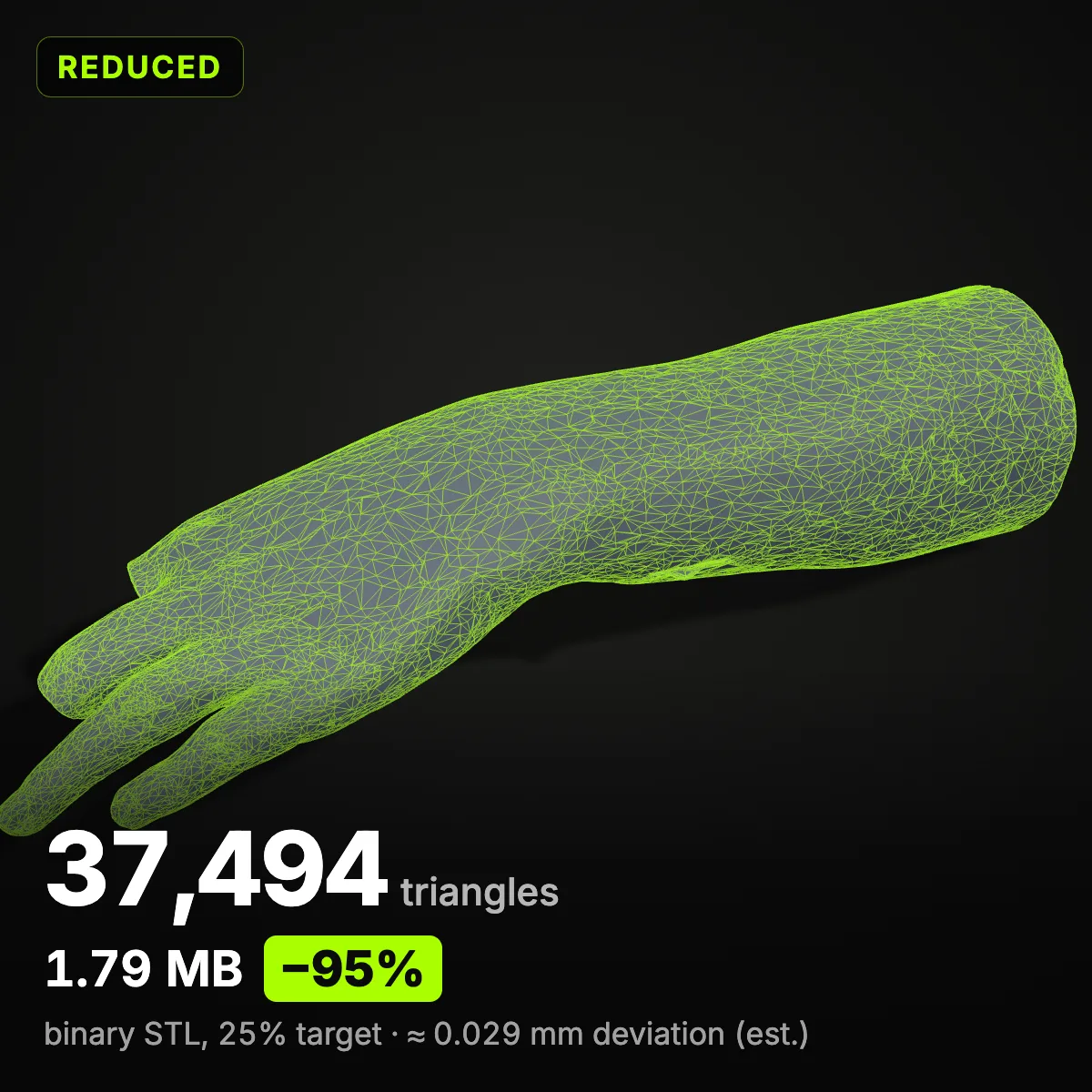
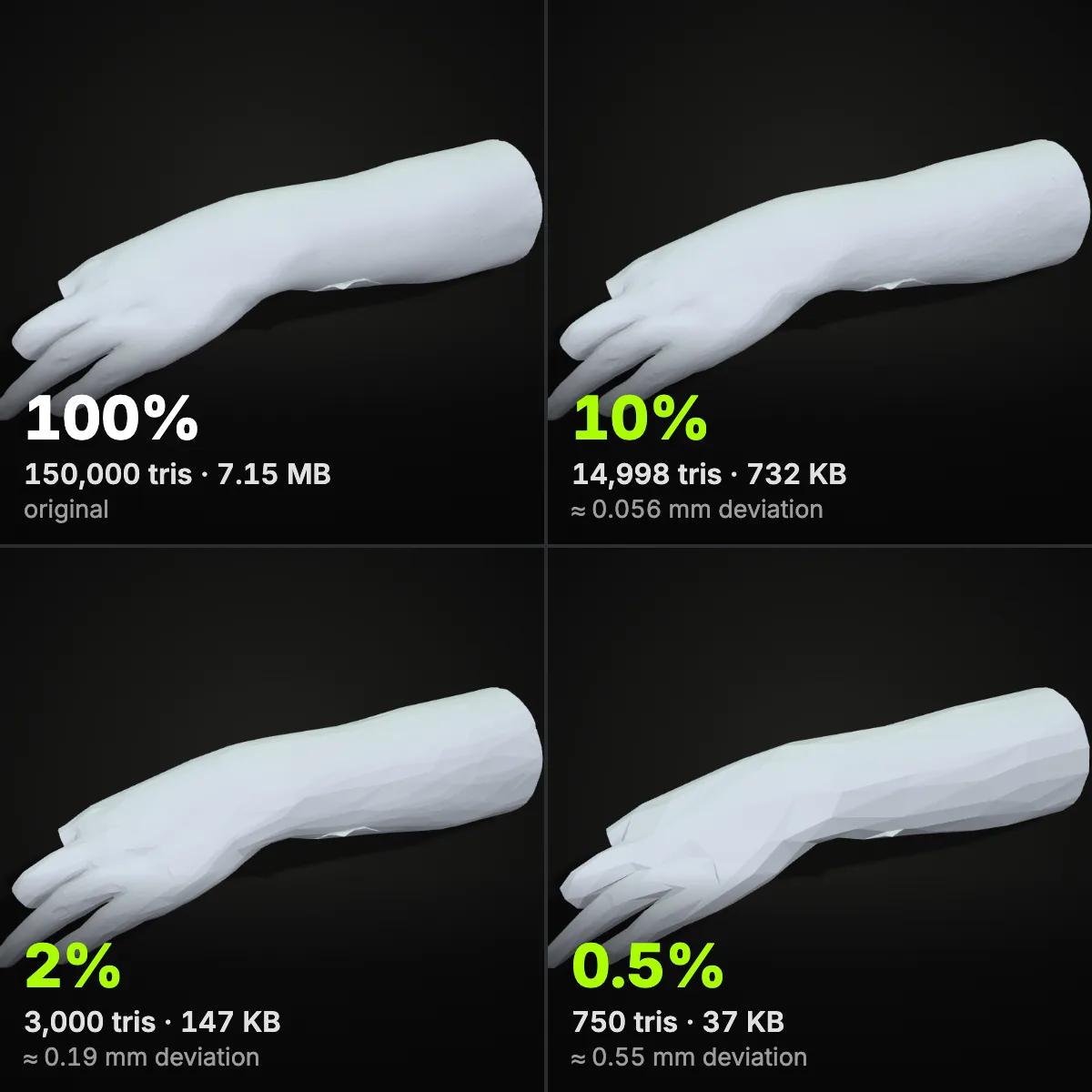
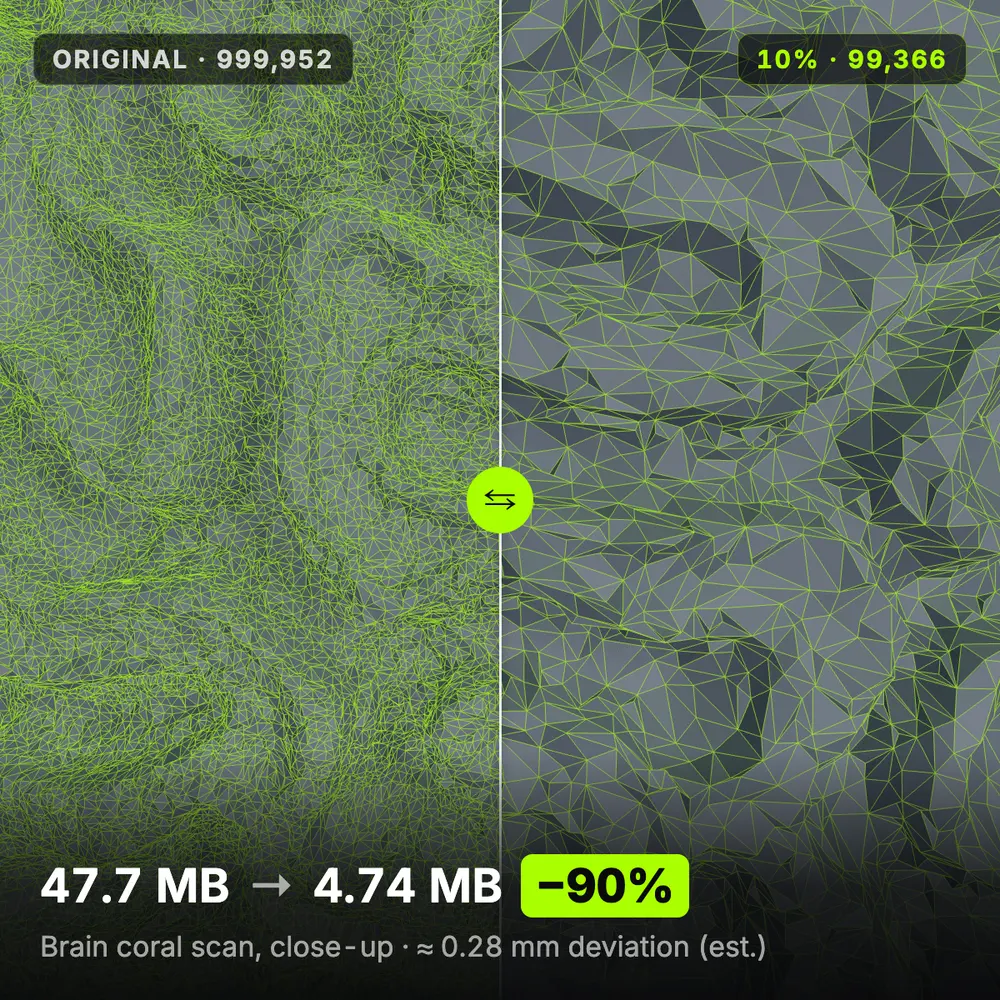
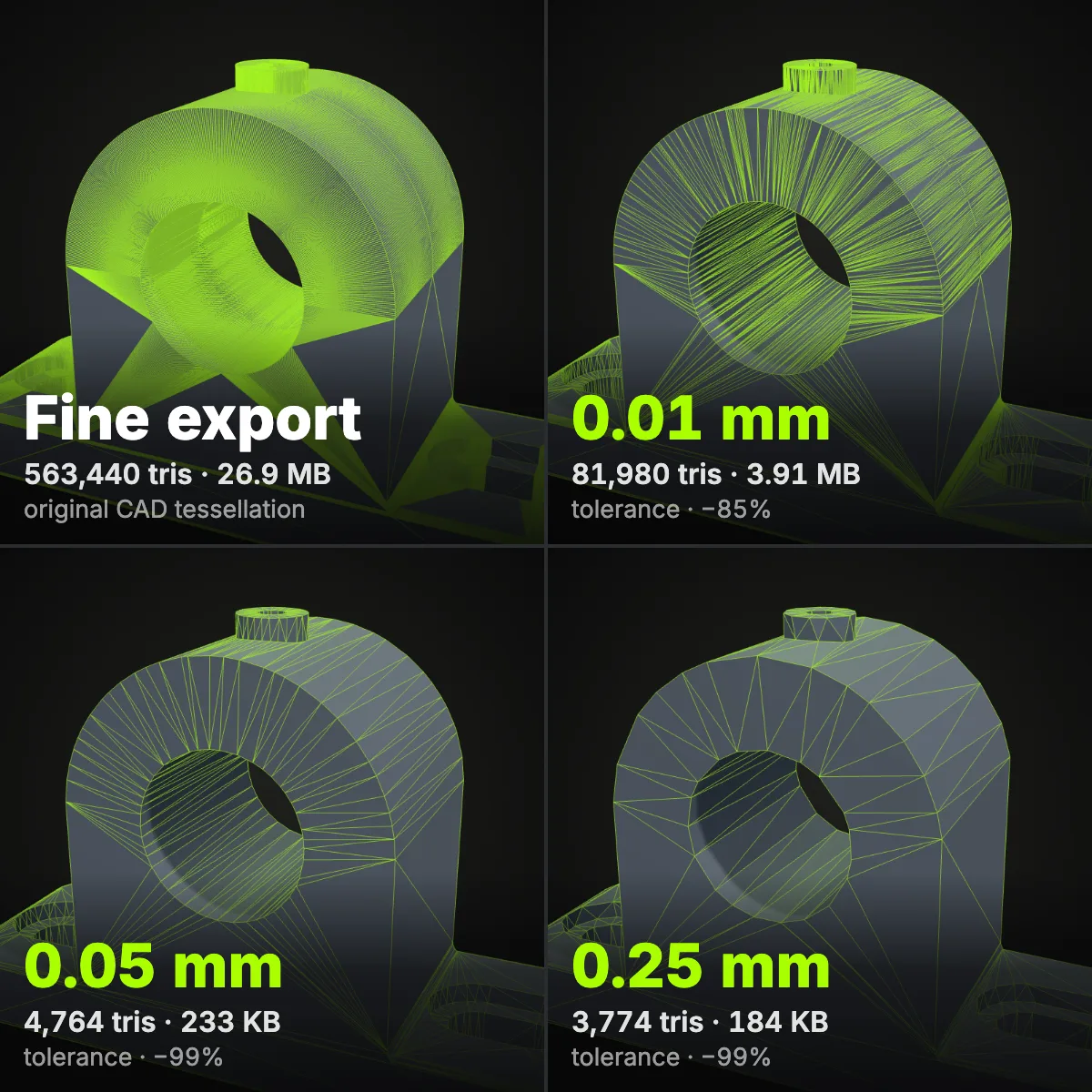
Four real scans and parts run through the tool to reduce STL file size, each pair shot from one camera. Left, the file as it arrived; right, what the STL mesh reducer saved, with binary STL size, share removed and the deviation or tolerance used. Volume changes are measured on closed meshes.
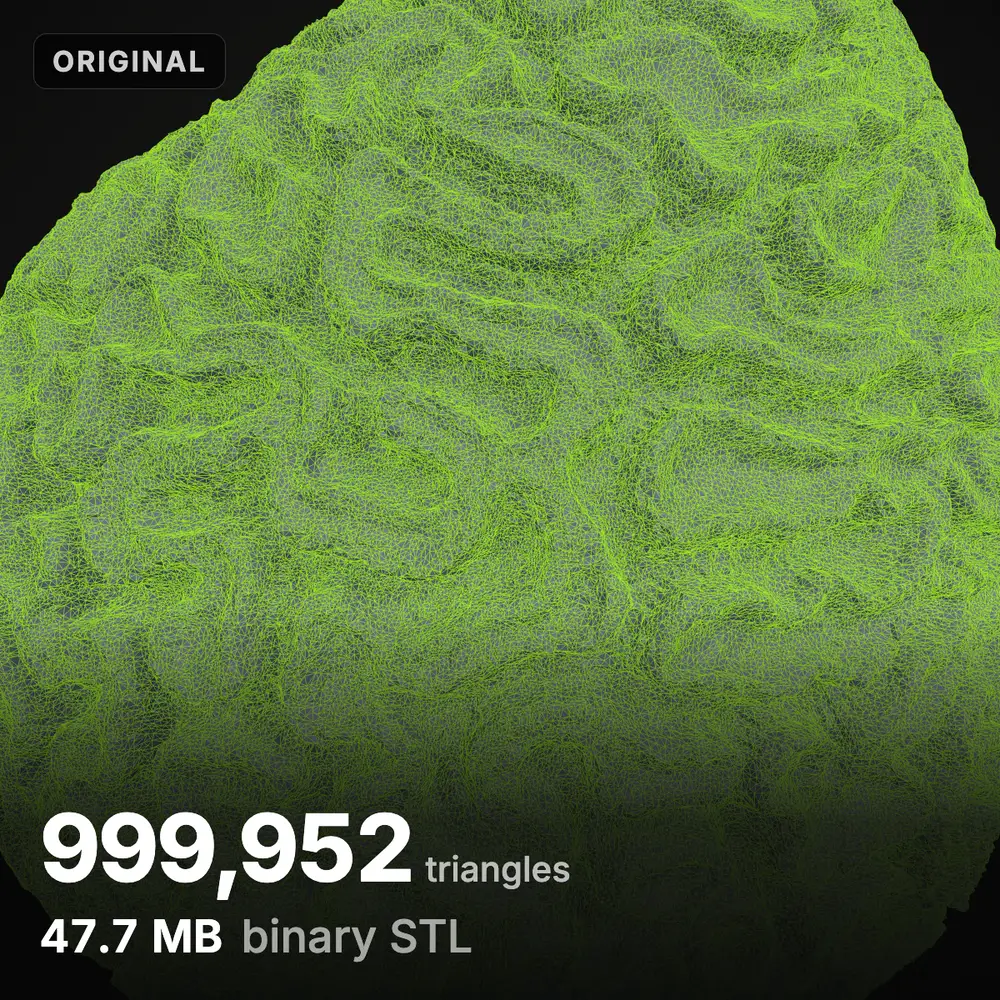
What each reduction level looks like
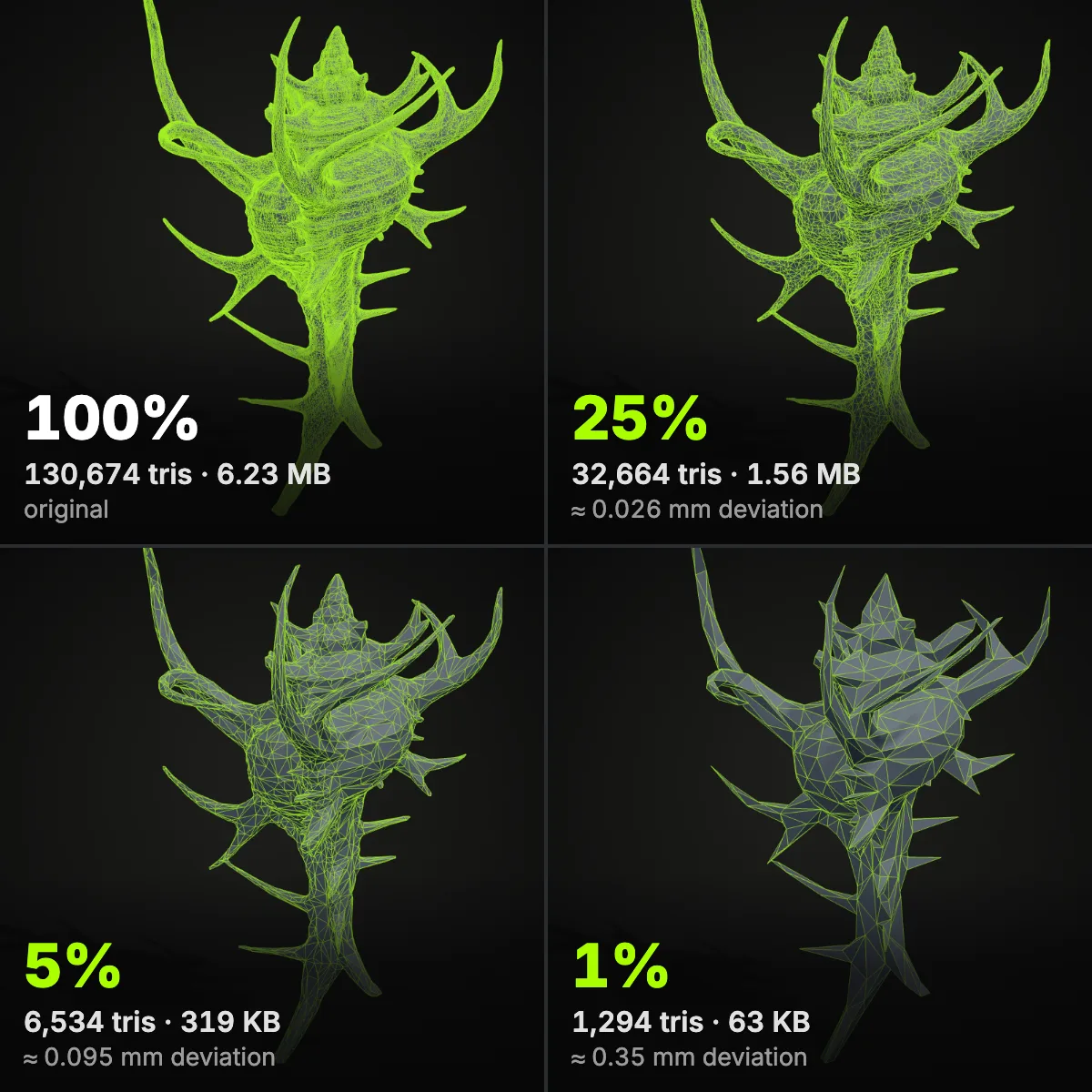
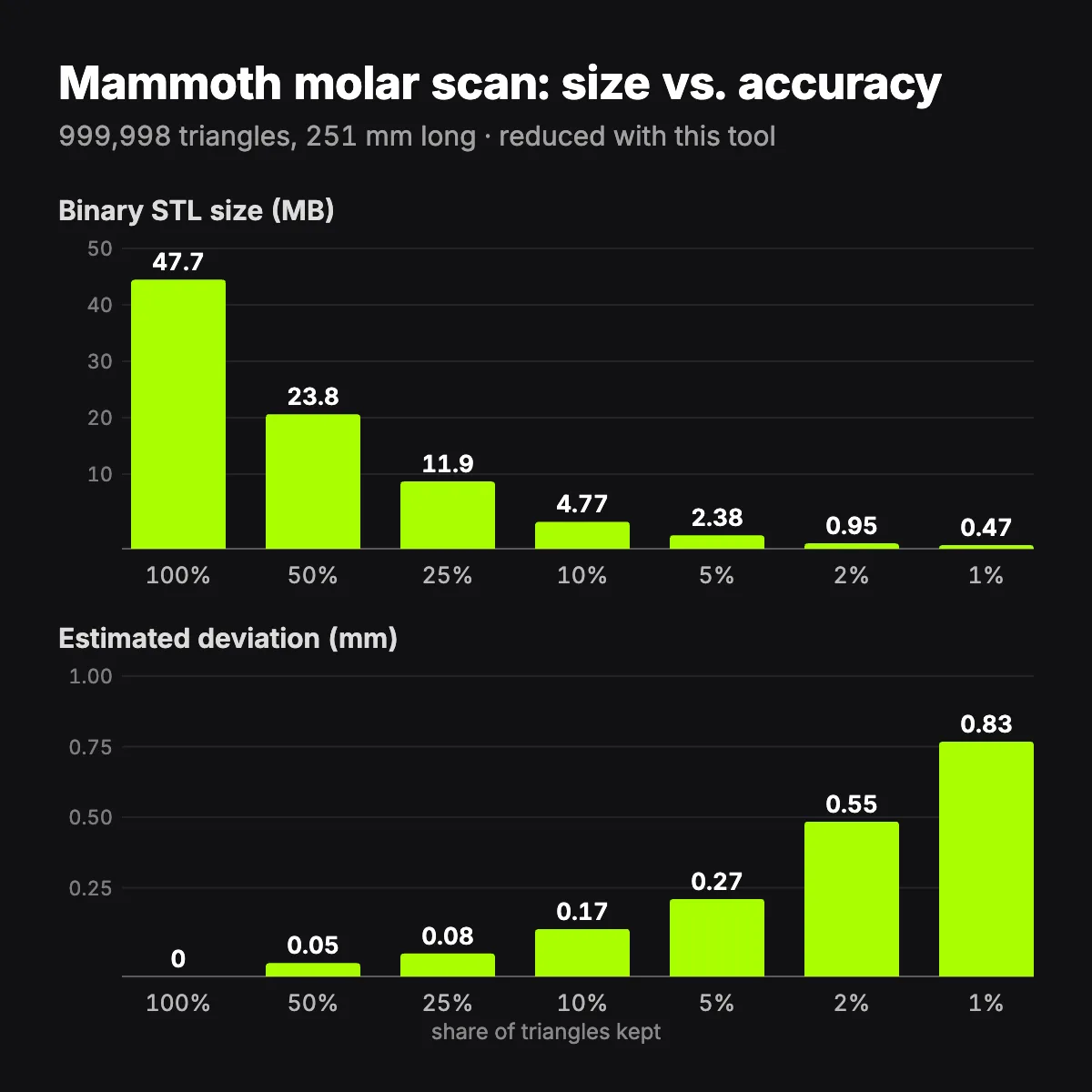
Eight renders and charts made while using this tool to reduce STL file size on museum scans and a CAD part. They show how far you can decimate an STL before anyone notices, and the point where facets start to show.
How to reduce STL file size
- 11
Open the STL
Drag the file onto the drop zone or click to browse. ASCII and binary STL are both parsed in a background worker, so the page stays responsive even near 200 MB. If the file is ASCII, a banner offers the lossless binary version first.
- 22
Choose a target and a tolerance
Set % of triangles, a triangle count or a file size in MB. To protect accuracy while you decimate the STL, pick a tolerance (0.01 to 0.25 mm) together with a low target: reduction stops as soon as the estimated deviation reaches your limit, and the panel tells you where it stopped.
- 33
Compare, then download
Drag the divider in the preview and turn on Wireframe to see the new triangles. Check volume and size change, then save as STL for any slicer, as 3MF for a zipped file, or as OBJ.
Reduction levels and what to expect
Measured with this STL size reducer on the samples and scans shown here. Deviation is the tool’s estimate unless a row says measured. On a 0.4 mm nozzle printing 0.2 mm layers, changes under about 0.05 mm are rarely visible.
| Setting | What changes | Measured example | Use it for |
|---|---|---|---|
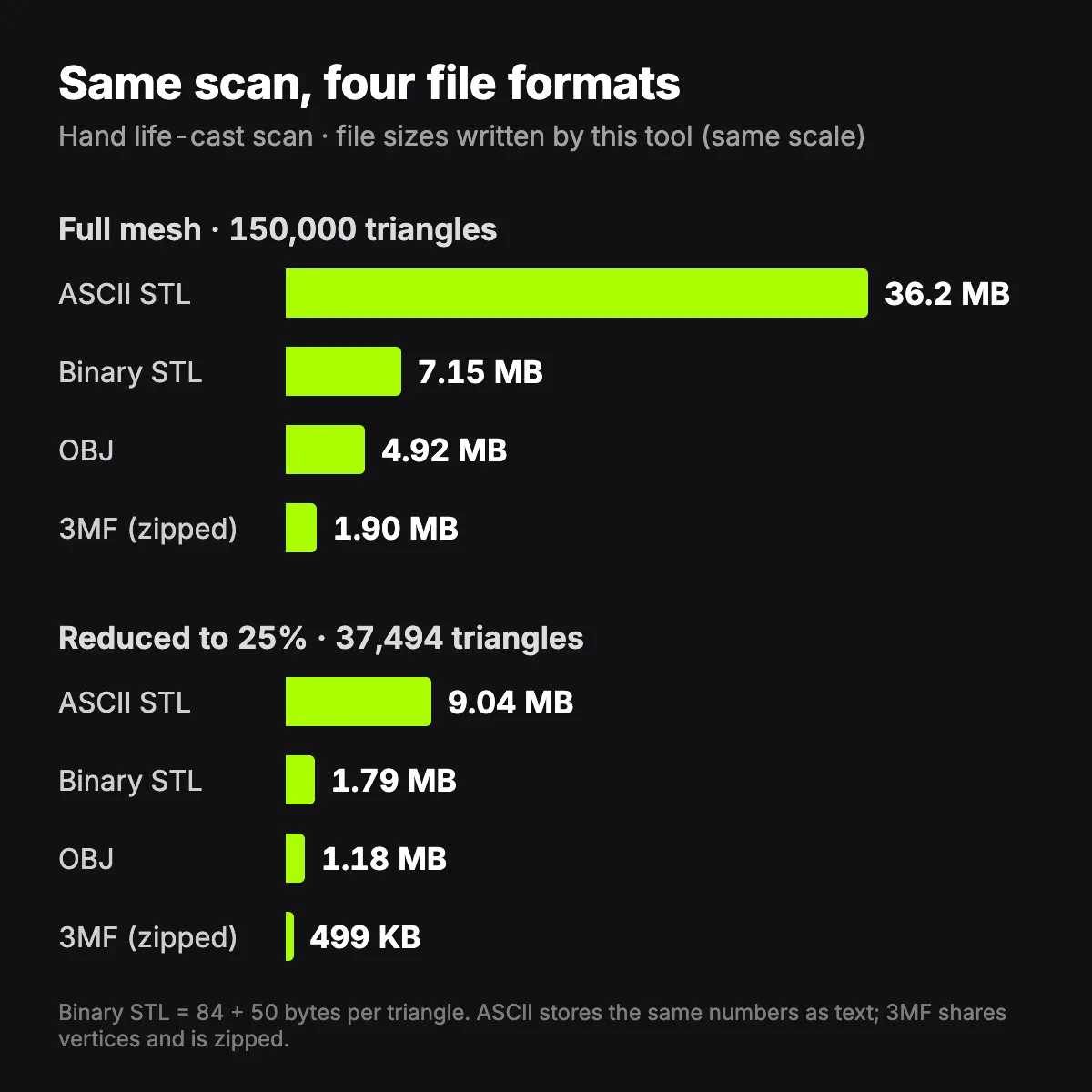
| ASCII → binary STL | Nothing in the geometry: the same triangles stored as numbers instead of text | Murex sample 1.68 MB → 342 KB; hand scan 36.2 MB → 7.15 MB | Every ASCII file, before anything else |
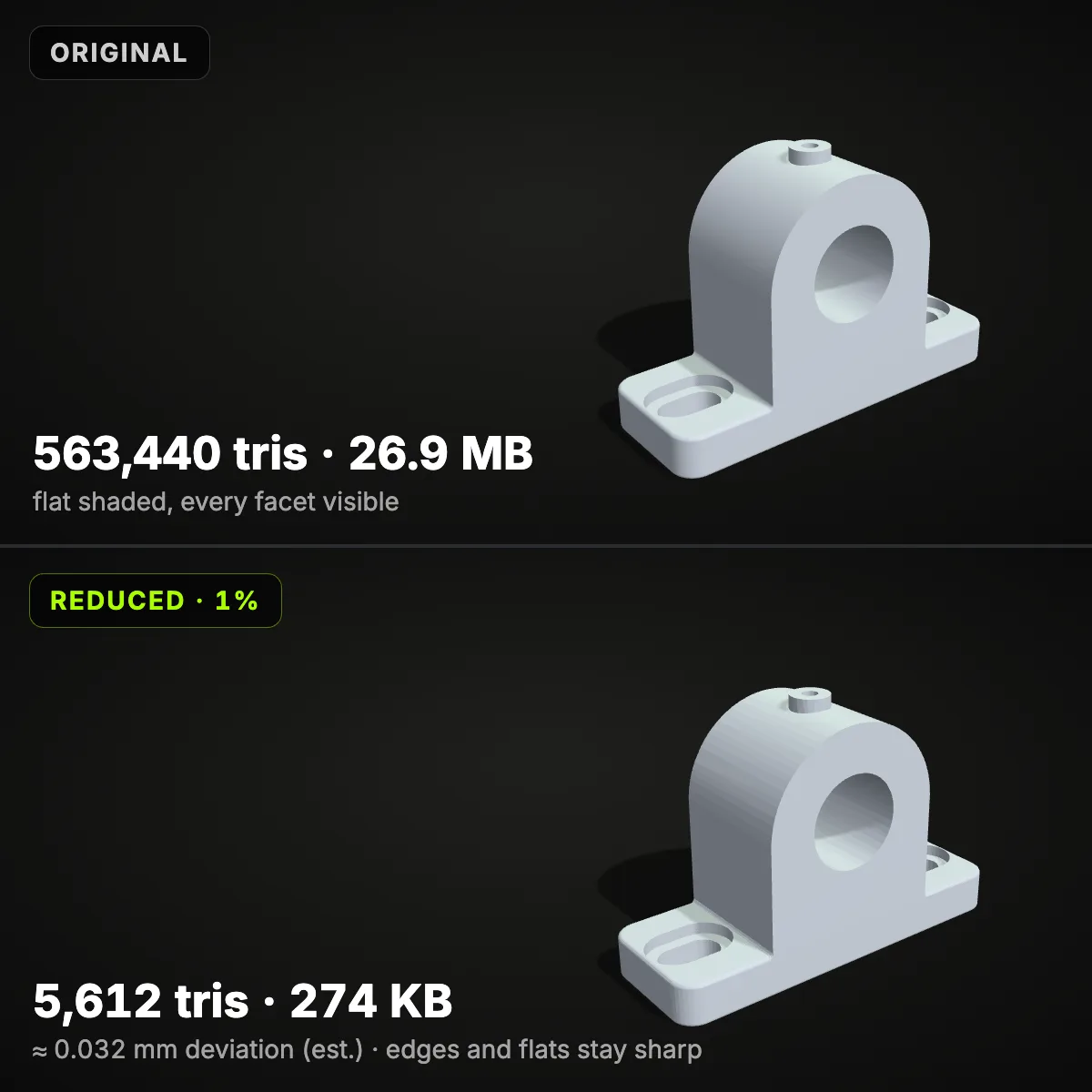
| Tolerance 0.01 mm | Only triangles on flat or gently curved areas are merged | Bearing housing 563,440 → 81,980 triangles (−85%), volume −0.009% | Precision parts, press fits, threads |
| Tolerance 0.05 mm | Detail far below one layer height disappears | Bearing housing 4,764 triangles (−99%); measured worst point 0.104 mm | Functional prints and most CAD exports |
| 25–50% of triangles | Scan noise and over-dense areas thin out; edges and form hold | Hand scan 150,000 → 37,494 triangles, 99% of points within 0.035 mm (measured) | Dense scans that must stay sharp |
| 5–10% of triangles | Fine surface texture softens; size and volume barely move | Brain coral at 5%: 47.7 MB → 2.37 MB, ≈ 0.42 mm, volume −0.06% | Million-triangle scans for uploads, email and slicing |
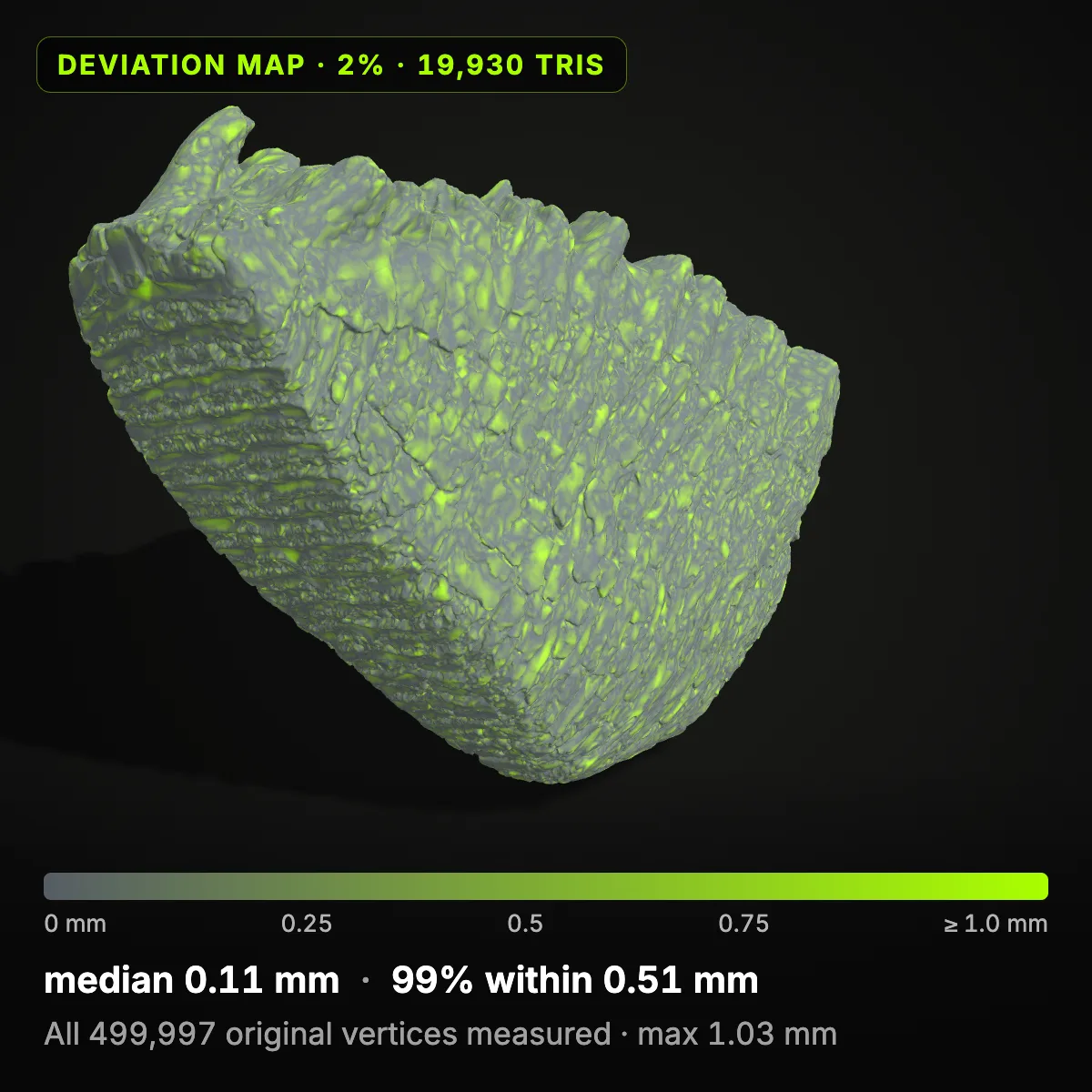
| 1–2% of triangles | Facets show; thin spikes and fingers can get shorter | Mammoth molar at 2%: median 0.11 mm, 99% within 0.51 mm, max 1.03 mm (measured) | Previews, fit checks, rough prototypes |
| Save as 3MF | Same triangles with shared vertices, zipped | Hand scan at full detail: 7.15 MB binary STL → 1.90 MB 3MF | PrusaSlicer, Cura, Bambu Studio, OrcaSlicer |
When an STL file is too large
Model-sharing upload limits
Printables, Thingiverse and MakerWorld all limit what you can upload, and a lighter file makes the 3D preview on your listing appear faster. Taking a scan from 50 MB to a few megabytes keeps the download quick while the printed object looks the same.
Emailing a print job
Personal Gmail accounts allow 25 MB of attachments and turn anything bigger into a Drive link. To reduce STL file size below that, switch the target to File size and type 20; the STL then travels inside the message to the print shop, the school lab or a friend with a printer.
Slicers that stall on huge meshes
A million-triangle scan makes slicing, arranging and the layer preview slow on an everyday laptop. The printer only follows layers and extrusion paths, so detail far below the layer height costs time without adding quality.
3D scans and photogrammetry
Scanners and photo-based capture record every pore of a surface. The CC0 museum scans on this page arrive with a million triangles each; at 5–10% their estimated change stays within a few tenths of a millimetre.
Over-detailed CAD exports
Fusion, SolidWorks and Onshape can export curves at hundredths of a millimetre, which fills cylinders and fillets with hair-thin triangles. A 0.01 or 0.05 mm tolerance pulls most of them out, and flat faces and sharp edges stay put.
A lean print library
Folders of print-ready files grow quickly, and Git or cloud backups keep every revision in full. Running each file through an STL size reducer at a sensible tolerance, or saving 3MF, keeps the archive small without throwing away printable detail.
Reducing STL file size: common questions
Because STL stores every triangle on its own. A binary STL takes exactly 50 bytes per triangle plus an 84-byte header, so a one-million-triangle scan weighs 47.7 MB, and each corner is written again for every triangle that touches it. ASCII STL spells the same numbers out as text and is about five times larger again.
Do the lossless steps first: convert ASCII to binary STL and, if your slicer reads it, save as 3MF. Then reduce with a tolerance instead of a fixed percentage. At 0.05 mm the bearing housing on this page went from 26.9 MB to 233 KB, and its measured worst point moved 0.104 mm, about half of a typical 0.2 mm layer.
No, nothing is scaled: millimetres stay millimetres. The surface moves by roughly the deviation shown, and the Size change stat reports how far the bounding box shifted, 0.000 mm for the hand scan at 25%. Watch thin parts at very low targets: the murex sample’s spikes lost 5.5 mm of length at 5%.
Yes, scans are where an STL mesh reducer saves the most. When the mesh has open edges, Lock open edges switches on by itself so each hole keeps its outline, and the volume stat reads “open mesh” because an open surface has no volume. Holes are not filled here; run the file through our free STL repair tool first if you need a watertight print, then reduce it.
There is no single number, because it depends on size and curvature, so set a tolerance and let the count follow. For reference, the 180 mm hand scan kept 99% of its surface within 0.035 mm at 37,494 triangles, and the bearing housing needed only 4,764 triangles at 0.05 mm. A desktop FDM print rarely needs a million.
Binary. Both hold exactly the same triangles, but ASCII writes each one as seven lines of text, so it ends up about five times larger: the murex sample is 1.68 MB as ASCII and 342 KB as binary. Every common slicer reads binary STL. To compress an STL further, save it as 3MF, which is zipped.
Related tools





No STL to shrink yet?
Ship3D’s AI generator turns a photo or a text prompt into a 3D model you can download as STL, ready to reduce STL file size here before it goes to your slicer.
Free to sign up, no credit card required. Try it once for free.