OBJ File Shrinker
Lighter Meshes for Web, Games and Scans
This OBJ file shrinker lowers the polygon count of a Wavefront .obj and writes it back as a compact, geometry-only file, entirely inside your browser.
Before and after, side by side
Drop a file to compare the original and the reduced mesh side by side.
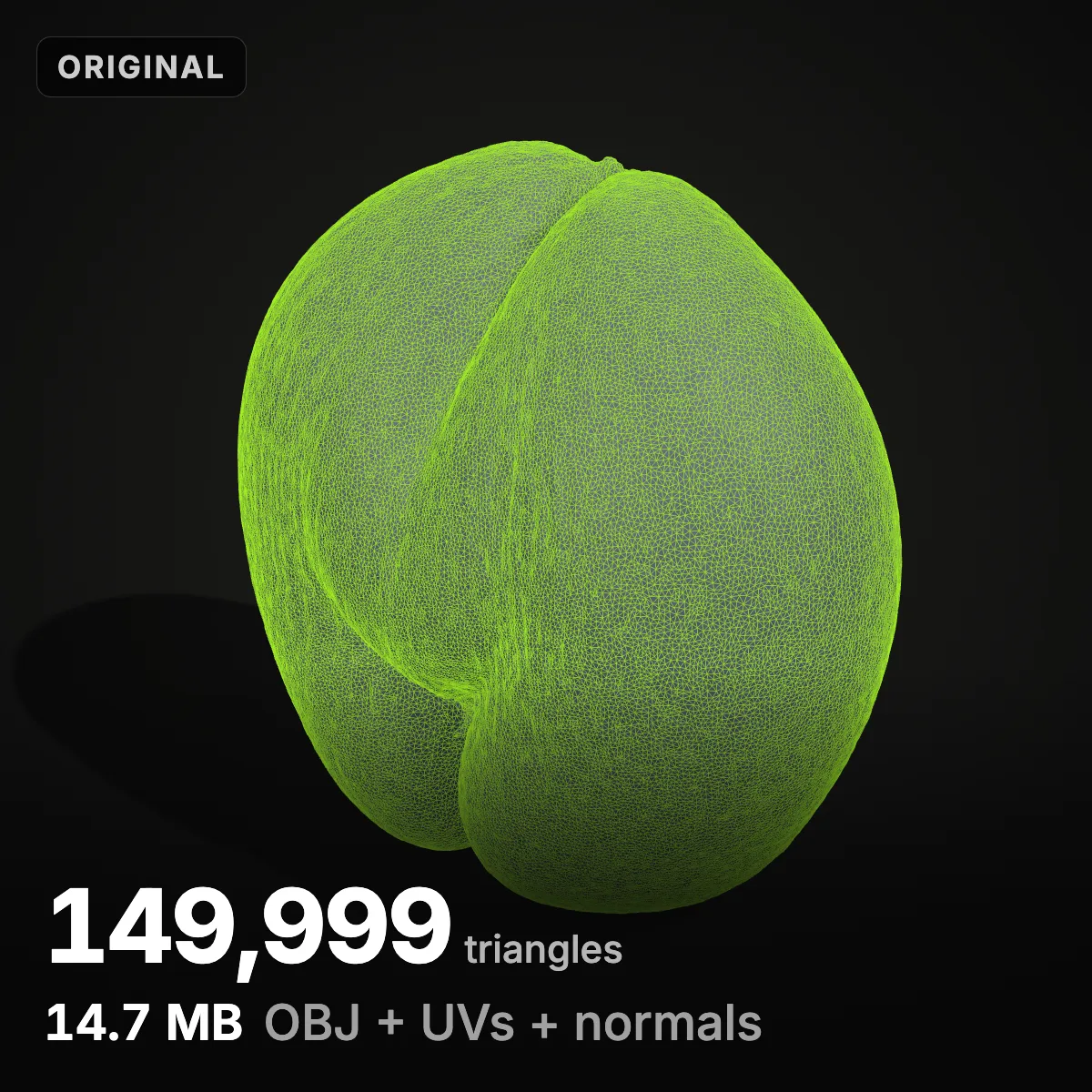
OBJ is plain text: every vertex, normal, texture coordinate and face is a line of digits, which is why a 150,000-triangle scan export can pass 14 MB. Drop the file (up to 200 MB; STL, PLY, GLB, glTF, 3MF and FBX load too) and set the target as a percentage, a triangle count or the number of megabytes you need. Tolerance is a share of the model’s size rather than millimetres, because OBJ carries no units: scans often arrive in metres, CAD exports in millimetres. A split view with a draggable divider and a wireframe switch compares original and result from one camera, and the size it reports is the exact OBJ you will download. Save as OBJ, or as GLB for the web, STL or 3MF. One limit to know up front: UVs, vertex normals and materials are not carried over, so it suits scans and untextured meshes better than finished game assets.
Two OBJ samples to start with
One is a museum scan exported with vertex normals, the other a CAD gear tessellated far finer than it needs to be. Load either into the OBJ file shrinker with Try; the cone shell shows how much an OBJ sheds just by losing its normals.
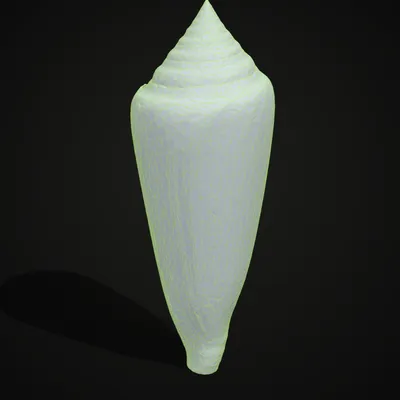
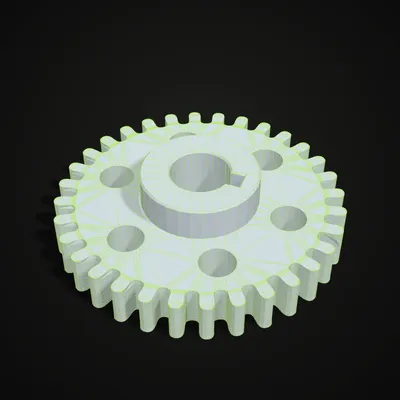
A 539 KB OBJ down to 25 KB in 14 seconds
This recording drops the cone shell sample (9,000 triangles with vertex normals) into the OBJ file shrinker. At the default 50% the OBJ is already 75% smaller, because the normals are gone too. Sliding the target to 10% leaves 900 triangles and a 25 KB file, with ≈ 0.30% estimated deviation and 1.6% less volume; wireframe mode then shows the new triangles before the OBJ is saved.
Four OBJ files, shrunk
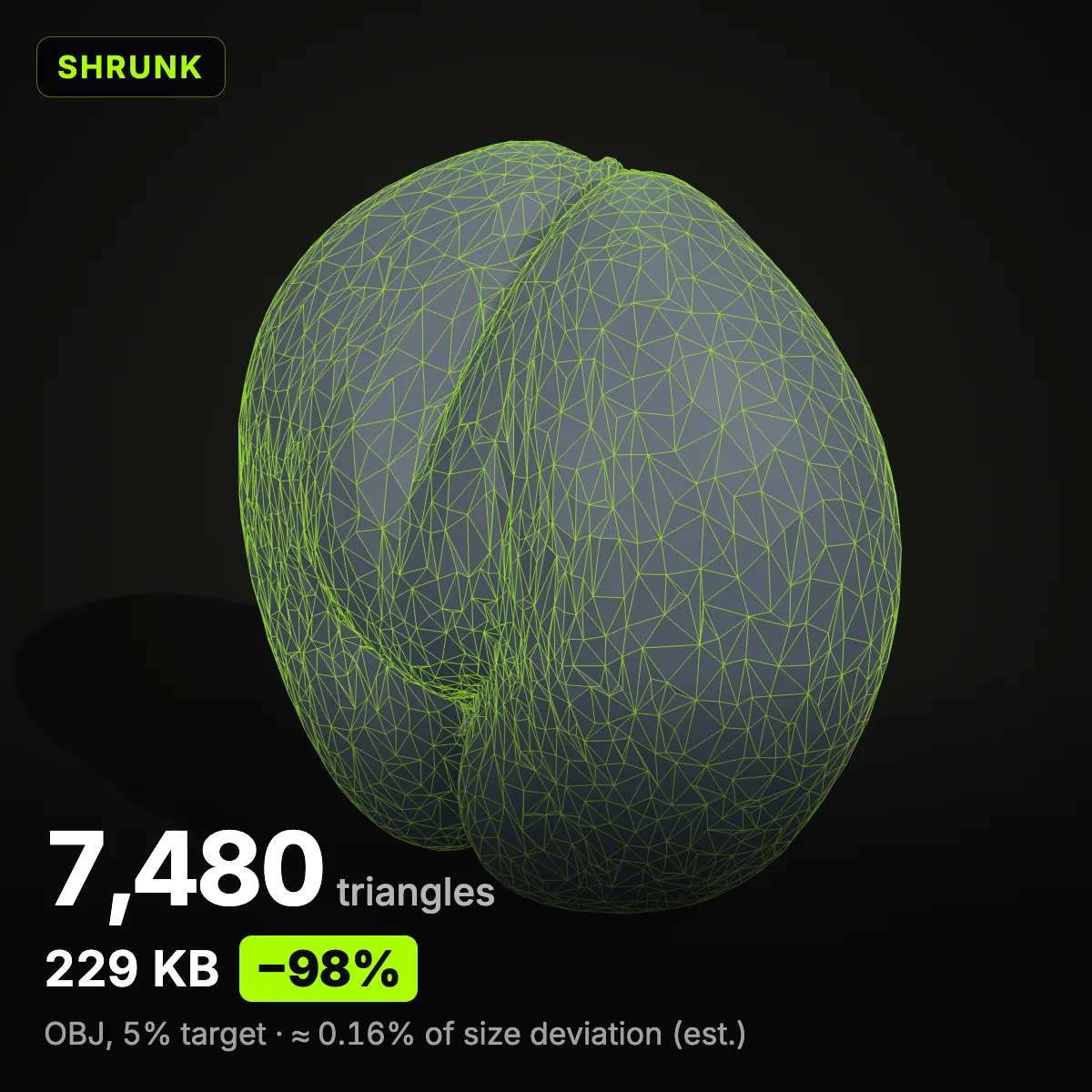
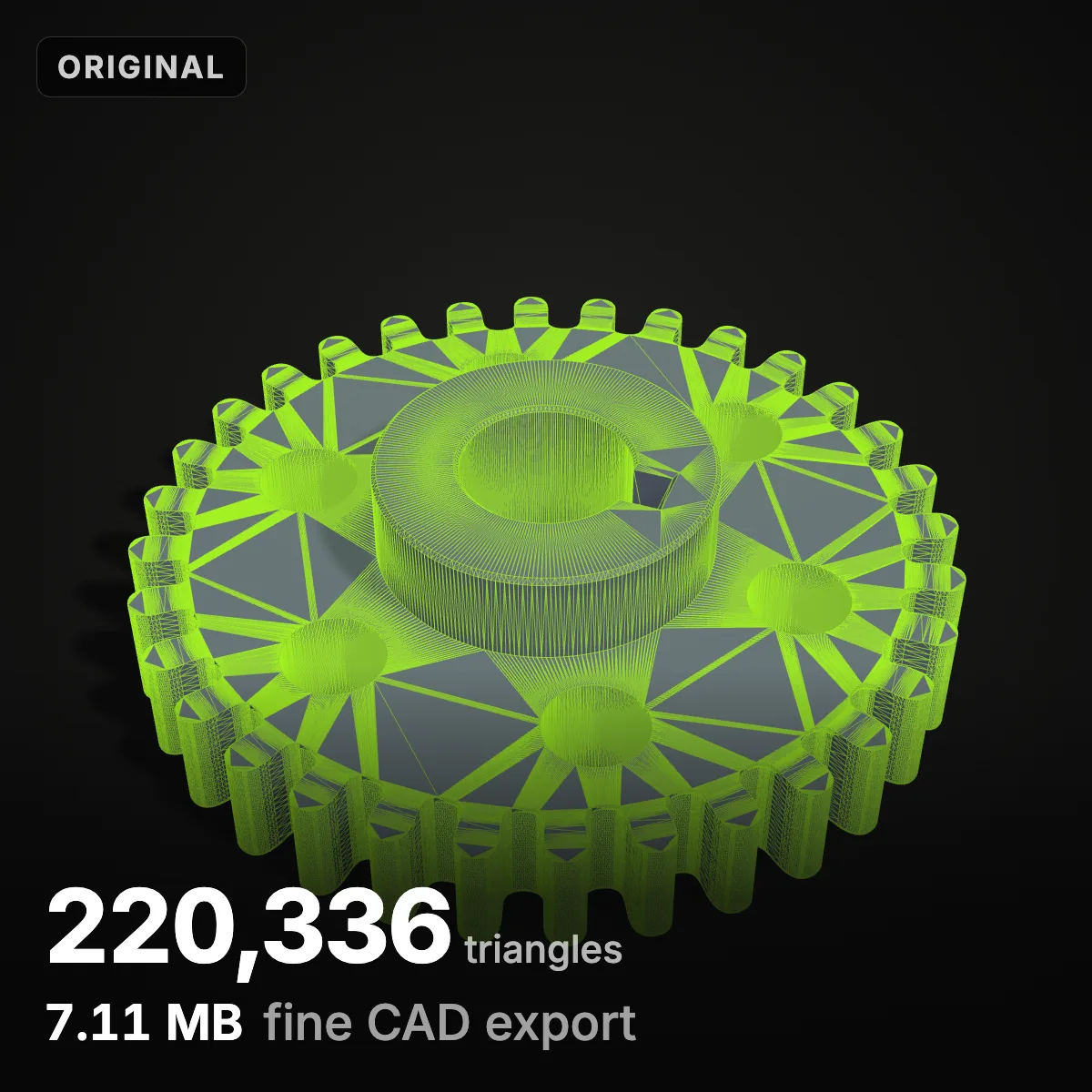
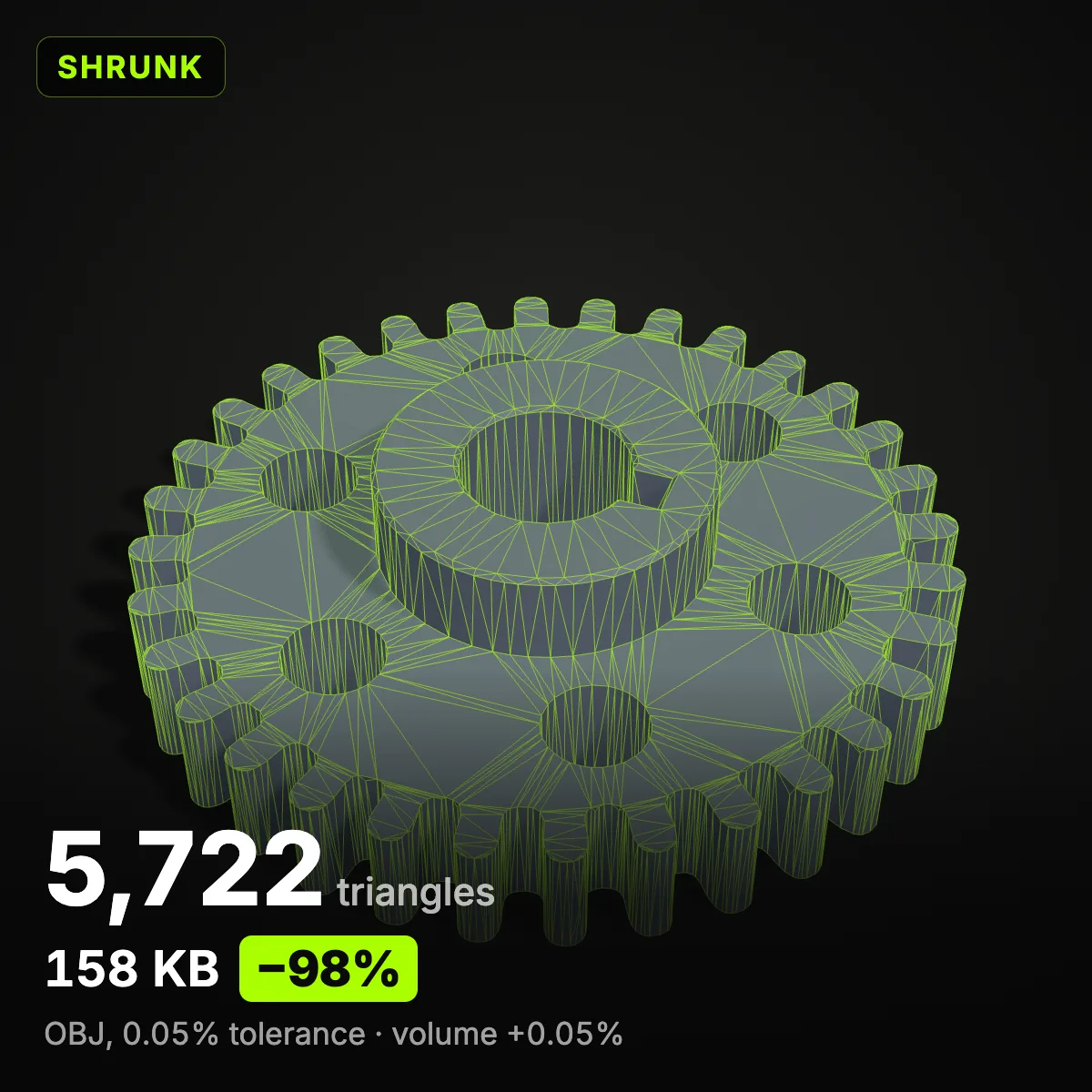
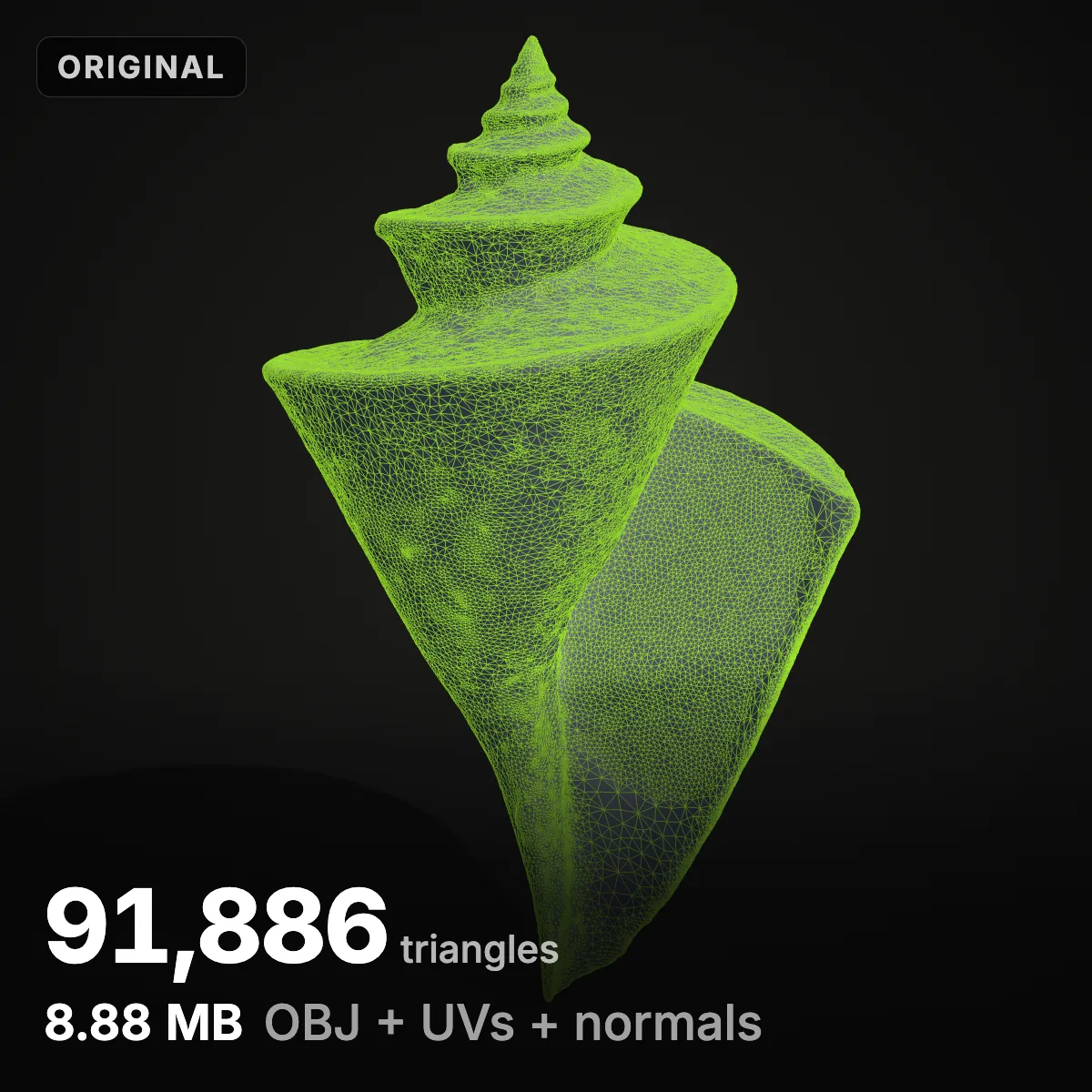
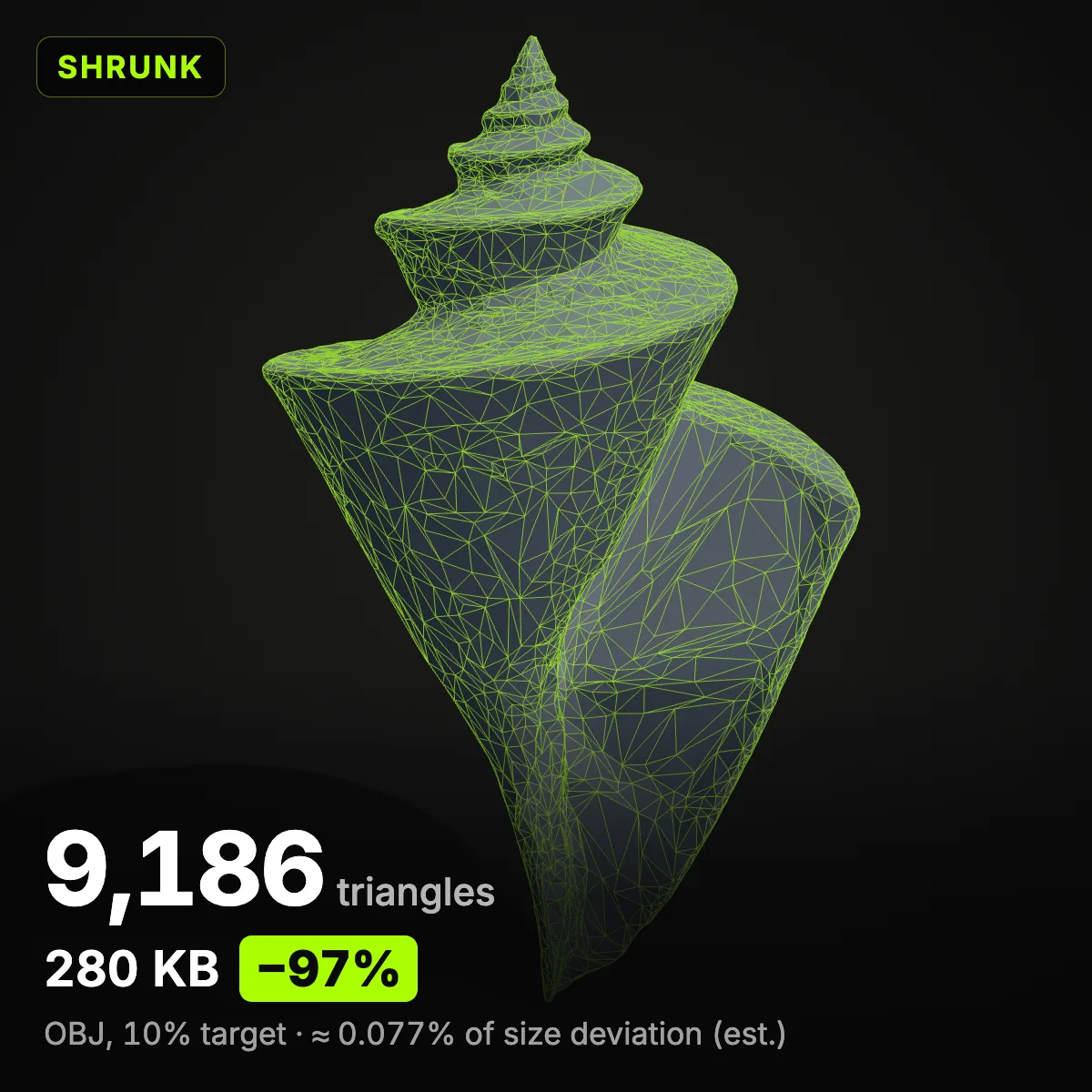
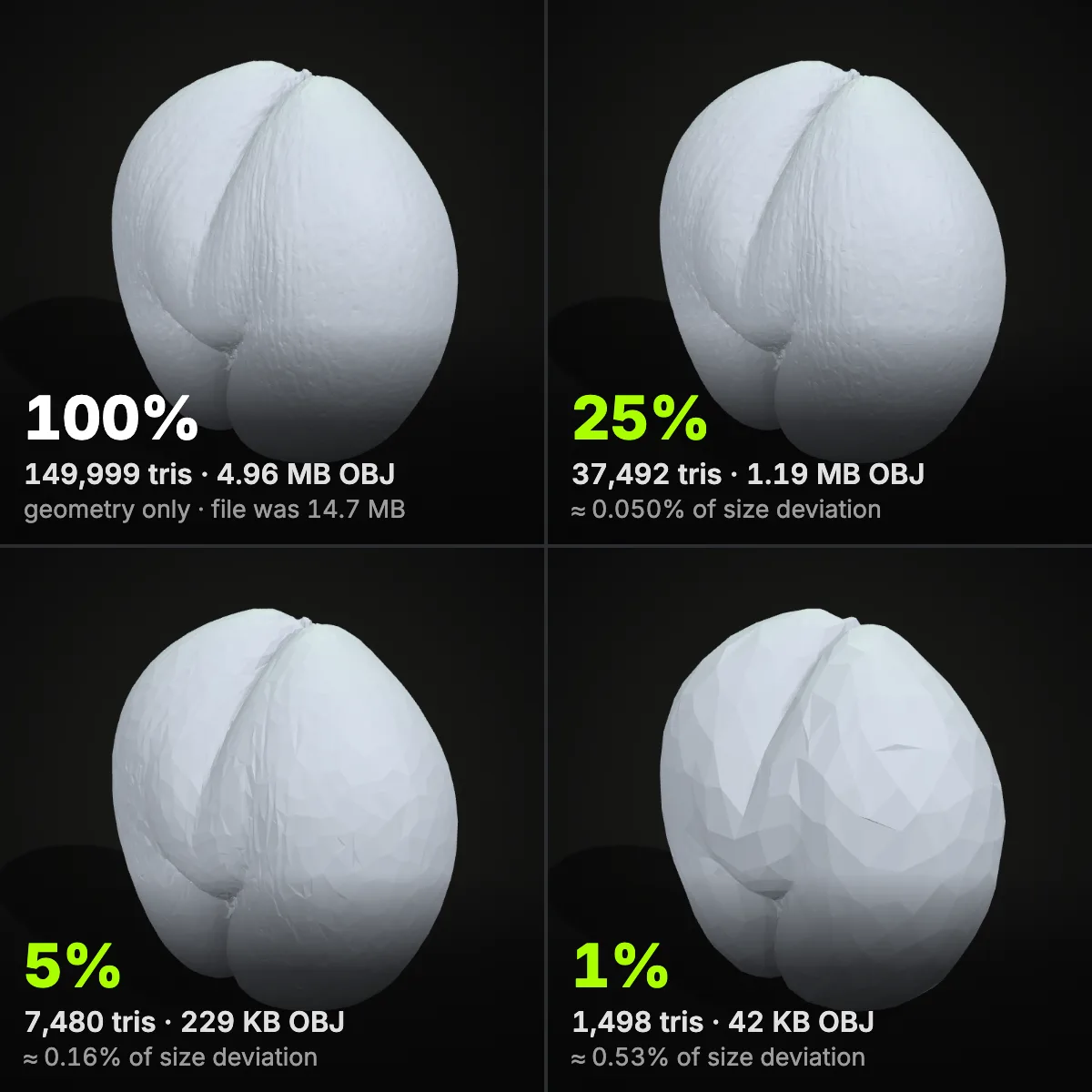
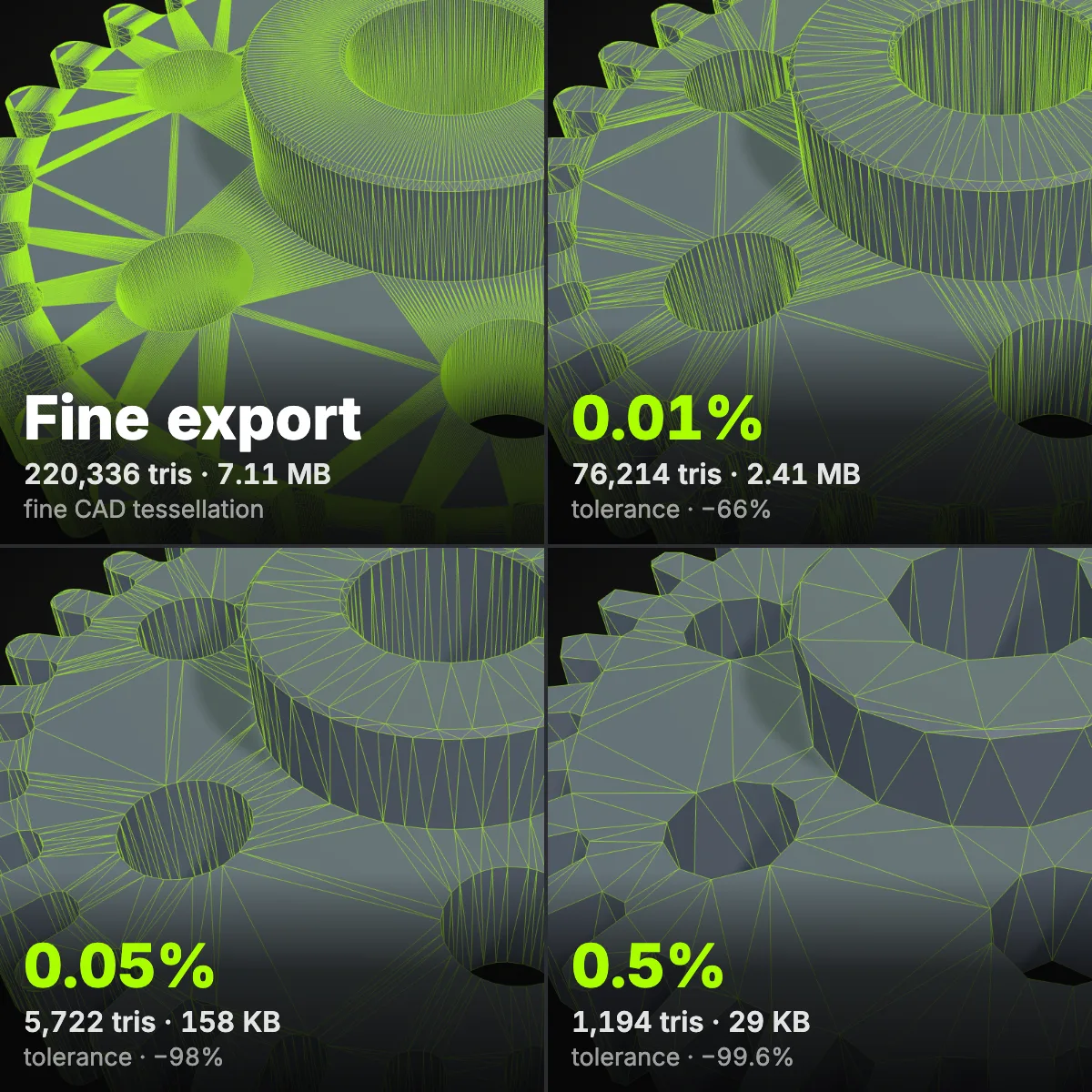
The “before” sizes are the original exports, byte for byte, with UVs and normals; the “after” files are geometry-only OBJs written by the OBJ file shrinker. Both halves of a pair share one camera, and deviation is given as a share of the model’s size.
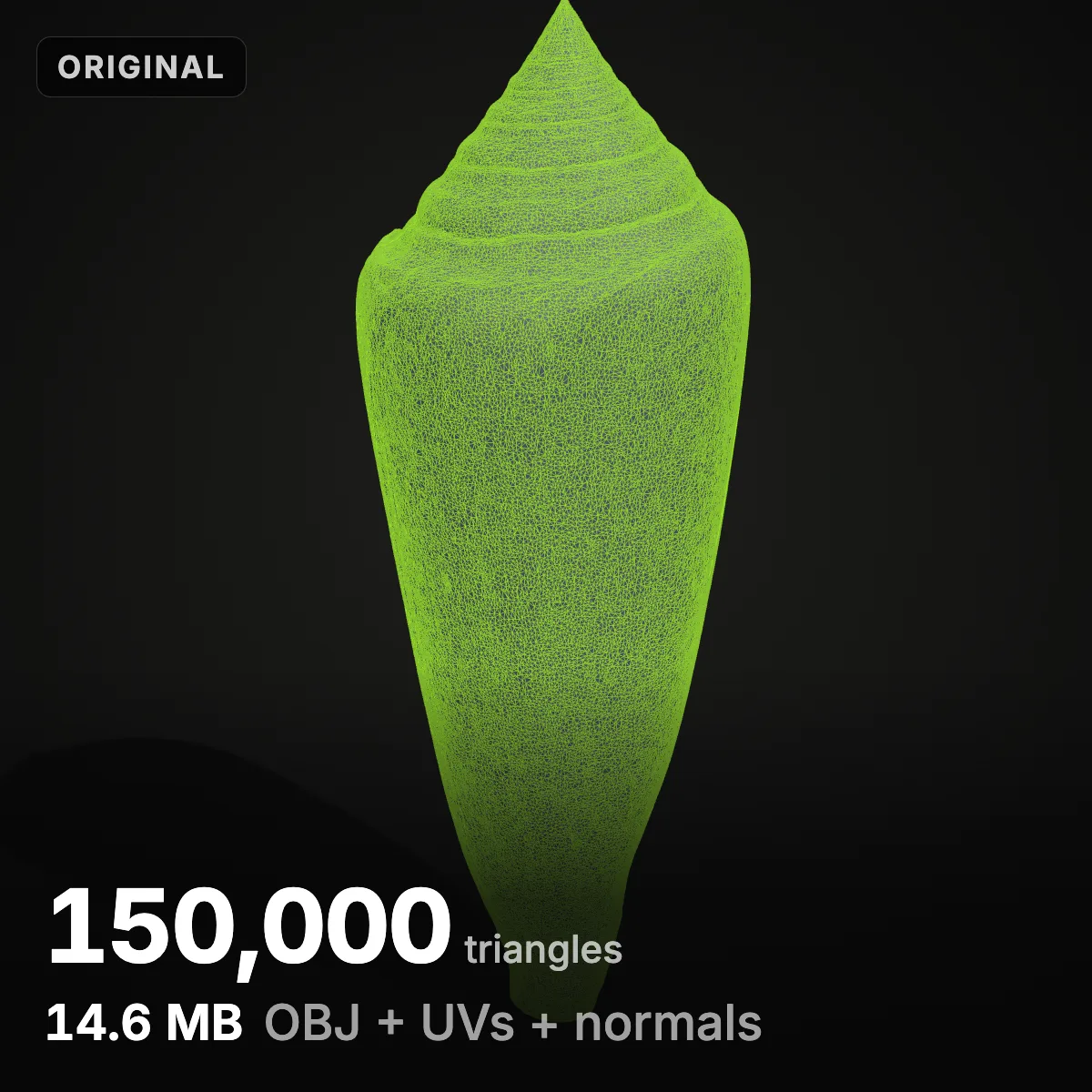
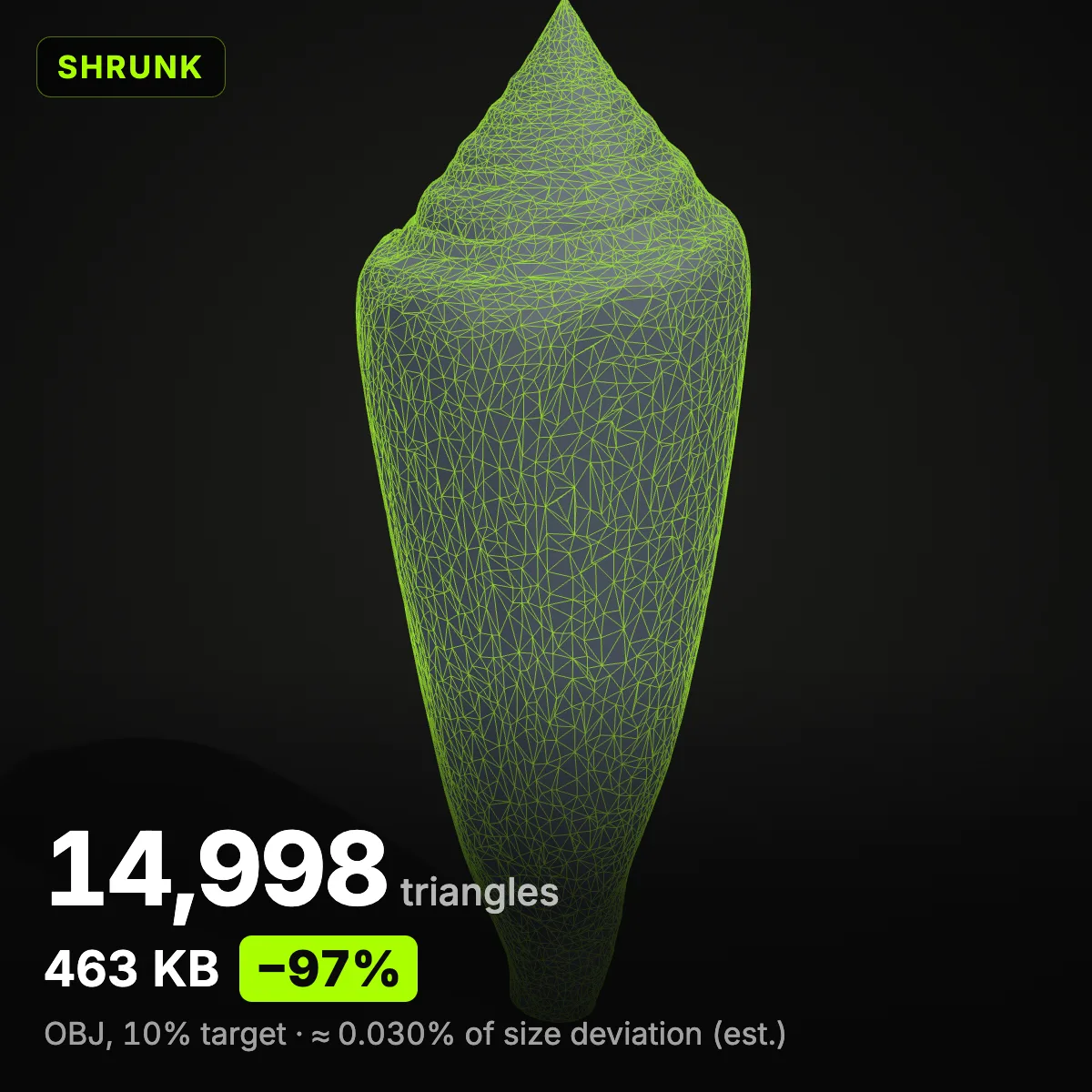
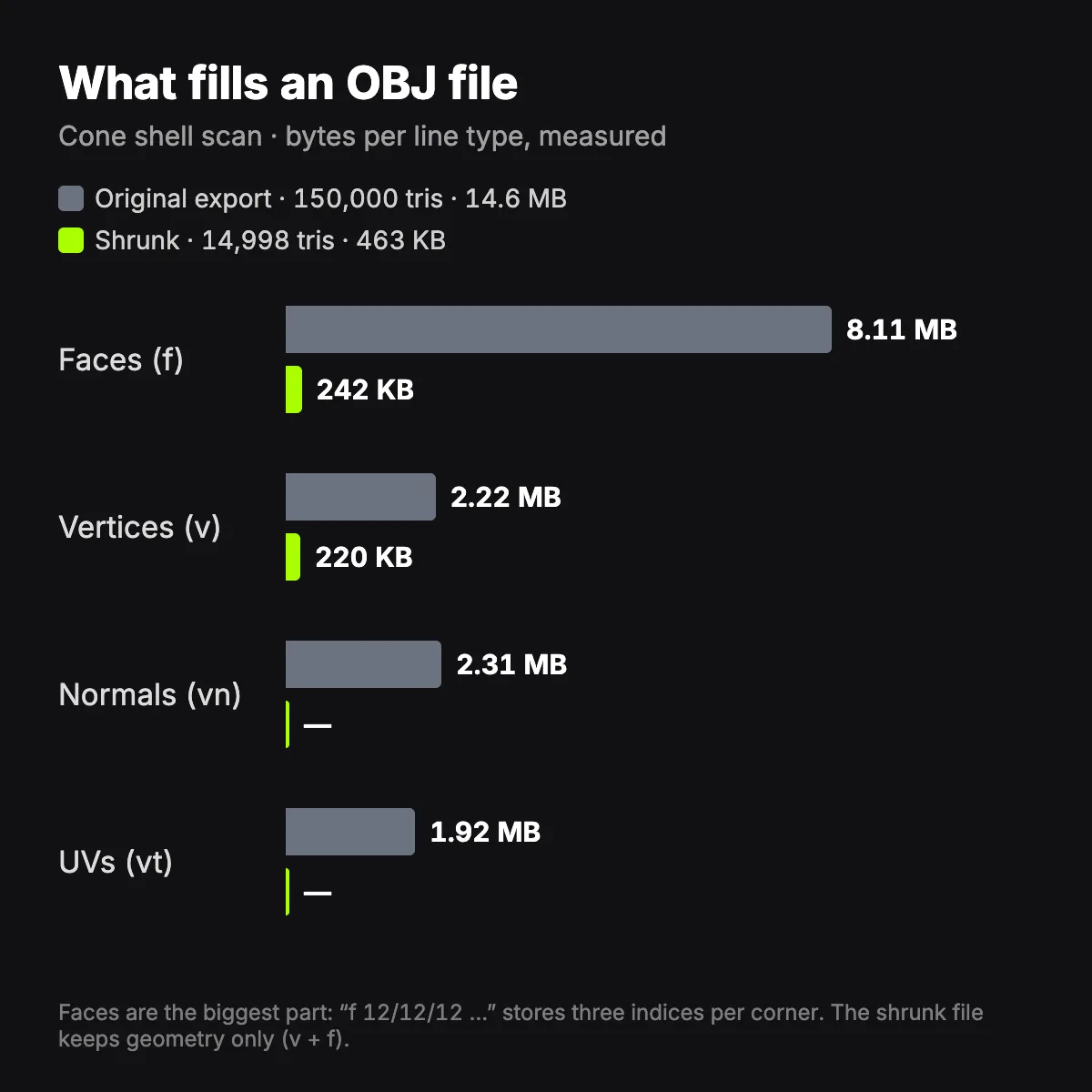
Where the megabytes in an OBJ go
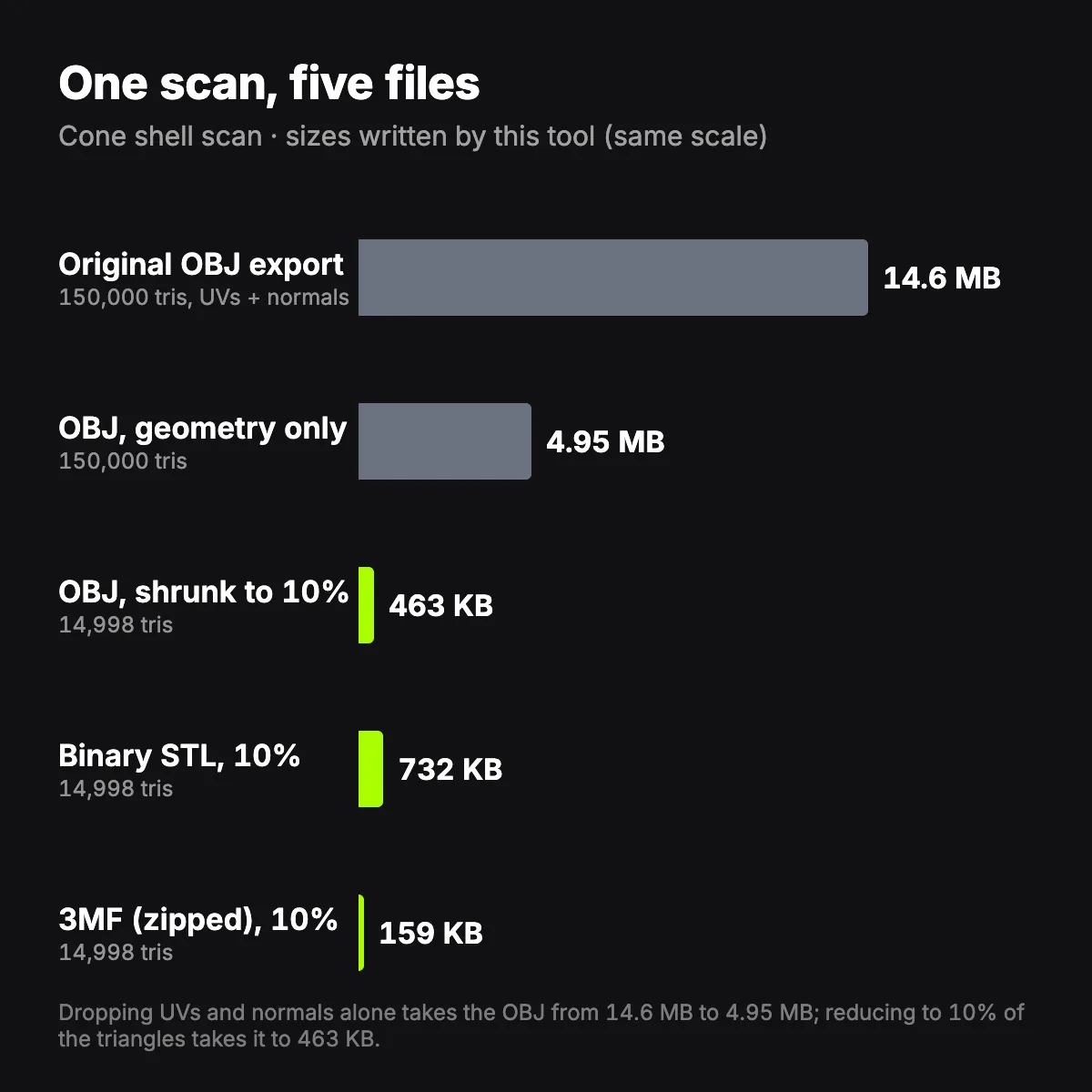
Two reduction ladders and two charts measured with the OBJ file shrinker. Together they show how polygon count, tolerance and the extra data in an export add up when you compress an OBJ file.
How to shrink an OBJ file
- 11
Load the .obj
Drop the OBJ or click to pick it. Polygons are split into triangles and only vertex positions and faces are read; if the file also held UVs, normals or materials, a note under the download button says they will not be kept.
- 22
Decide how small
Choose % of triangles, a triangle count (handy for engine limits) or a size in MB. For accuracy, select a tolerance between 0.01% and 0.5% of the model’s size plus a low target: the shrinker halts at that limit and shows where.
- 33
Check and save
Drag the divider, switch on Wireframe and read the OBJ size before and after. Download OBJ, GLB, STL or 3MF. The OBJ keeps your file’s units and its Y-up orientation.
Which setting for which job
Starting points measured with this OBJ polygon reducer on the files on this page. Tolerance is a percentage of the model’s largest side, so 0.05% of a 200 mm part is 0.1 mm and of a 2 m scan is 1 mm.
| Goal | Target or tolerance | Save as | Measured here |
|---|---|---|---|
| Same detail, lighter file | 100% (geometry-only rewrite) or 0.01% | OBJ | Cone shell export 14.6 MB → 4.95 MB with every triangle kept |
| Web viewer or AR preview | 5–10% of a dense scan | GLB | Cone sample at 10%: 25 KB as OBJ, 17 KB as GLB |
| Roblox mesh import | Triangle count below 20,000 | OBJ | Roblox docs: a single mesh can’t exceed 20,000 triangles |
| Collider or far LOD | 1–5% of triangles | OBJ or GLB | Coco de mer at 1%: 1,498 triangles, 42 KB, ≈ 0.53% of size |
| Over-tessellated CAD part | Tolerance 0.05% | OBJ or STL | Spur gear 220,336 → 5,722 triangles, 7.11 MB → 158 KB |
| Archive a photogrammetry scan | 25% or tolerance 0.05% | OBJ or 3MF | Coco de mer at 25%: 1.19 MB OBJ, ≈ 0.050% of size |
| Upload or attachment cap | File size in MB | OBJ | Cone sample with a 0.1 MB target: 98 KB, the exact OBJ written |
What people shrink OBJ files for
Photogrammetry and scanner exports
Photo-capture apps and handheld scanners export OBJ at full density with UVs and normals attached. When you need the shape rather than the photo texture, for measuring, printing, a sculpting base or a stand-in, the geometry-only file is a fraction of the size.
Web pages and AR previews
A three.js scene or a model viewer must download the whole mesh before it draws anything. Shrink to a few thousand triangles and save GLB, the binary glTF that web viewers load natively.
Roblox, Unity and Godot imports
Roblox does not accept a single mesh above 20,000 triangles, and oversized imports slow every editor down. An OBJ polygon reducer with a triangle-count target lands just under a limit in one step instead of trial and error.
Colliders and LOD stand-ins
Physics colliders and distant level-of-detail meshes need a model’s outline, not its UVs. A 1–5% copy of the visible mesh gives a quick collider or far LOD that lines up with the original, since it stays in the same coordinate space.
Heavy Blender scenes
Several dense scans make any scene heavy to orbit and save. Blender’s Decimate modifier does a similar job inside the app and keeps UVs; this page is quicker when all you want is a lighter file before importing.
Upload caps on courses, forums and stores
Learning platforms, forums and asset stores cap attachment sizes. Type the cap into the File size target and the OBJ file shrinker aims for it, measuring the exact OBJ it is about to write.
OBJ file shrinker FAQ
Because OBJ is text. Every vertex, normal and UV is a line of decimal numbers, and every face lists index triplets such as “f 12/12/12”. In the cone shell export, face lines alone took 8.11 MB of 14.6 MB, normals 2.31 MB, vertex positions 2.22 MB and UVs 1.92 MB.
Drop the data you don’t use, then trim with a tolerance. Keeping every triangle and writing only v and f lines took the cone shell from 14.6 MB to 4.95 MB with an identical shape. After that, a tolerance of 0.01–0.05% removes triangles where the surface barely moves: the gear sample lost two thirds of its size at 0.05%.
No. The shrinker saves geometry only, so UV coordinates, vertex normals, the .mtl reference and textures are left out, and a note appears when your file had them. To decimate an OBJ that must stay textured, use Blender’s Decimate modifier, which keeps UVs, or a glTF tool such as gltfpack.
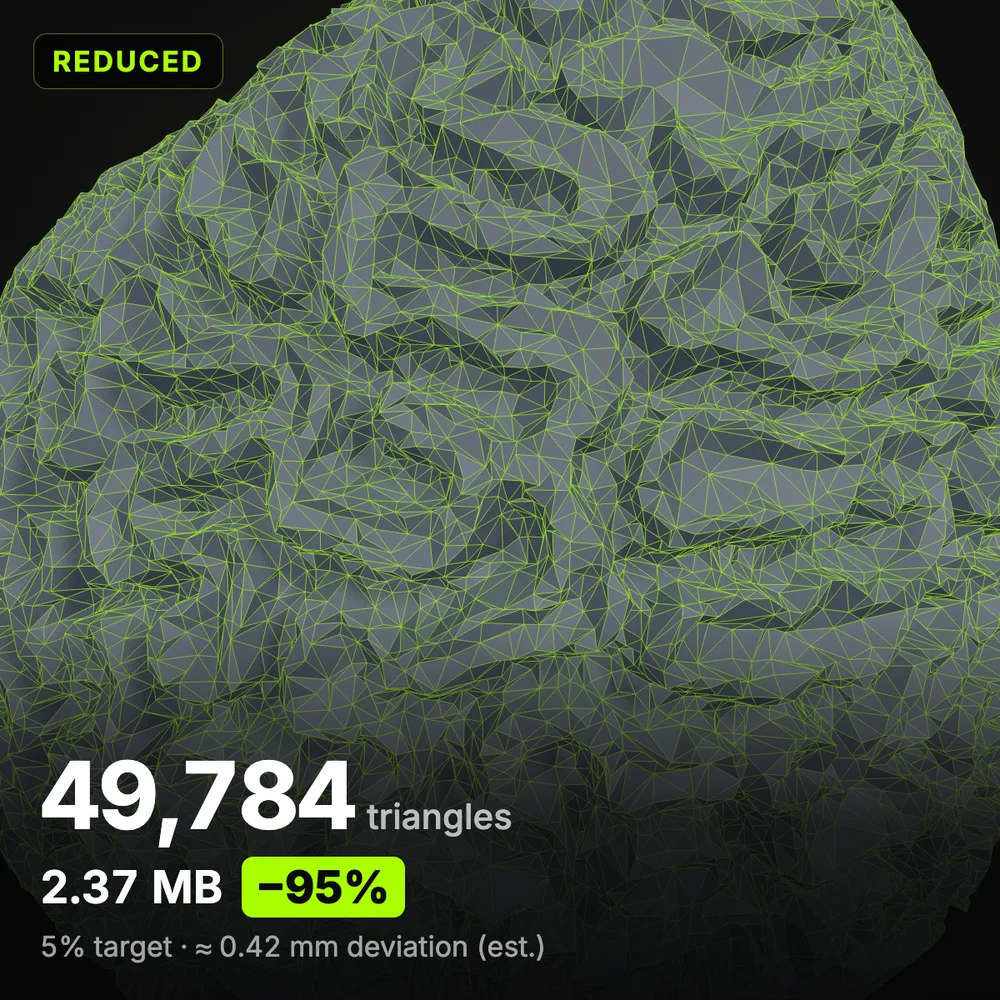
Yes, scans are what an OBJ file shrinker handles best. They are dense and evenly tessellated, so most triangles can go before the shape changes: the coco de mer kept its form at 5% with an estimated deviation of 0.16% of its size. Scans with holes keep their hole outlines, because Lock open edges switches on automatically.
It depends on the engine, the platform and how close the camera gets, so check your target’s rules first. Roblox is strict: a single mesh cannot exceed 20,000 triangles. Elsewhere, use the triangle-count target to make two or three versions, such as full, half and a tenth, and compare them in the engine.
No. Coordinates stay in the file’s own units and the result is written Y-up like the input, so it lands in the same place in Blender, Unity or a viewer. The Size change stat reports any shift of the bounding box as a share of the model: 0% for the gear sample at 50%.
Related tools




Need a fresh model instead?
Ship3D’s AI generator builds a 3D model from a photo or a text prompt and lets you download it as GLB, OBJ, STL or USDZ.
Free to sign up, no credit card required. Try it once for free.