What Is an OBJ File? Inside the Wavefront OBJ Format
What is an OBJ file? It is a 3D model written as plain text: lines of vertex positions, texture coordinates and normals, followed by faces that join them by number. Wavefront Technologies created the format for its Advanced Visualizer software, and today almost every 3D program opens it. Colours and image textures are not inside the .obj itself. They live in a companion .mtl file and image files, which is why an OBJ model often arrives as a folder or a zip.
Updated 2026-11-17
Open an .obj file in a text editor and you can read the model. That explains most of the OBJ file format: anything a line can say, the file can store; everything else needs a second file or is missing.
Where the OBJ file format came from
OBJ comes from Wavefront Technologies, a graphics company founded in Santa Barbara in 1984 (Wikipedia), which defined it for its Advanced Visualizer animation package. The Library of Congress format description dates its first use to around 1990, with the specification printed as Appendix B1 of the Advanced Visualizer manual. Paul Bourke hosts a mirror of that OBJ specification and of the MTL material format.
A binary .mod twin is mentioned but was never documented, so an OBJ file is always text. Silicon Graphics merged Wavefront with Alias in 1995 and Autodesk bought Alias in 2006, while the text format lived on as a vendor-neutral exchange format. The media type model/obj was registered with IANA in February 2020.
Inside an OBJ file: one element per line
Every line starts with a keyword; # marks a comment. This complete, valid OBJ file describes one textured square facing +Z:
# tile.obj: one textured square
mtllib tile.mtl
o tile
v 0 0 0
v 1 0 0
v 1 1 0
v 0 1 0
vt 0 0
vt 1 0
vt 1 1
vt 0 1
vn 0 0 1
usemtl tiles
f 1/1/1 2/2/1 3/3/1 4/4/1
| Keyword | What it means | Example |
|---|---|---|
v | Vertex position x y z (an optional fourth value w defaults to 1) | v 1 0 0 |
vt | Texture coordinate (UV), usually u v between 0 and 1 | vt 1 0 |
vn | Normal direction, used for smooth shading | vn 0 0 1 |
f | Face: its corners as v/vt/vn index triplets | f 1/1/1 2/2/1 3/3/1 |
o / g | Start a named object / a named group | o tile |
s | Smoothing group on or off | s off |
mtllib | Material library file to load | mtllib tile.mtl |
usemtl | Material for the faces that follow | usemtl tiles |
Indices count from 1, in file order. A face can skip the UV (f 1//1 2//1 3//1) or use positions only (f 1 2 3). Negative indices count back from the latest vertex, though Wikipedia warns that not every program supports them.
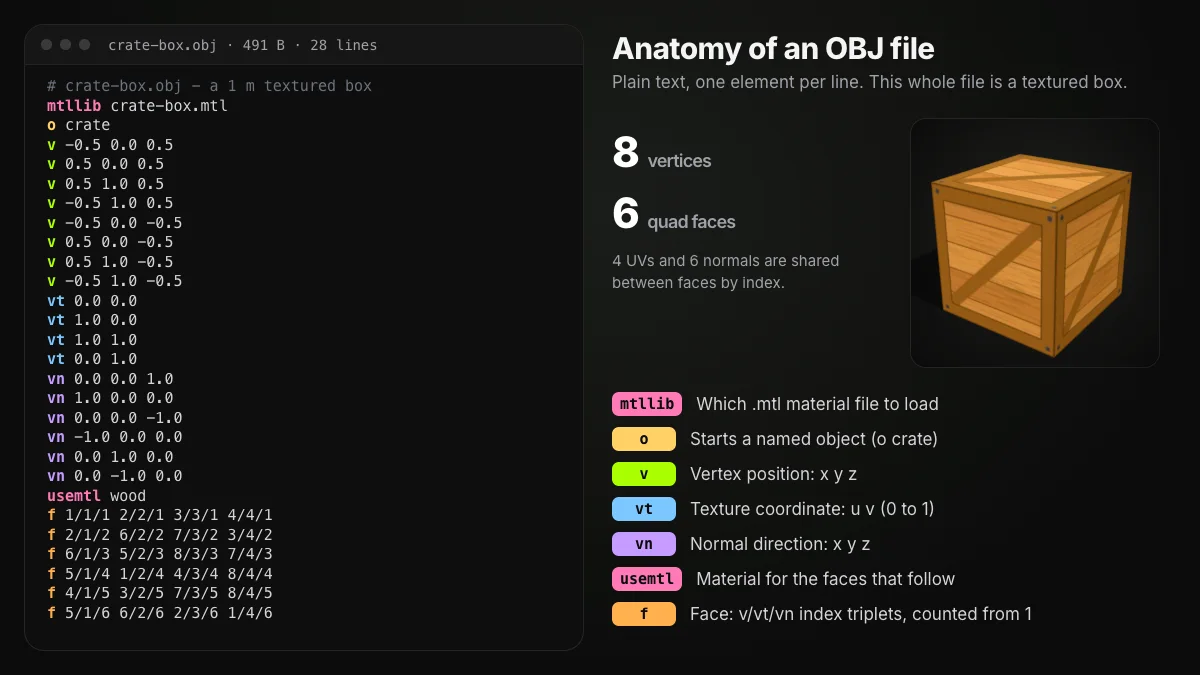
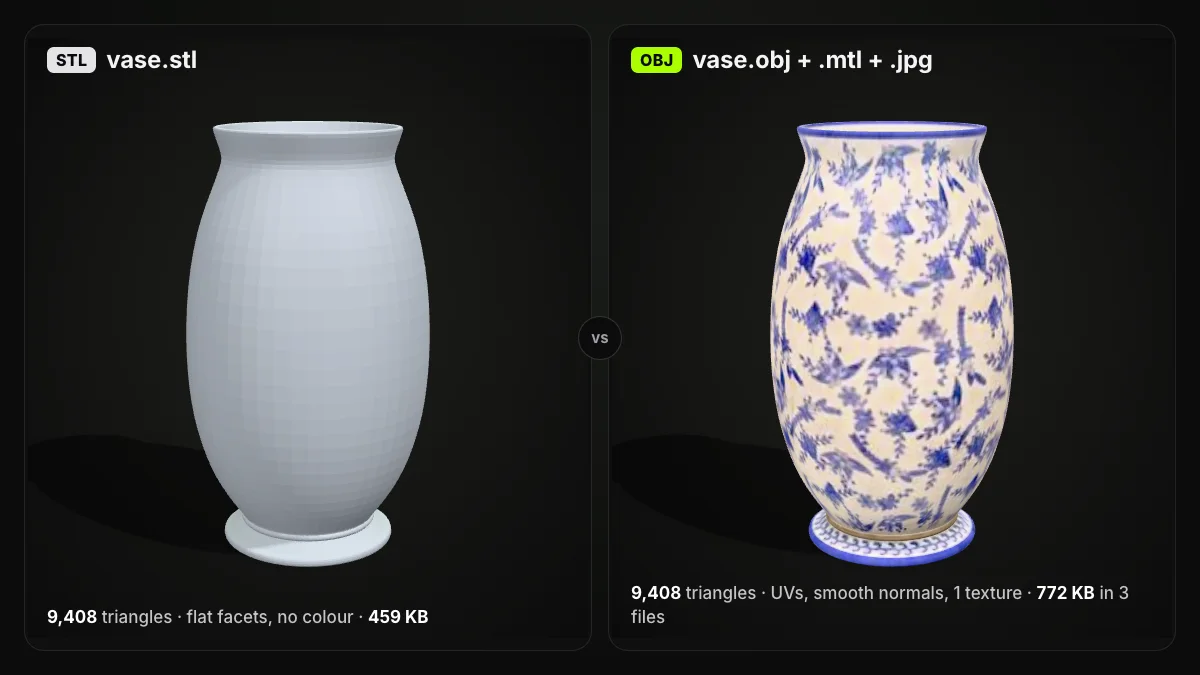
Because faces point to vertices by number, a corner shared by six faces is written once, while STL repeats it in every triangle; STL vs OBJ measures what that does to file size.
Objects and groups
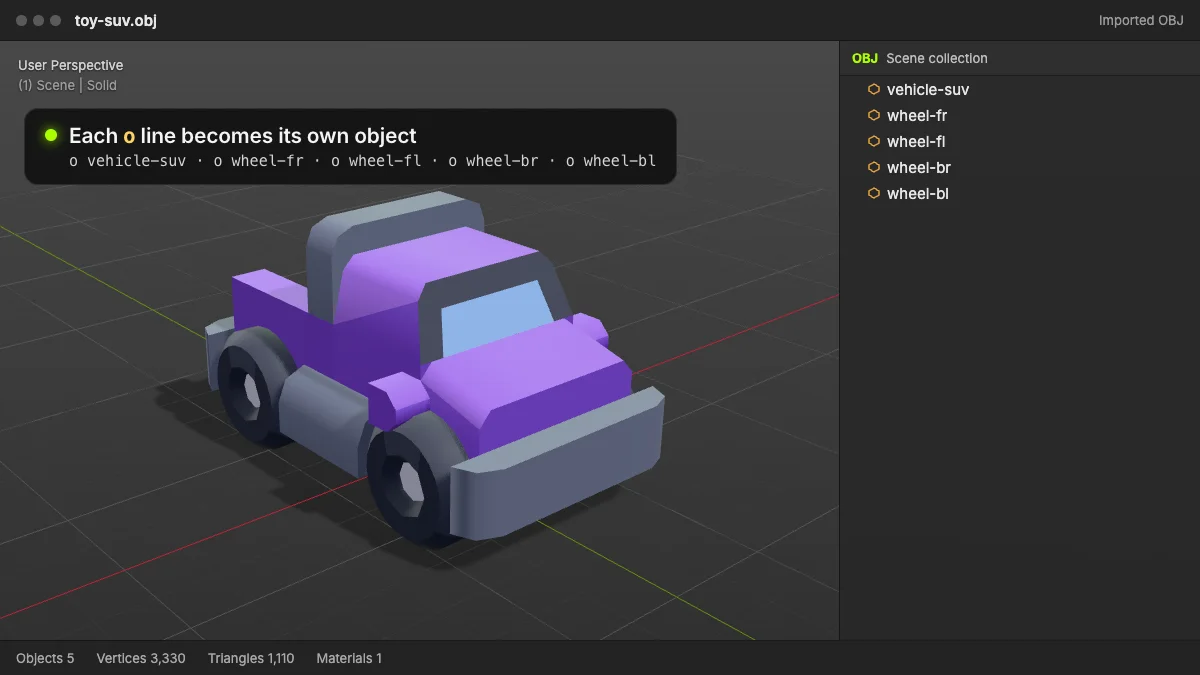
o name starts a named object and g name a group. Wavefront's own programs ignored o, but modern importers use both; Blender has Split By Object and Split By Group options that turn each into its own object. OBJ cannot nest them, though: no hierarchy, parenting or per-part transform.
Faces can be triangles, quads or n-gons
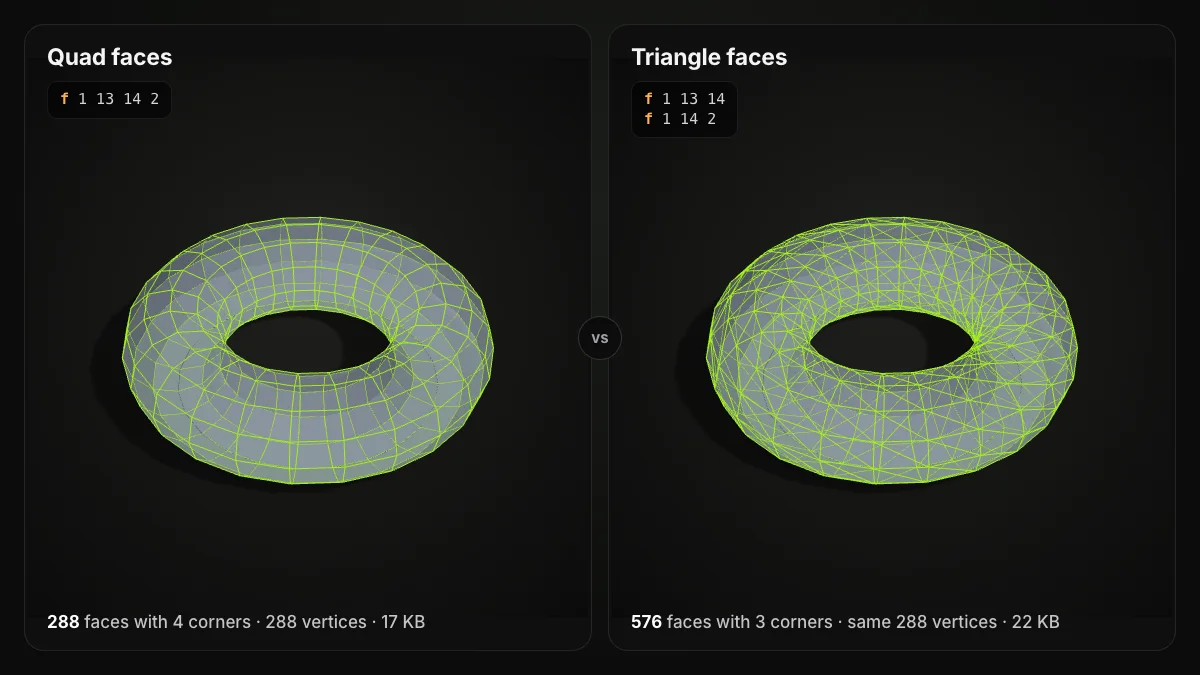
The specification asks for at least three corners per face and sets no upper limit, so f 1 13 14 2 is a normal four-sided face. Modellers keep quads because edge loops stay easy to edit; programs that need triangles, such as game engines, slicers and our converters, split each polygon on import.
The spec also defines free-form curves and surfaces, which not all 3D software handles; nearly every OBJ you download is a polygon mesh.
The .mtl file: where colours and textures live
mtllib names a material library, a second text format with its own Library of Congress entry. newmtl starts a material, Kd sets its diffuse colour (red, green, blue from 0 to 1) and map_Kd points to the colour texture. The matching tile.mtl:
newmtl tiles
Kd 1.0 1.0 1.0
map_Kd tiles.jpg
So a textured OBJ model is three kinds of file: the .obj, the .mtl and the images.
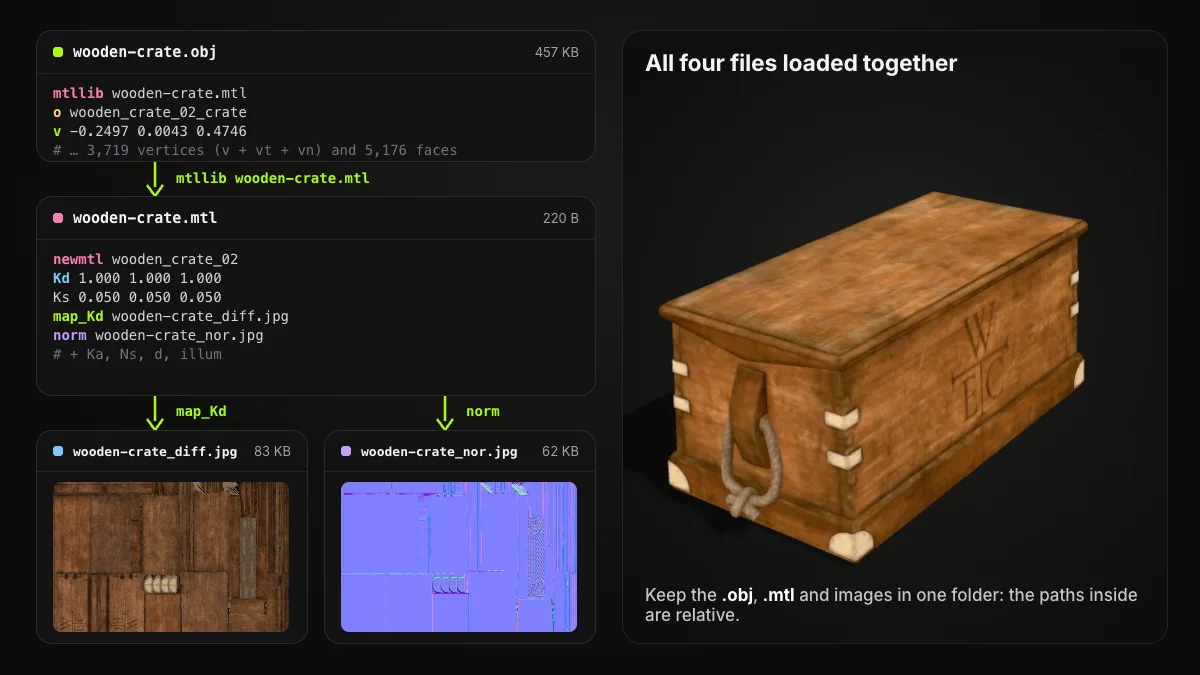
Slots beyond colour vary. The original MTL spec has bump and disp; the crate's norm line comes from a 2015 proposal for PBR materials that, per the Library of Congress, three.js reads only in part, so a normal map may load in one program and not another.
Scans usually keep it simpler: one OBJ, one .mtl and one colour texture.
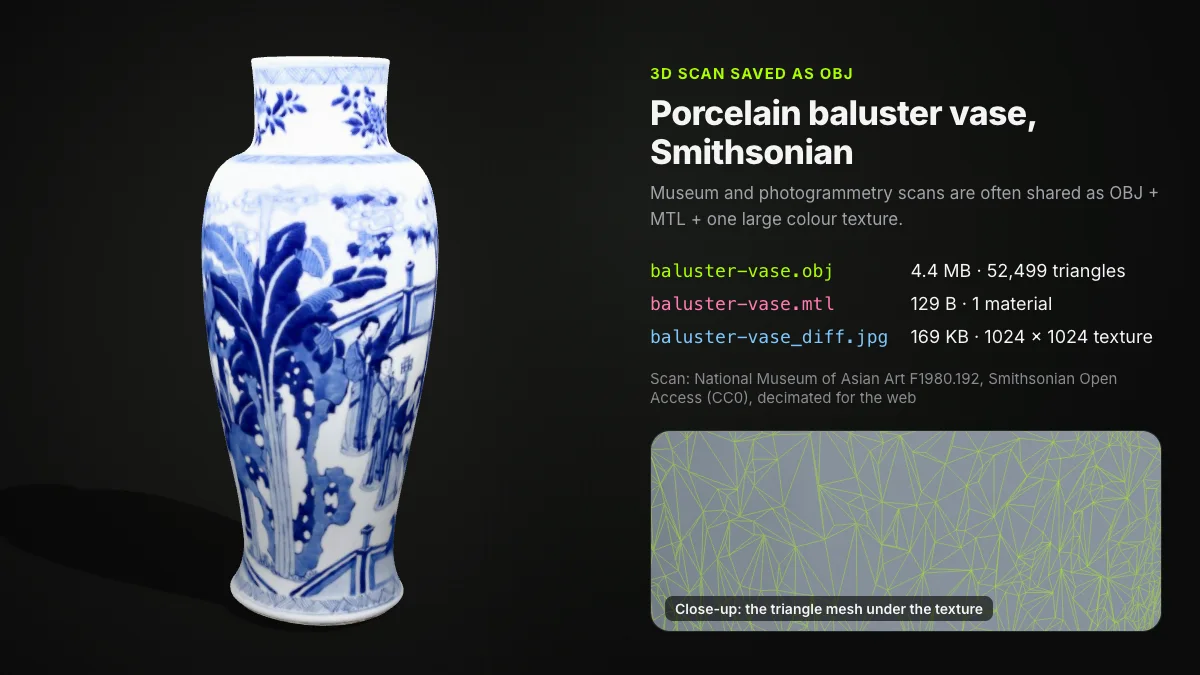
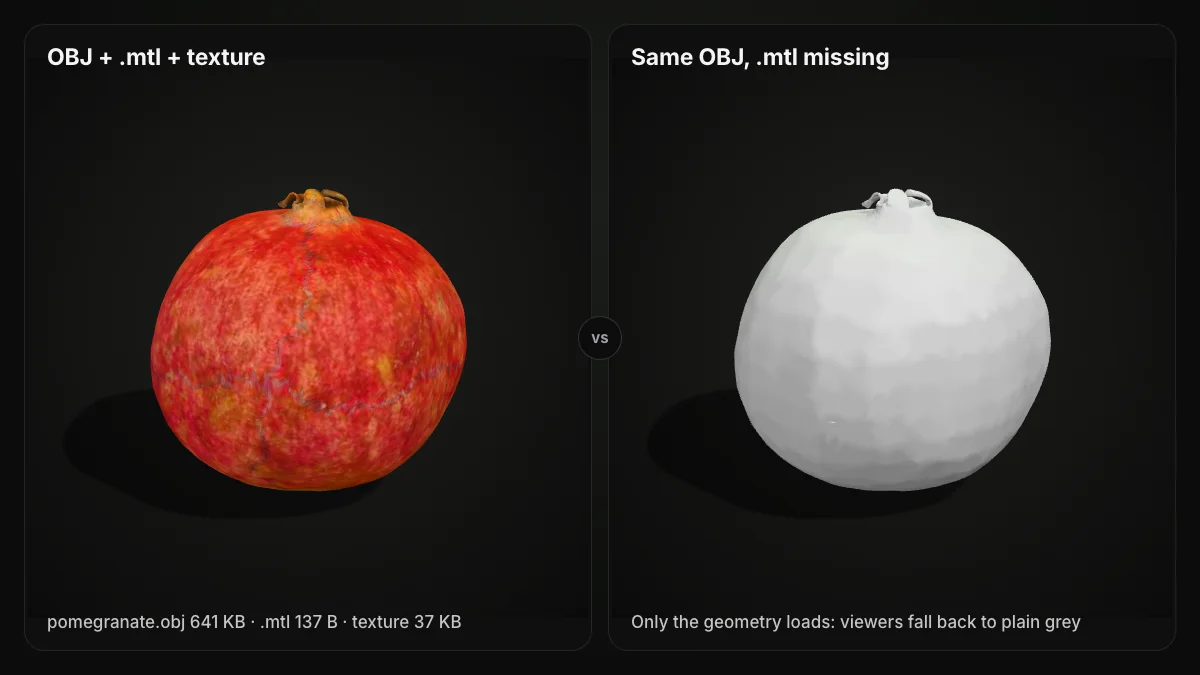
Paths inside are usually relative: the Advanced Visualizer expected the .mtl next to the .obj, and most software looks for images next to the .mtl. Lose a piece and the model still opens, without its look.
Sharing an OBJ? Zip the whole folder
Put the .obj, the .mtl and every image in one folder and zip it. If a map_Kd
line in the .mtl holds an absolute path such as C:/Users/..., change it to
the bare file name first.
Vertex colours: a common but unofficial extension
The Library of Congress notes that the original OBJ specification had no per-vertex colour. A widely used convention adds three numbers after the position, v x y z r g b, each from 0 to 1: colour in one file with no .mtl, but no image textures.
Support varies by program and version. MeshLab's reader handles it (vcglib source), as does the three.js OBJ loader, and Blender has imported it since 3.3 in 2022, along with ZBrush's #MRGB lines (release notes). Older Blender versions and many other tools ignore the extra numbers and show grey.
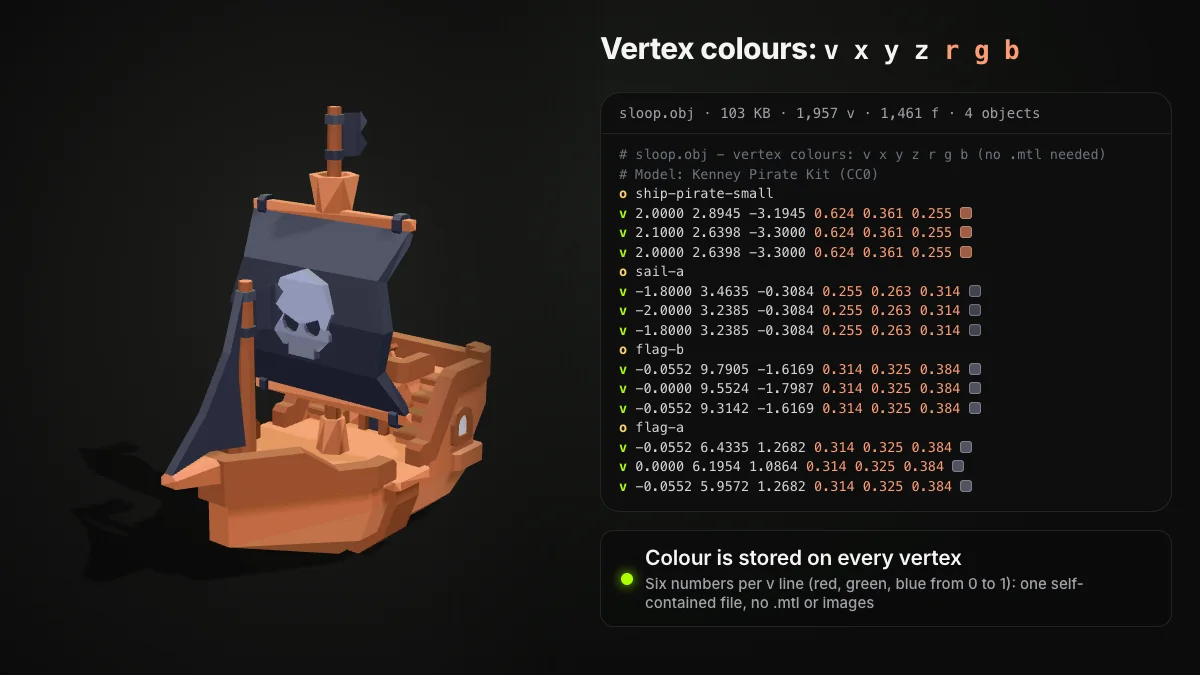
Ship3D's converters write OBJ this way, in one file: plain material colours become vertex colours, and texture colours are sampled at each vertex's UV and baked in too, which is exact for flat-colour textures and an approximation for detailed ones. The UVs stay, but the image itself is not included, so for full texture detail you reconnect the original maps.
What the OBJ file format leaves out
- Units. Coordinates are bare numbers; Blender's importer has a Clamp Bounding Box option because OBJ files vary so much in scale.
- Animation and rigs. The Library of Congress lists no animation sequences or skeletons, and Blender's manual lists no armatures, lights, cameras or parenting.
- Modern materials. PBR values exist only through the unofficial MTL extension.
How to open OBJ files, convert them and shrink them
Desktop. In Blender use File ‣ Import ‣ Wavefront (.obj); a matching .mtl next to the file brings its materials in too. MeshLab and most slicers import OBJ as well.
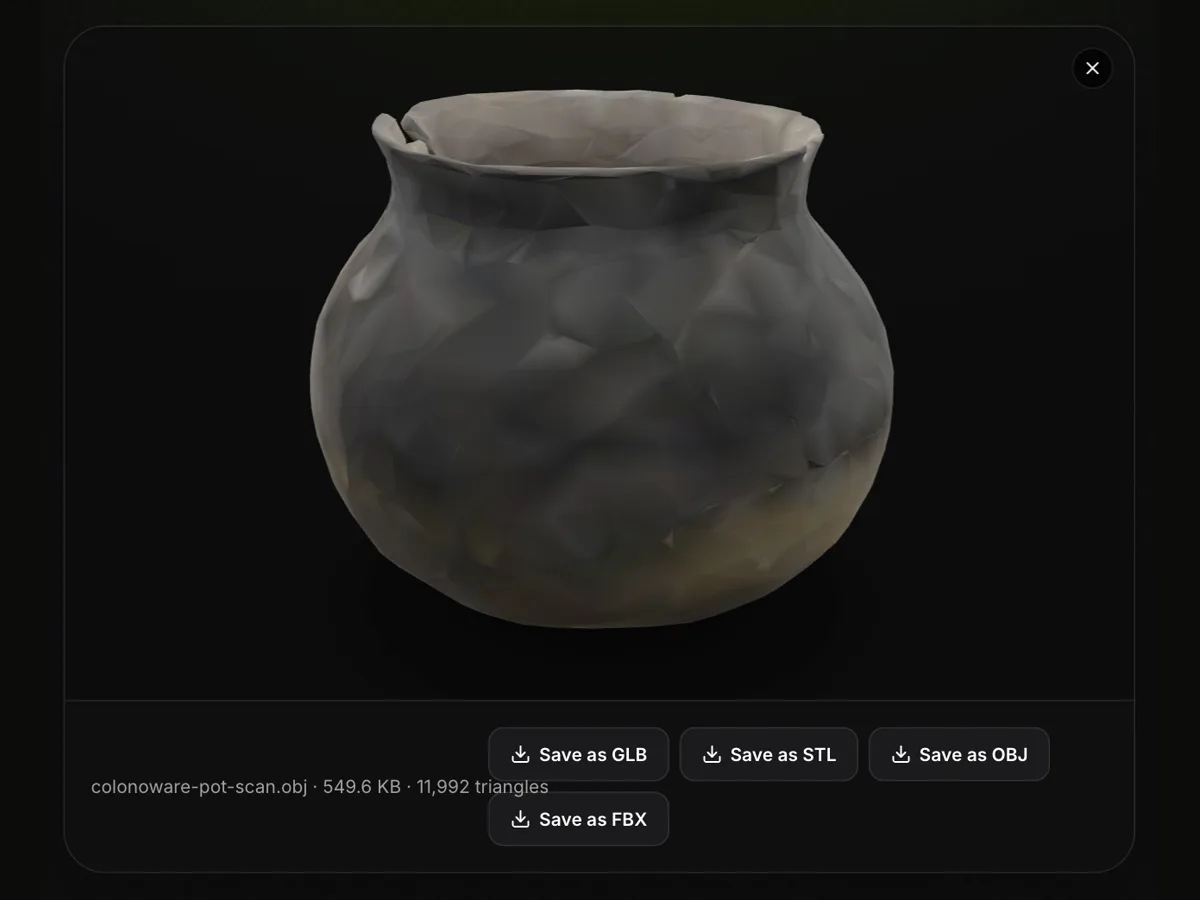
Browser. Our OBJ viewer opens a single .obj with three.js on your device: rotate, zoom, read the size and triangle count, and save as GLB, STL, OBJ or FBX. It shows vertex colours, but it does not load a separate .mtl or its images, so a textured model appears grey there.
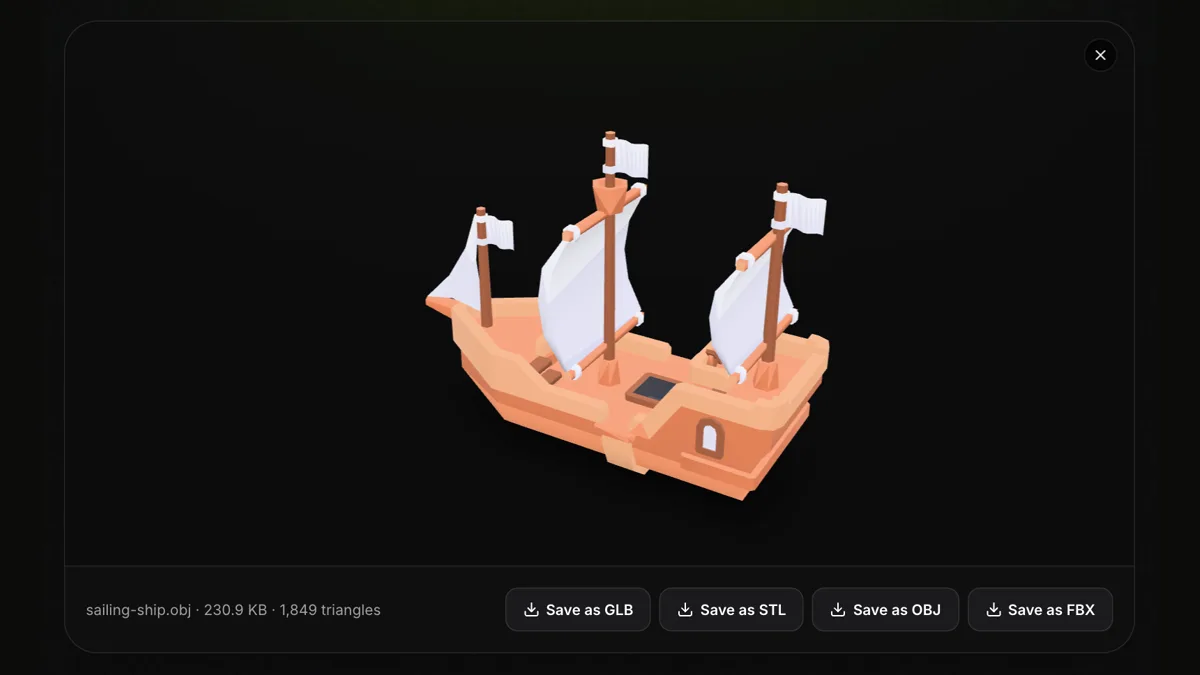
Open an OBJ file in your browser
Free, no sign-up, nothing uploaded. Files up to 200 MB: rotate, zoom, check the triangle count and save as GLB, STL, OBJ or FBX.
Convert. OBJ to STL keeps the geometry for printing and drops materials and UVs; OBJ to FBX writes a binary FBX for game engines; OBJ to GLB gives one file for the web; DAE to OBJ turns a COLLADA model into an OBJ.
Shrink. The OBJ file shrinker cuts the triangle count in your browser. Its output keeps positions and faces only, without UVs, normals or materials, so it suits untextured meshes and models headed for a printer.
OBJ vs STL, GLB and FBX
| OBJ | STL | GLB | FBX | |
|---|---|---|---|---|
| Encoding | Text | Binary or text | Binary glTF 2.0 | Binary or text (Autodesk) |
| Faces | Triangles, quads, n-gons | Triangles only | Triangles | Triangles, quads, n-gons |
| Colour and textures | Separate .mtl + images | No standard | Inside the file (PBR) | Embedded or linked |
| Animation and rigs | No | No | Yes | Yes |
Choose OBJ for geometry and UVs that almost any program reads, GLB for one textured file on the web, FBX for rigged or animated game assets, and STL for the slicer (what is an STL file).
Summary
So what is an OBJ file? A readable list of vertices, UVs, normals and faces that has moved between 3D programs since around 1990. It handles quads and named parts, keeps colours and textures in a separate .mtl and images, and stores no units or animation. Keep those files together and an OBJ opens almost anywhere.
Frequently asked questions
What is an OBJ file used for?
Moving 3D models between programs. Modelling and sculpting apps, renderers, game asset pipelines, 3D scanners and slicers all read OBJ, so it is a common download and export format. Because it is plain text with a public specification, it also suits archives and hand repairs.
How do I open OBJ files?
Import the file into Blender (File, Import, Wavefront .obj) or MeshLab, or drop it into a browser viewer such as our free OBJ viewer, which runs on your device without uploading anything. Keep the .mtl and texture images in the same folder as the .obj so desktop apps can find them.
What is the .mtl file that comes with an OBJ?
It is the material library. The OBJ names it on its mtllib line, and the .mtl defines each material: colours such as Kd (diffuse) and image textures such as map_Kd. Without it the model still opens, but only as untextured geometry.
Why does my OBJ file open grey or white?
Usually the .mtl or the texture images are missing, renamed or referenced with a path that does not exist on your computer. Put all the files in one folder and check the file names inside the .mtl. If the colours are stored as vertex colours, the program may simply not support that unofficial extension.
Does an OBJ file have units?
No. OBJ coordinates are plain numbers with no unit, so the program that opens the file decides what 1 means. Scans are often in metres and CAD exports in millimetres, so check the size after import and scale it if needed.
Can an OBJ file store animation?
No. The OBJ format has no keyframes, bones, skinning or morph targets, and no object hierarchy. For animated or rigged models use FBX or glTF / GLB instead.