3D Print QR Code Generator
Wi-Fi Signs, Keychains and Cards That Scan
3D print QR code signs, keychains, coasters and business cards from this page: type what the code should open, choose a shape and download a model a phone can read.
Building the model…
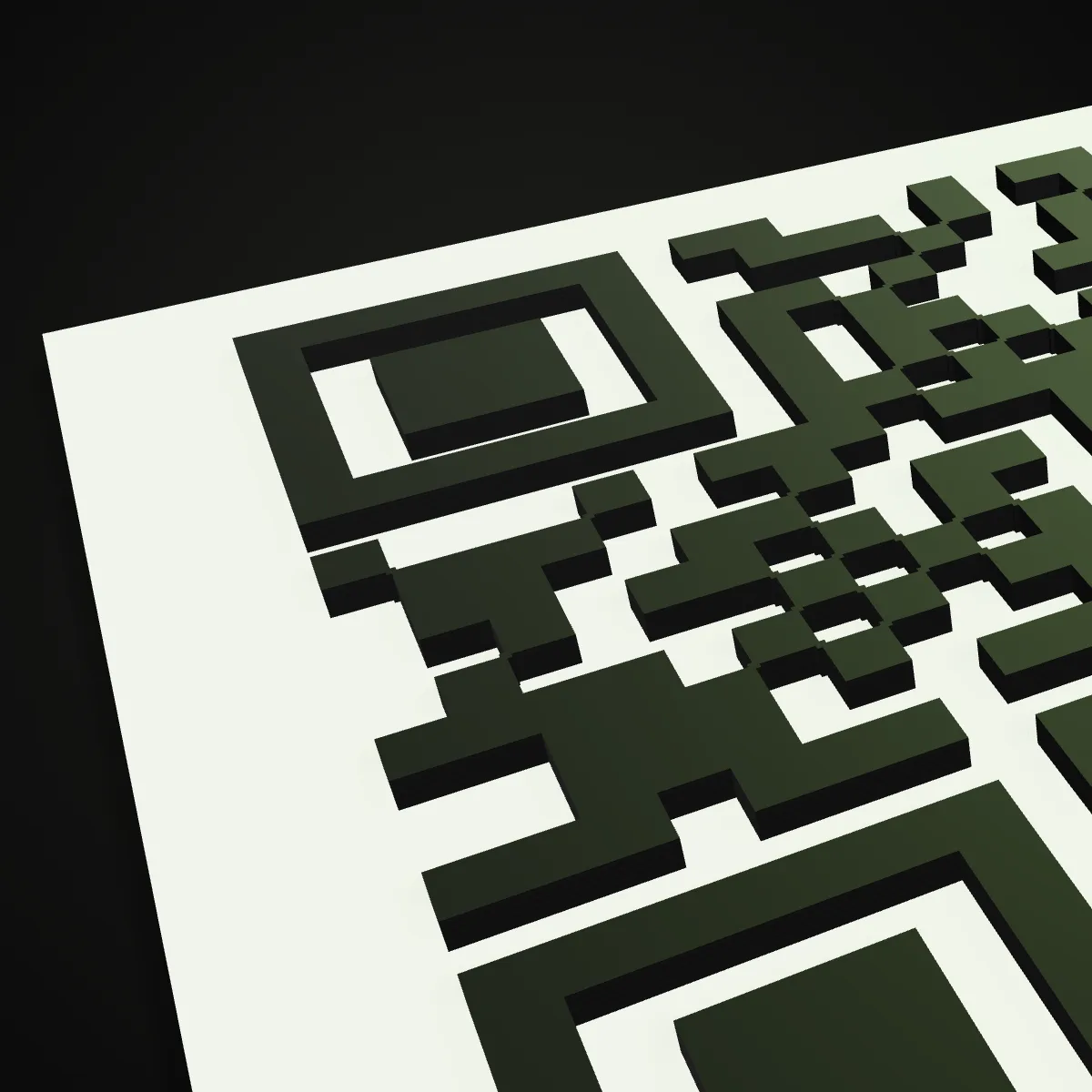
The generator encodes links, plain text, Wi-Fi logins (WPA, WEP or open, hidden networks included), email, phone numbers and vCard 3.0 contacts, then traces the dark modules into merged outlines rather than one cube per module, so the mesh stays light and watertight. As you resize, a readout shows the module size and warns when it falls below what your nozzle prints cleanly: 1.5 mm for a 0.4 mm nozzle. Raise the code or engrave it, add a label, a raised border, a centre badge, a keyring hole, a magnet pocket or a separate stand that leans the sign back 15°. Export one STL, a two-colour 3MF with plate and code as separate parts, or a ZIP of part STLs, and the print guide names the layer for the filament change. This 3D print QR code generator runs entirely in your browser: free, no sign-up, nothing uploaded.
3D print QR code demo: from link to keychain 3MF in 19 seconds
The recording types ship3d.net/3d-print-qr-code as the link and switches to the keychain tag. At 40 mm the 29 × 29 code only gets 1.09 mm modules and the readout turns amber, asking for at least 1.5 mm on a 0.4 mm nozzle, even though the on-screen scan check still passes: the limit is the printer, not the code. Widening the tag to 60 mm brings the modules to 1.70 mm and the readout turns green. A quick orbit, then the two-colour 3MF downloads, ready for the slicer.
Six 3D print QR code designs, before and after
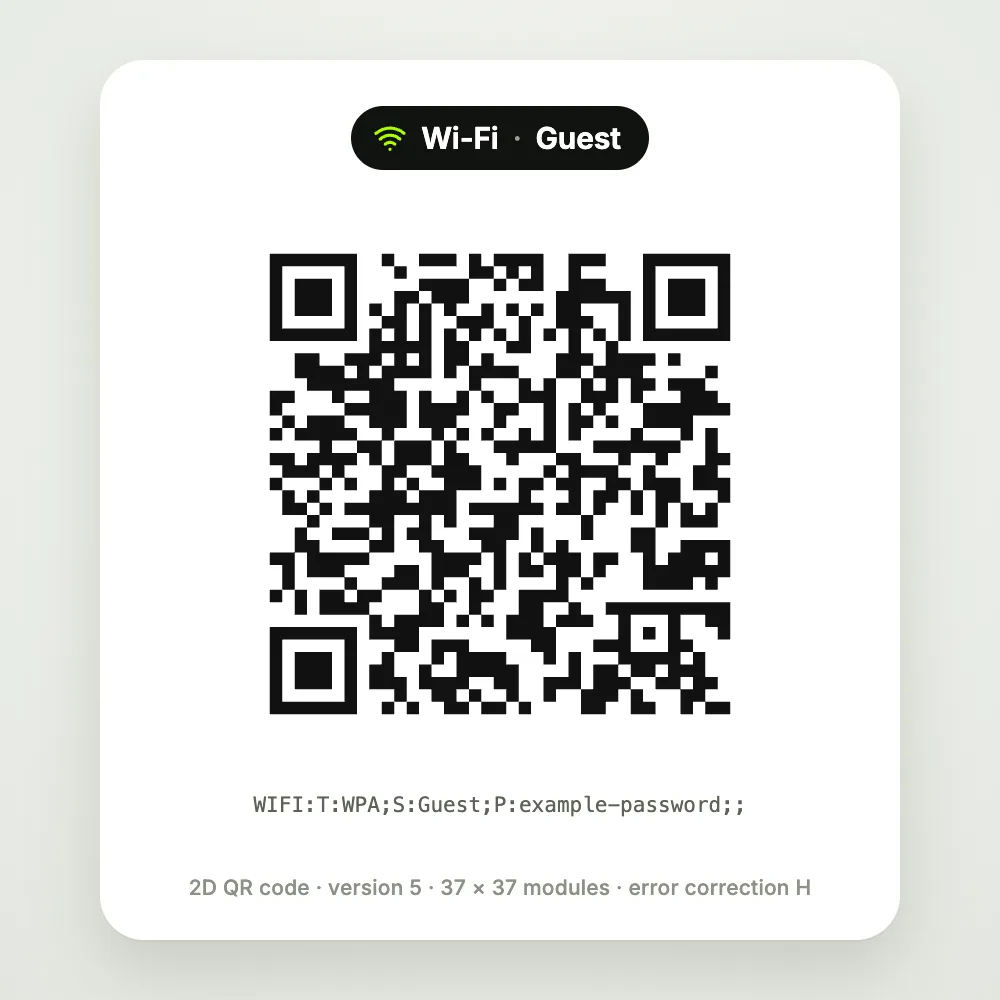
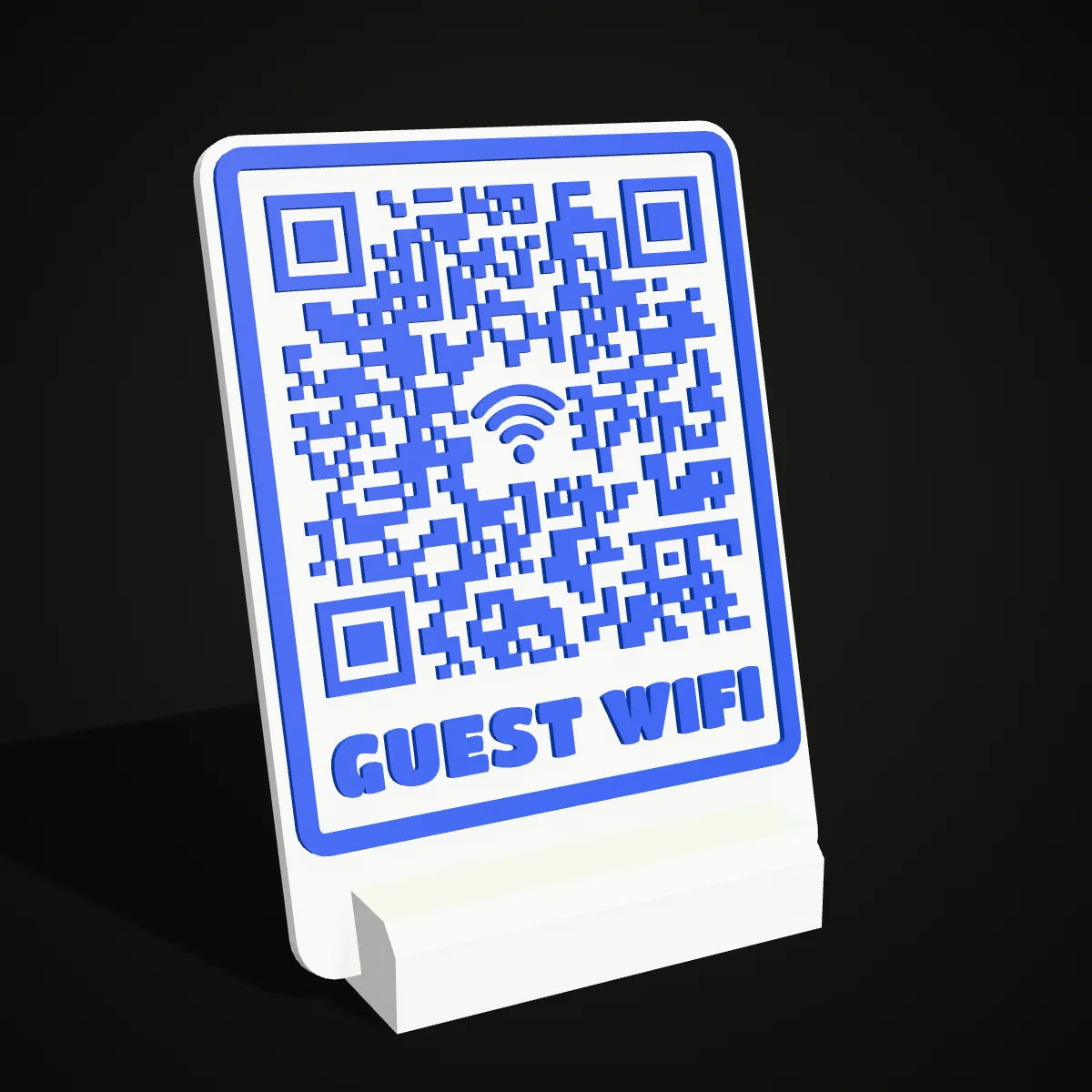
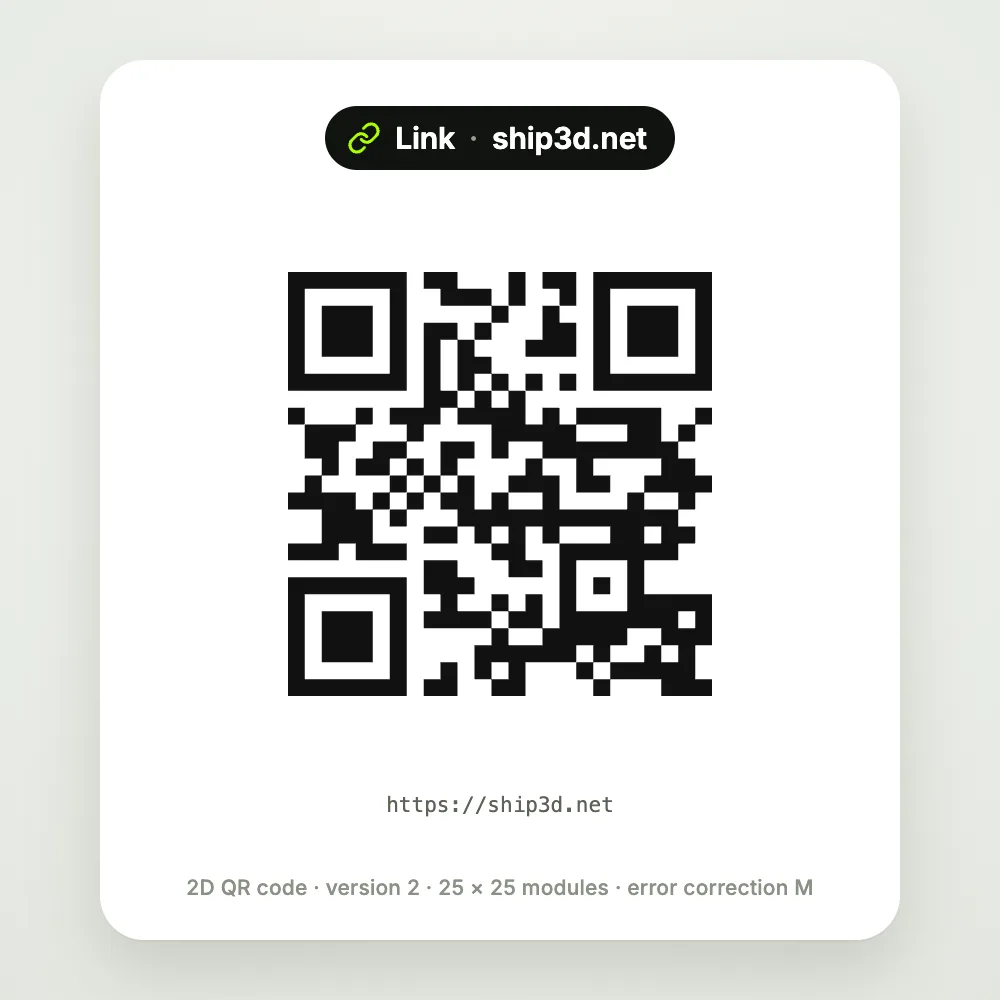
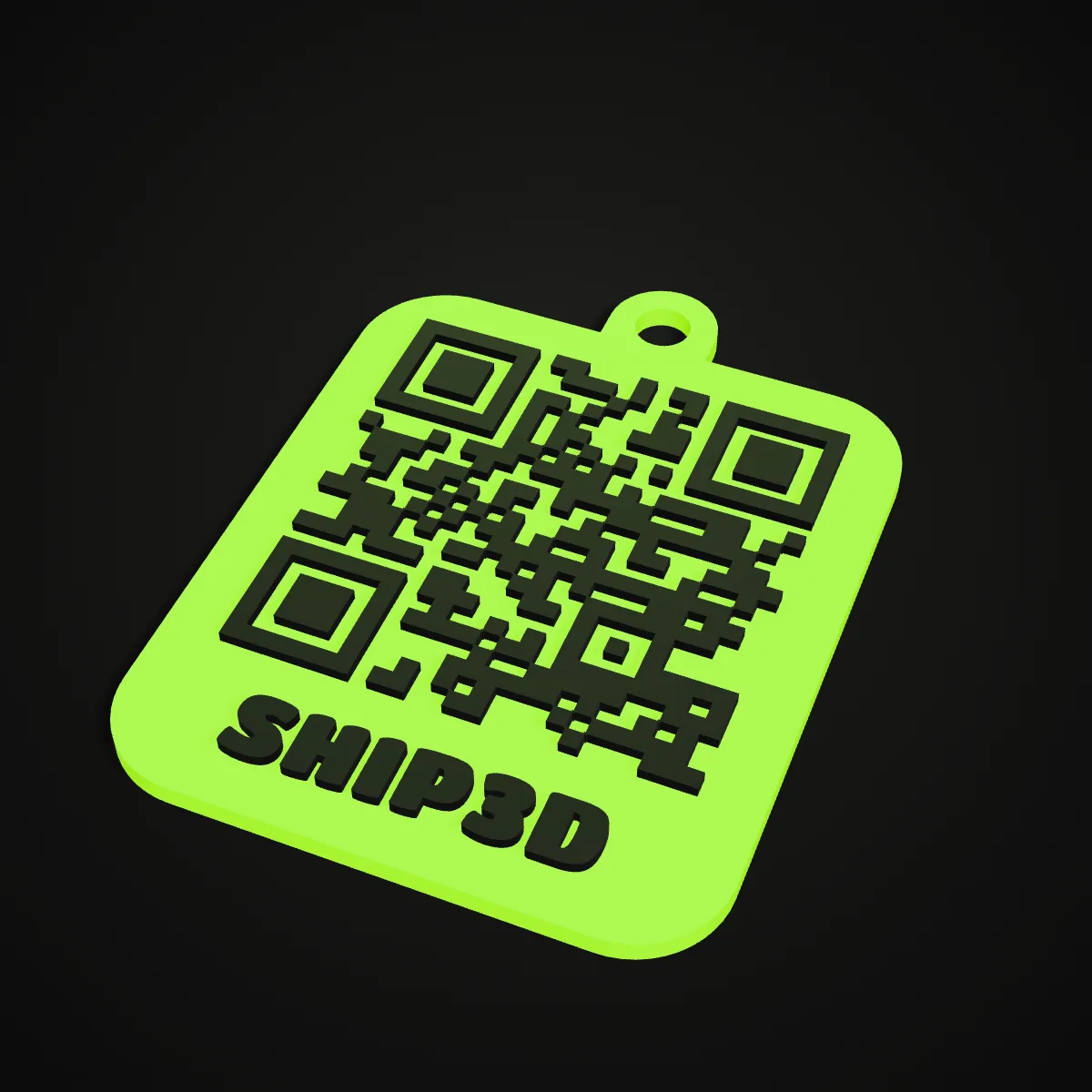
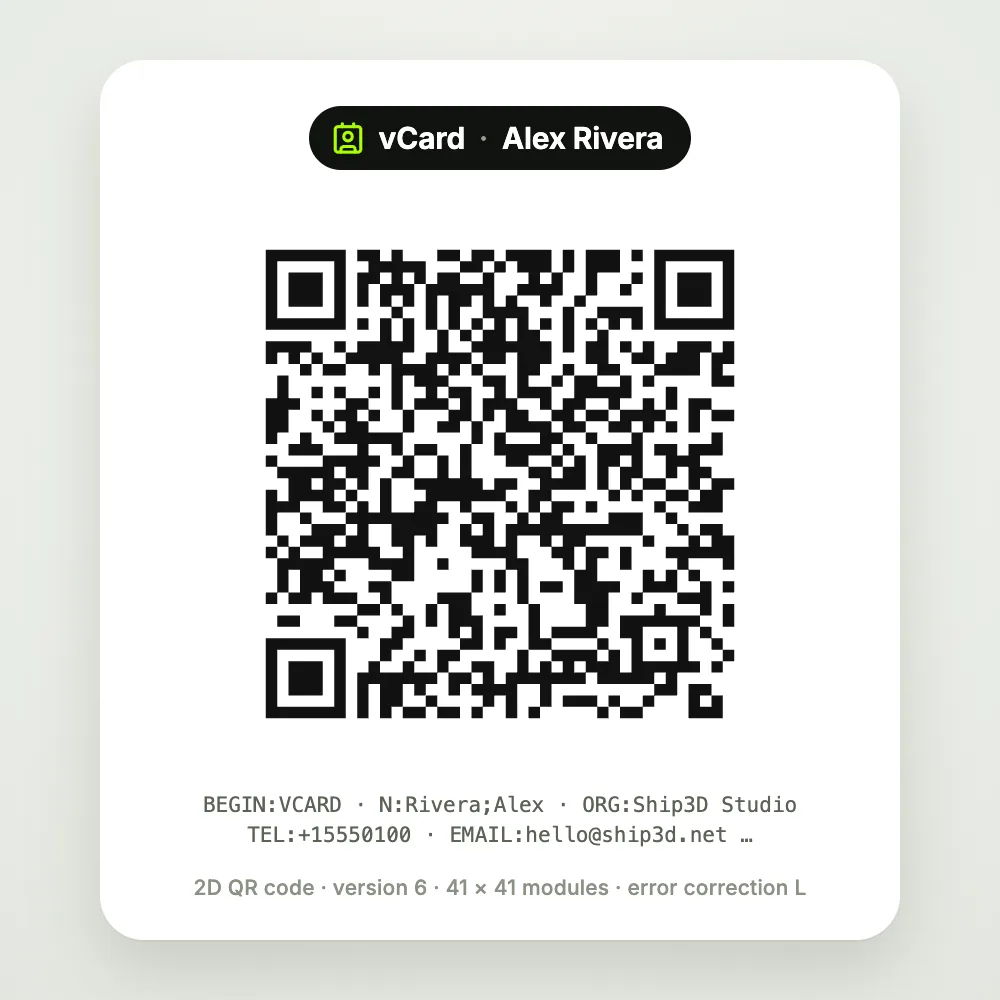
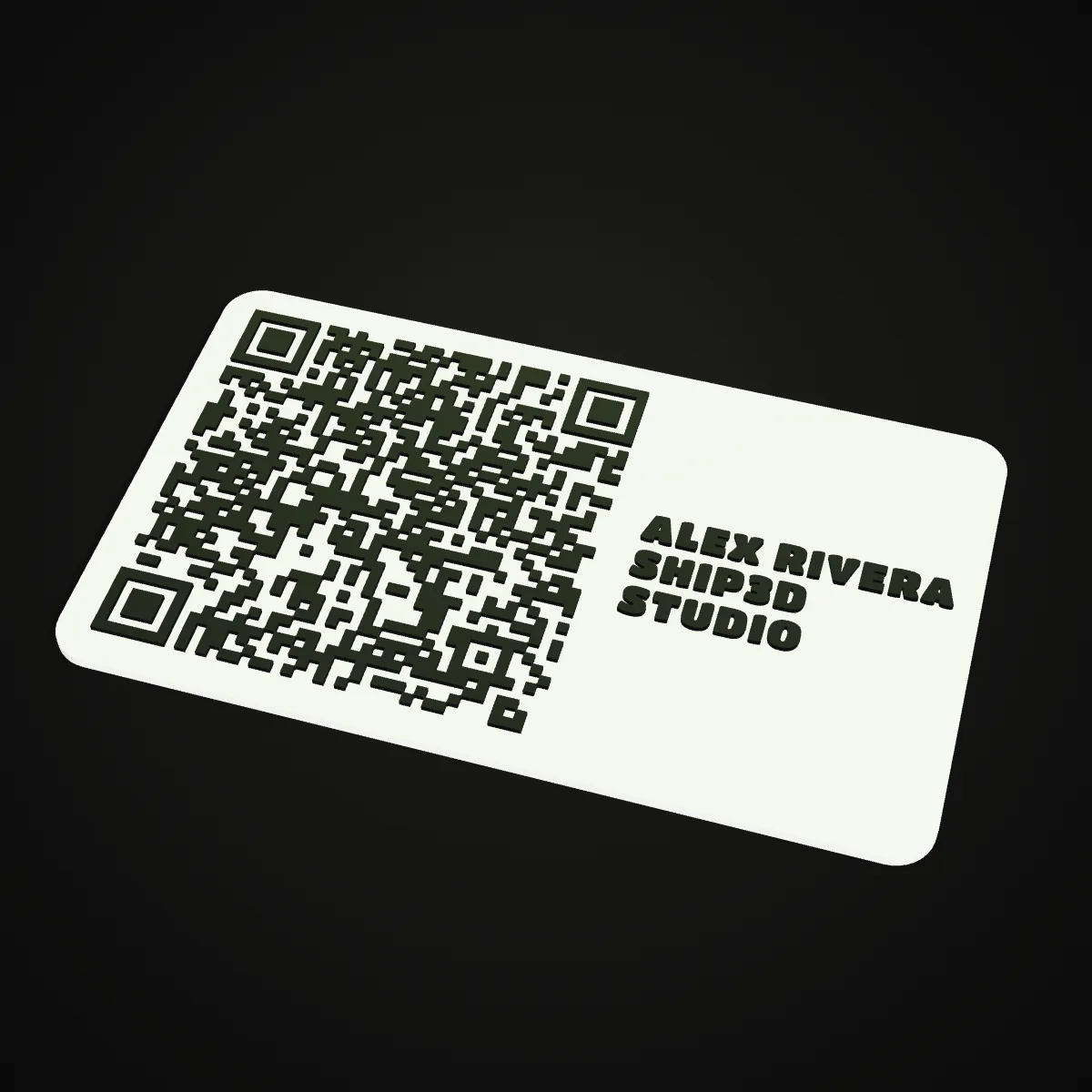
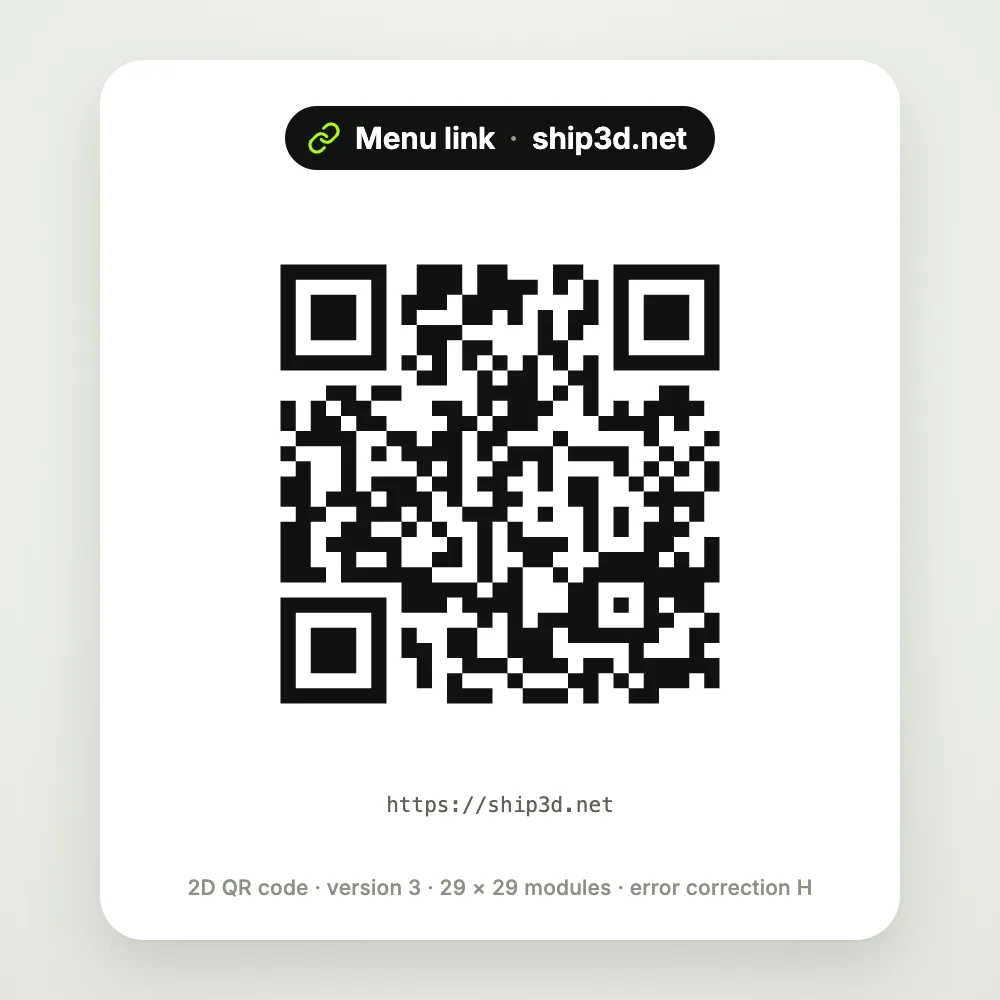
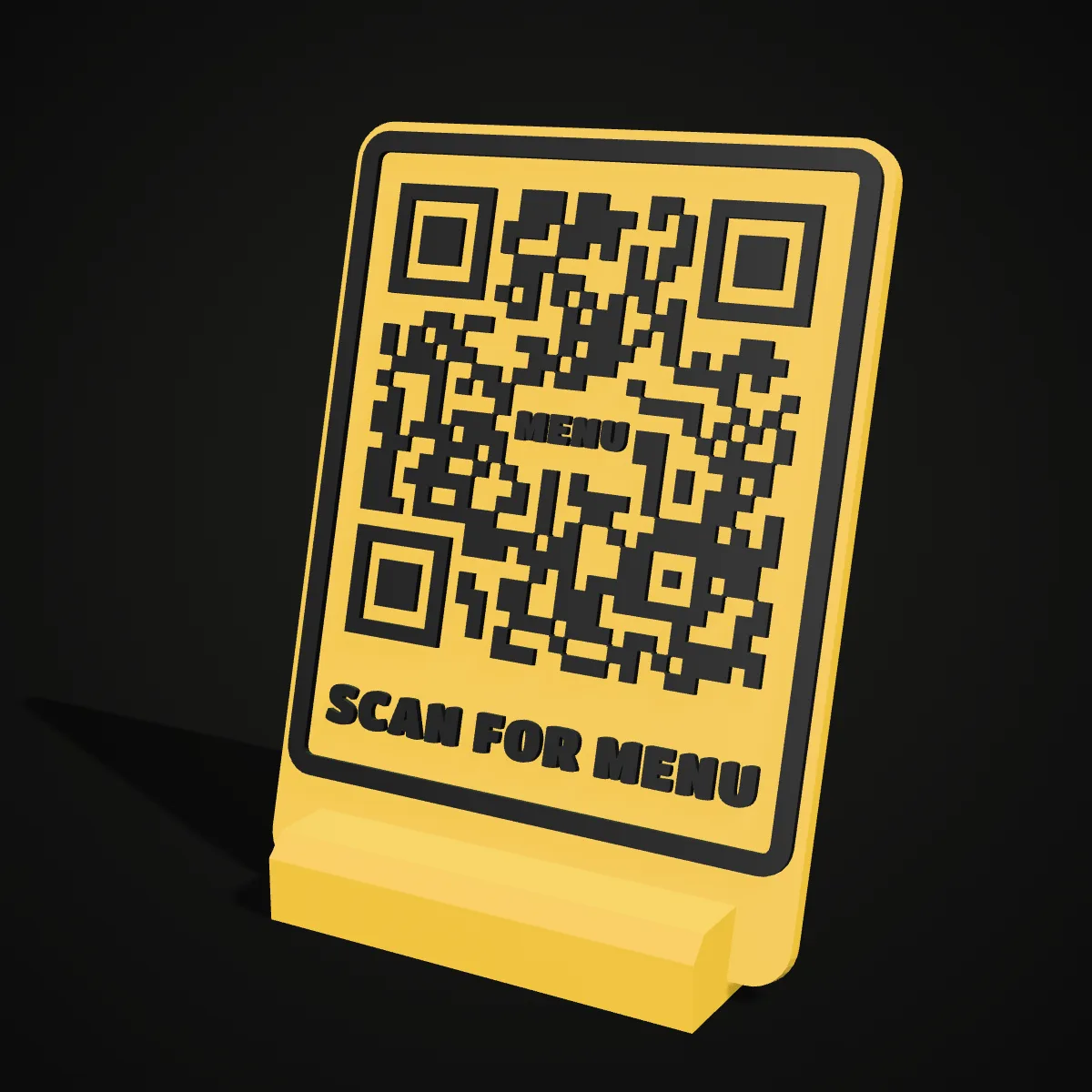
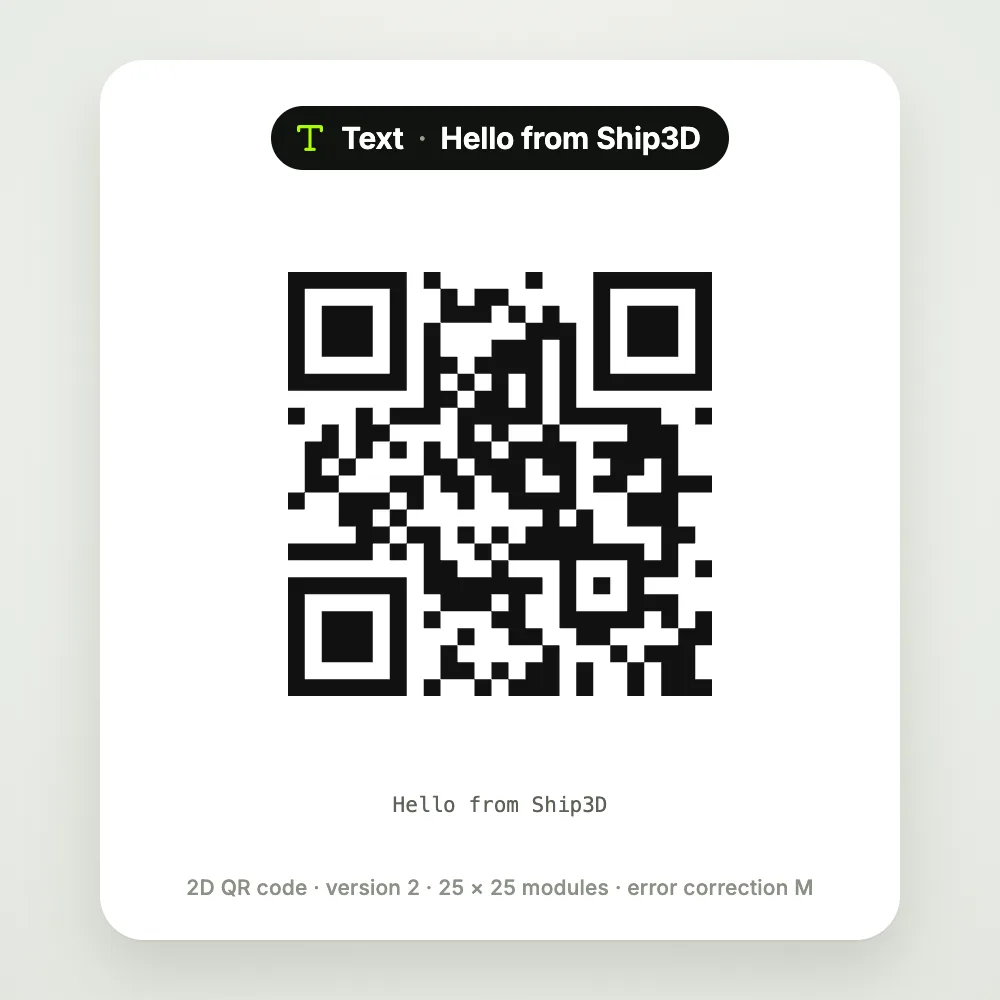
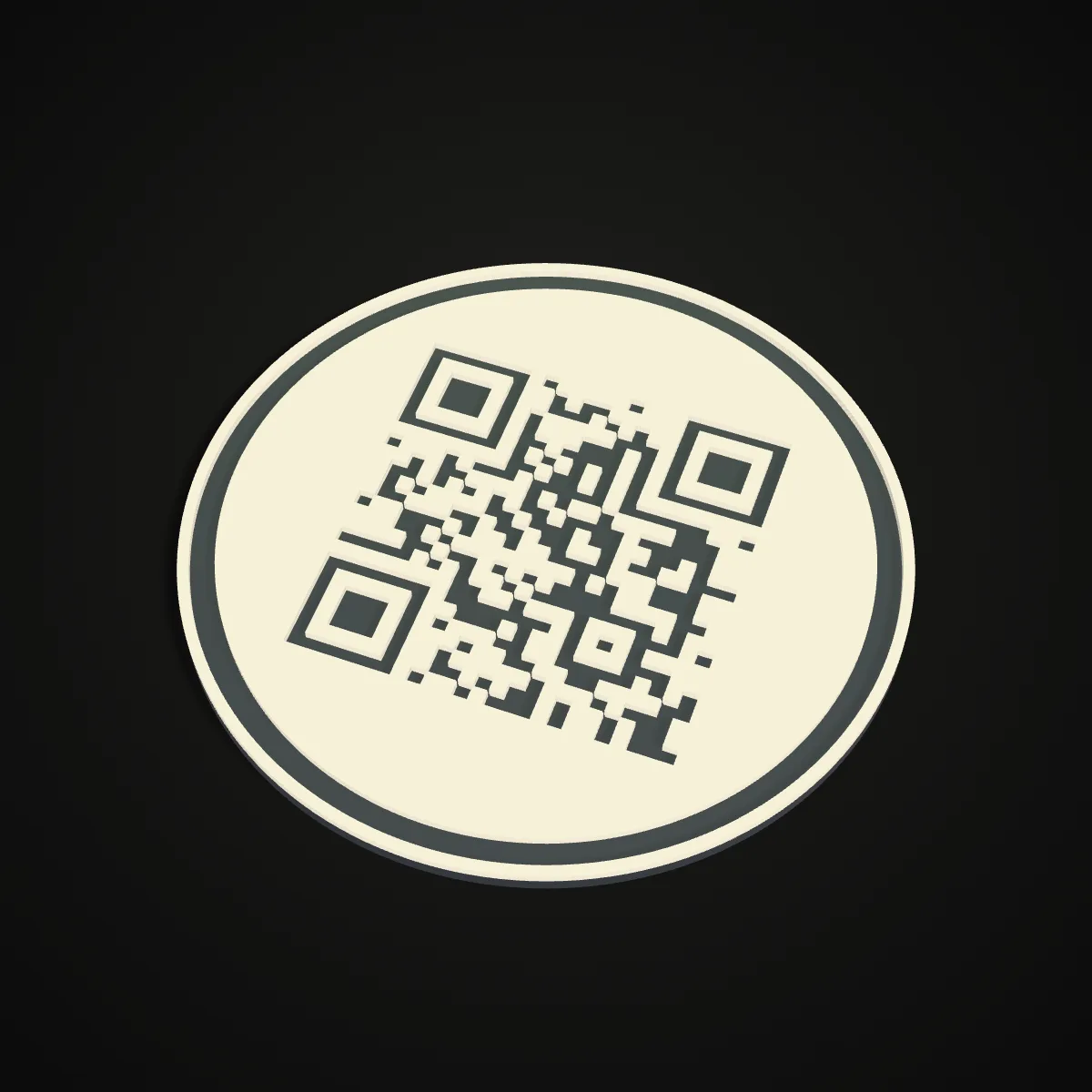
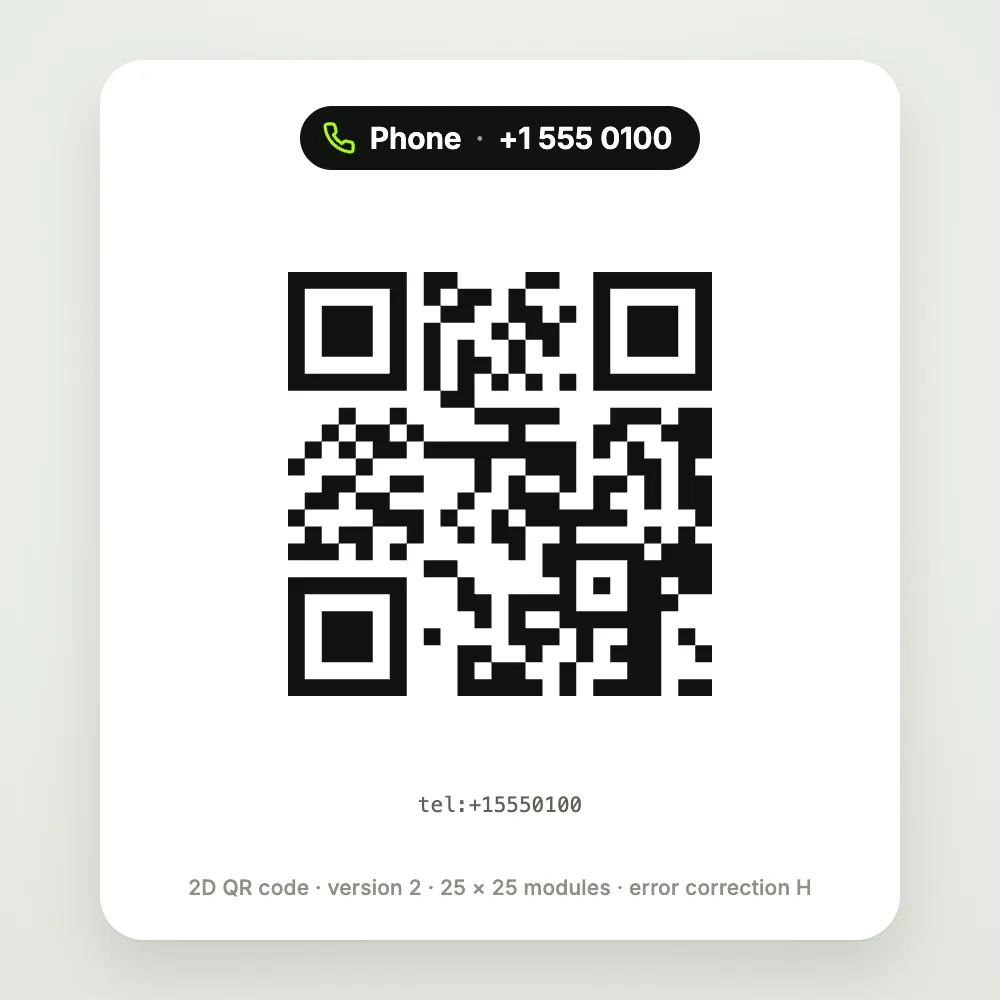
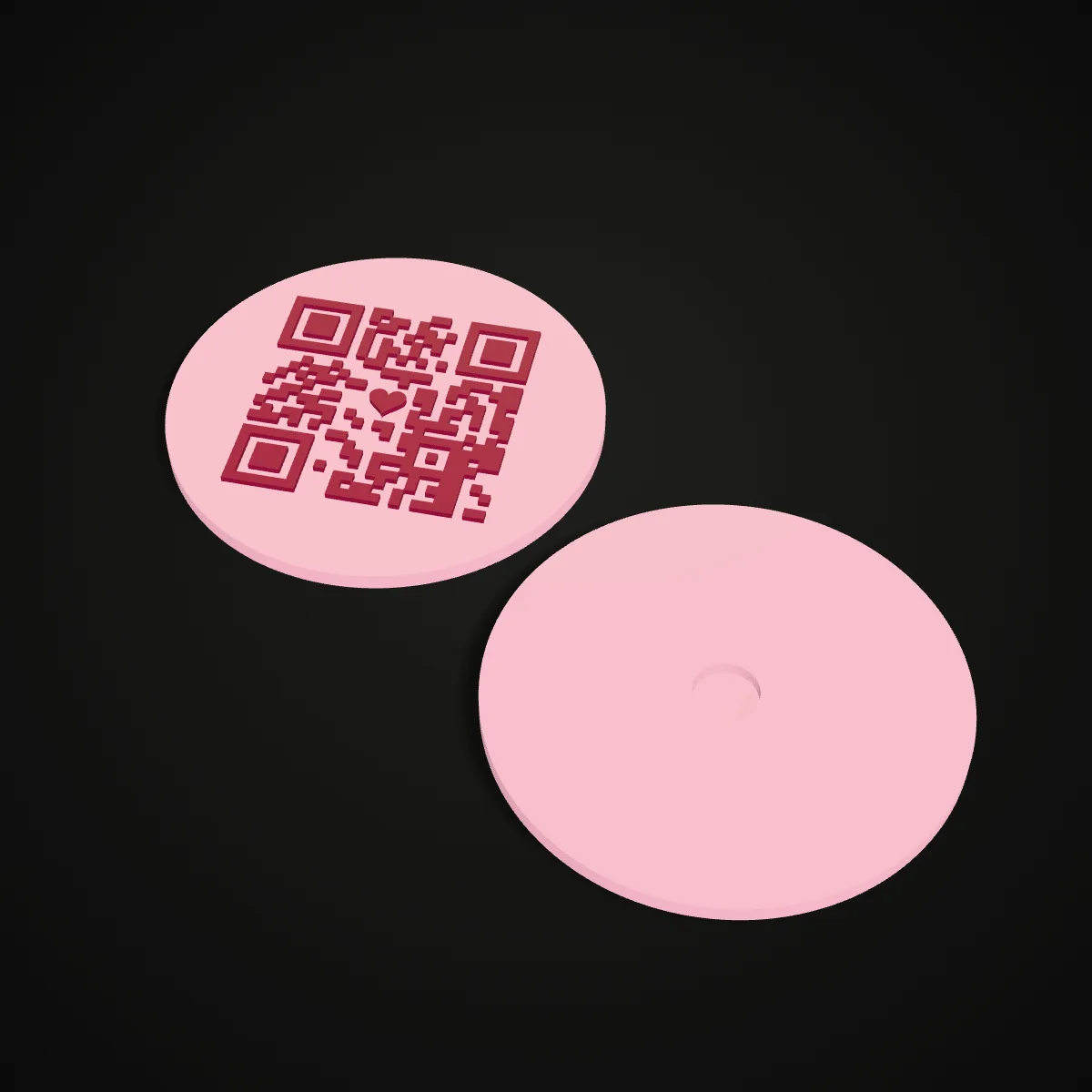
On the left of each pair is the flat QR code the generator encoded; on the right, the printable model it built, rendered from the exported file. All six start from the presets in the 3D print QR code generator above, so you can open the same design, put in your own content and download it.
More 3D printed QR codes and close-ups
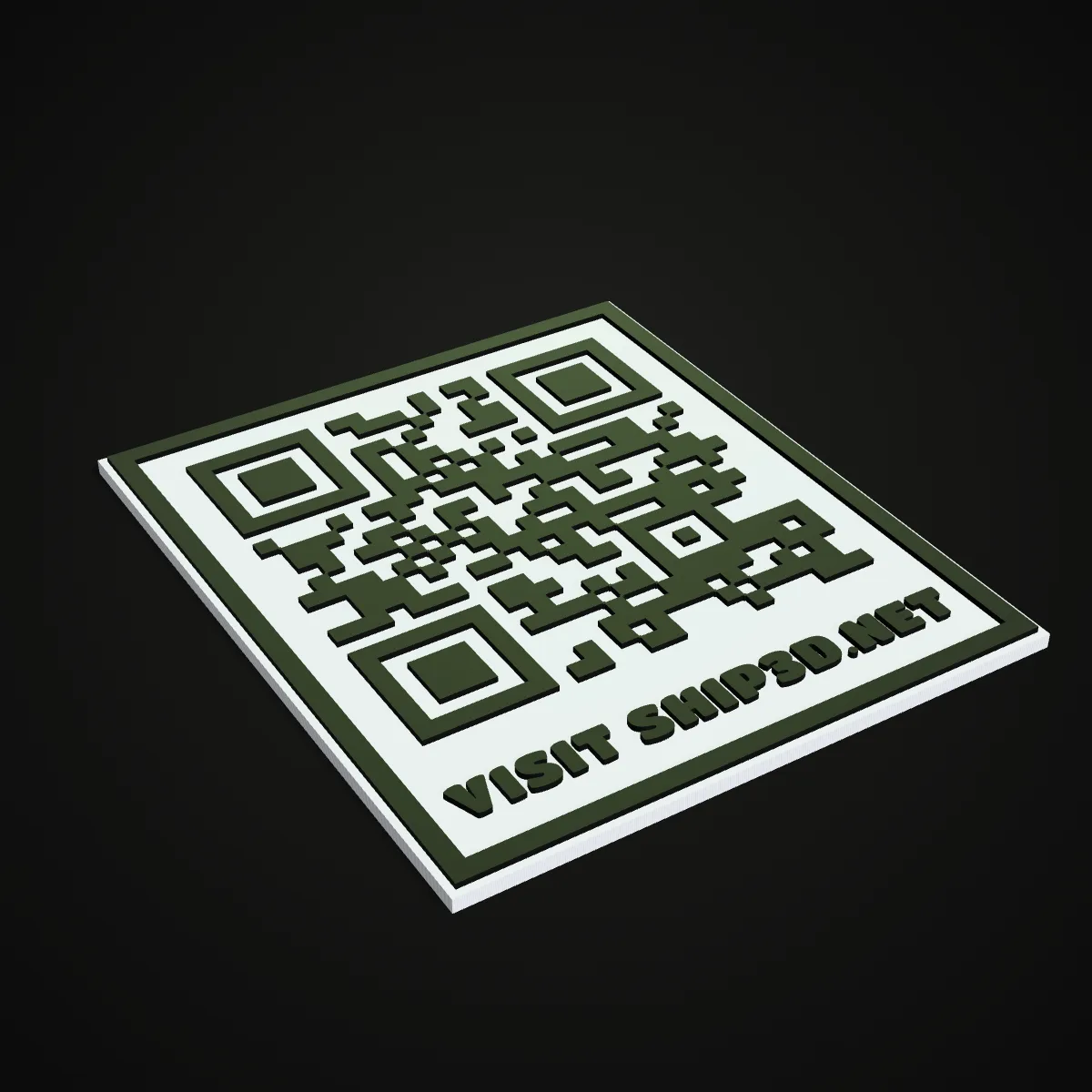
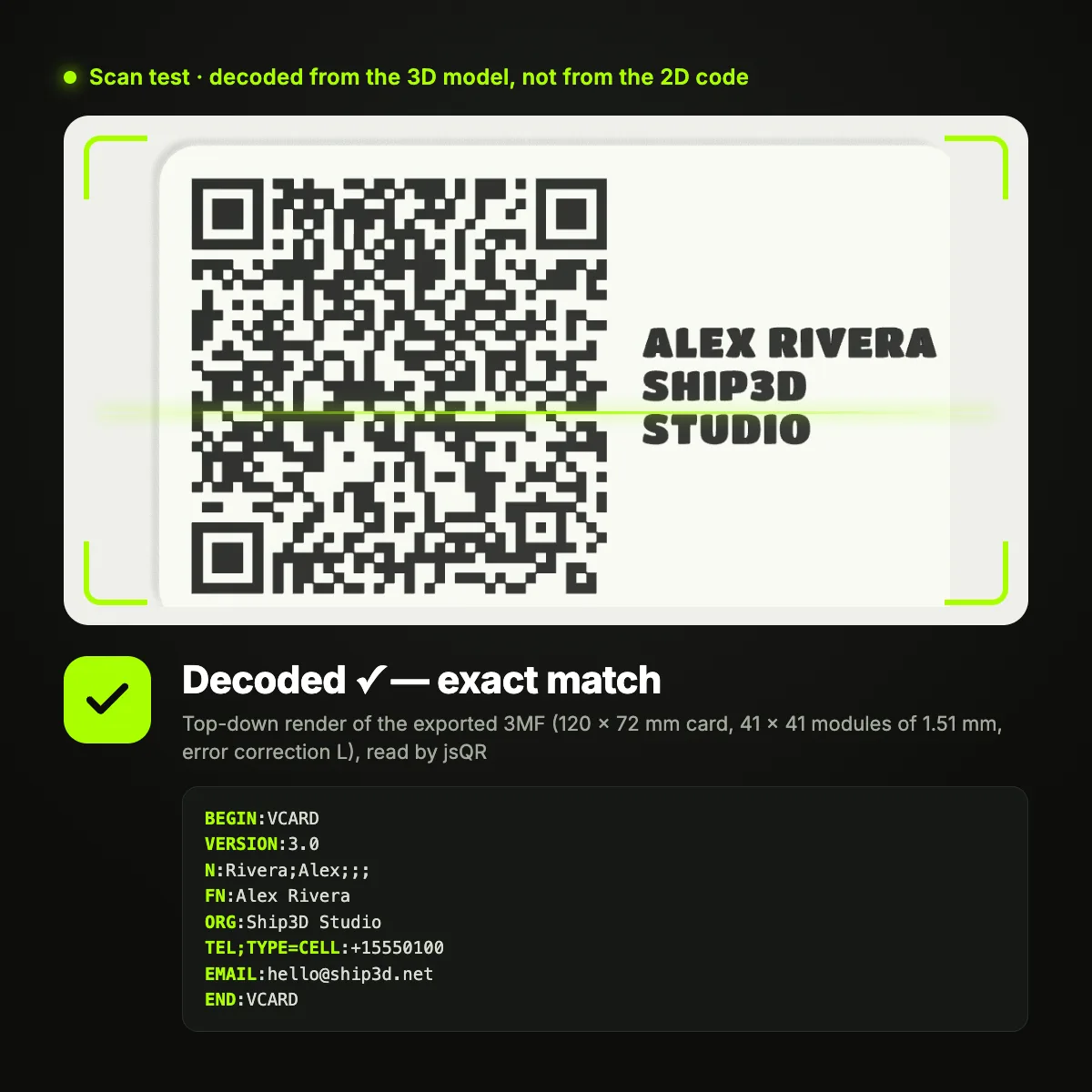
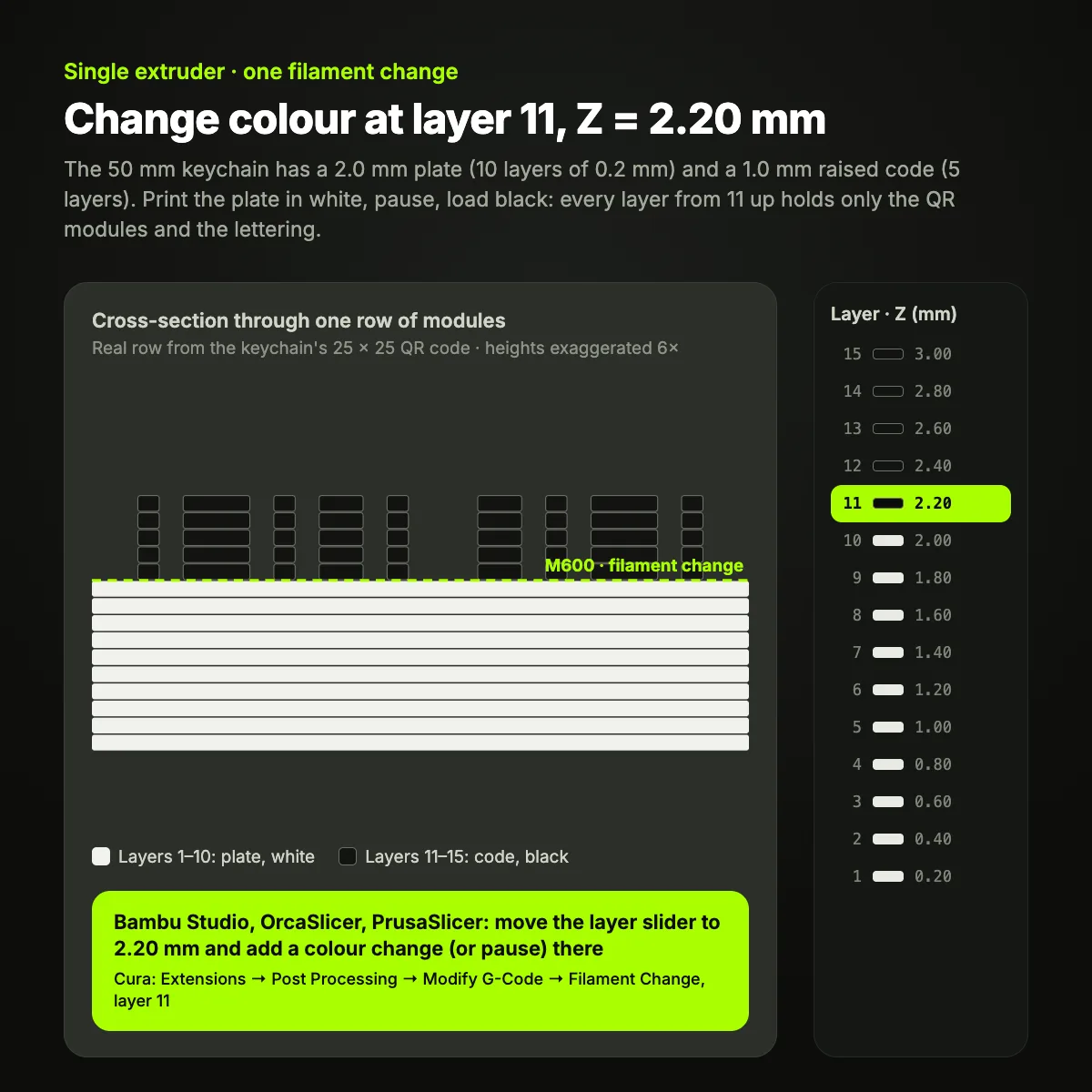
Eight renders and test images from this 3D print QR code tool: other shapes and colours, raised next to engraved, the merged module walls, a scan test of an exported file and the colour-change layer for a printer with one extruder.
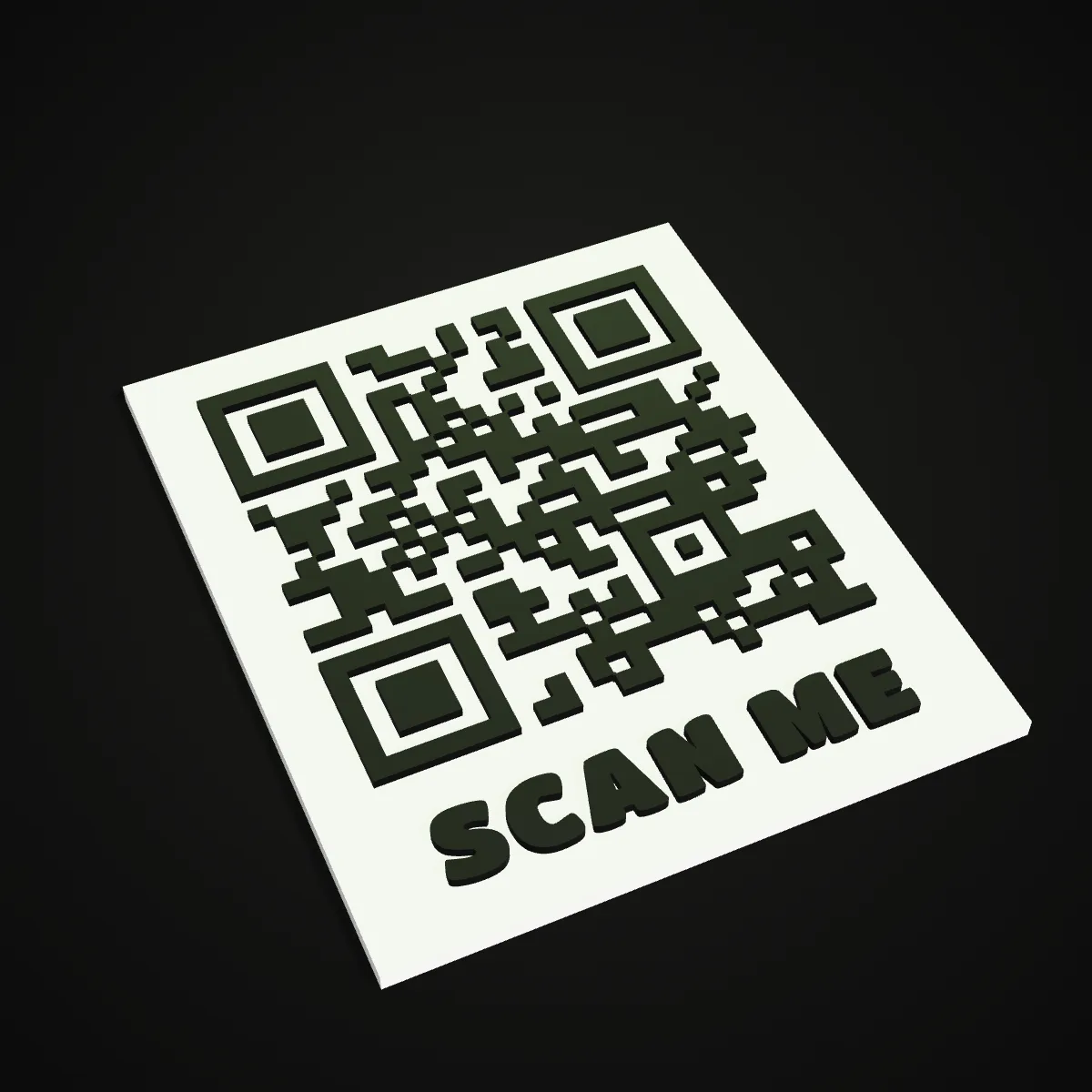
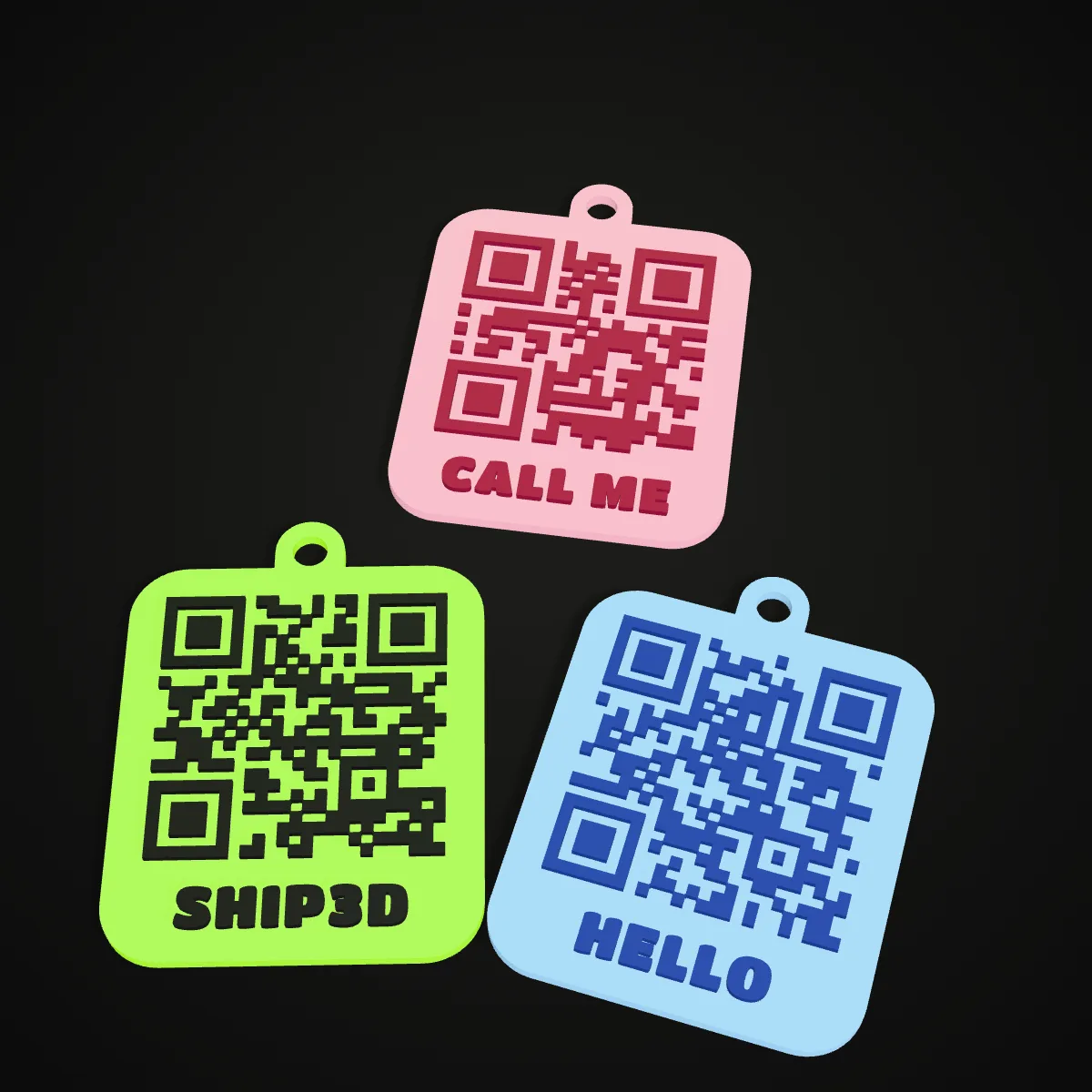
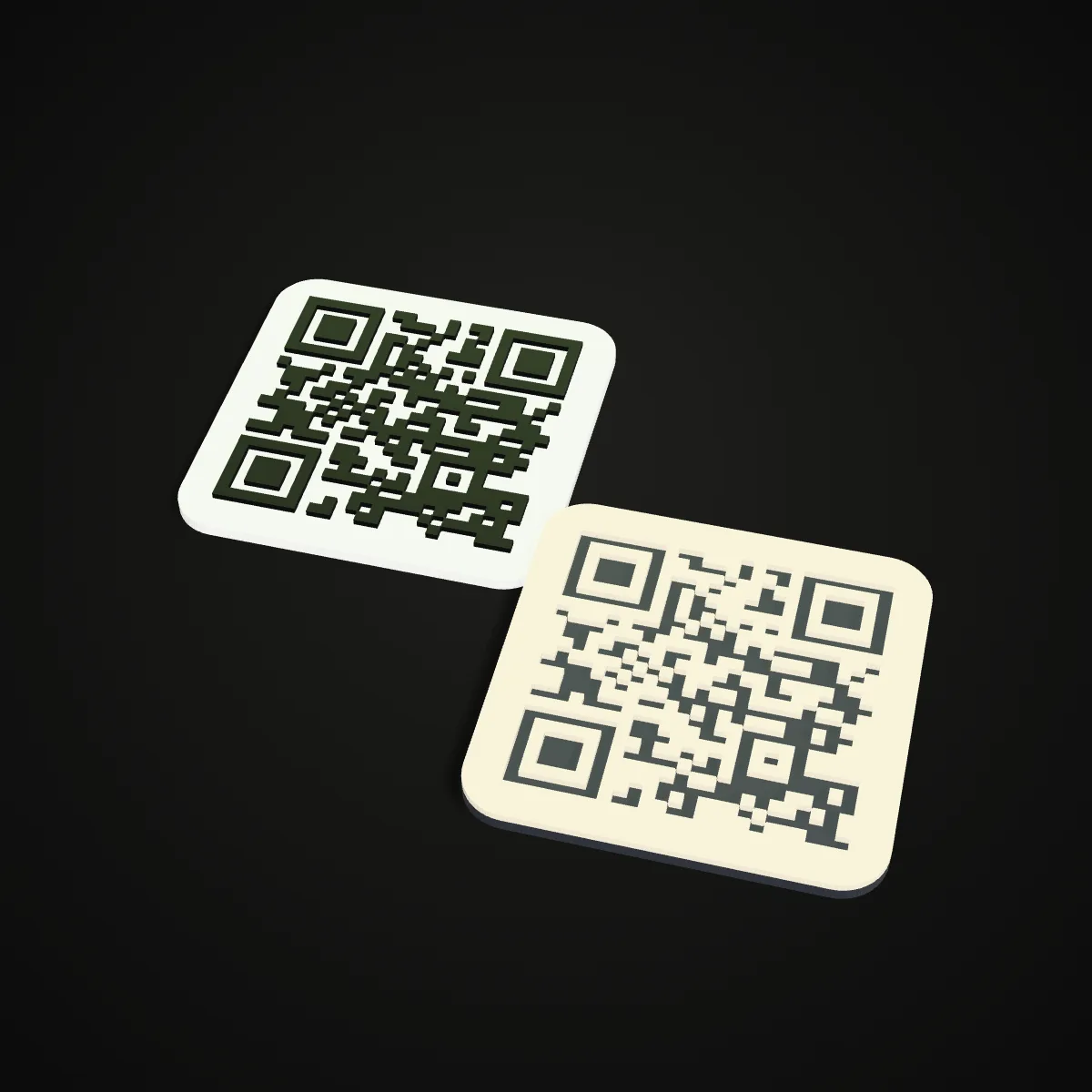
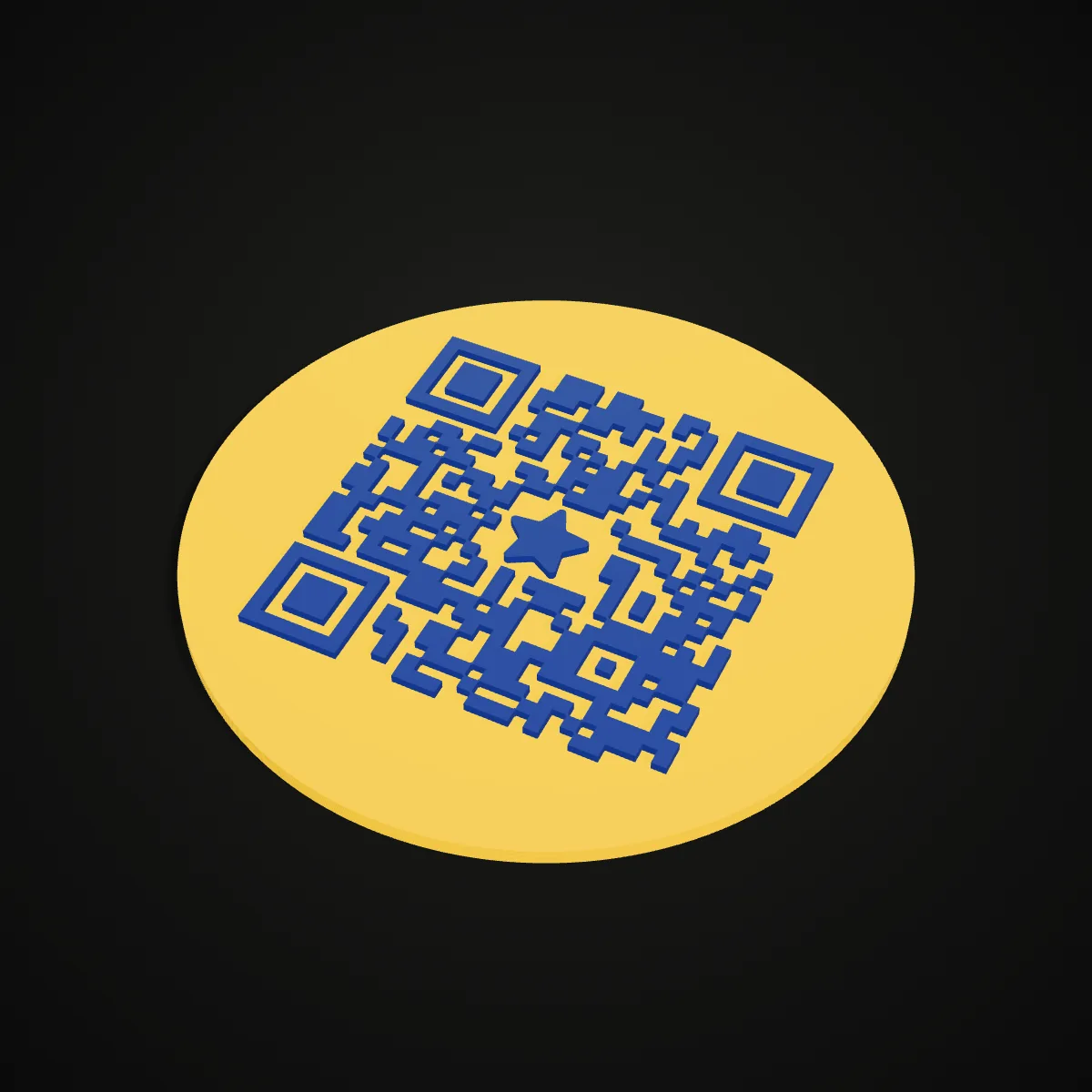
How to 3D print a QR code, step by step
- 11
Enter what your 3D print QR code should open
Pick Link, Text, Wi-Fi, Email, Phone or vCard, or start from one of the six designs. Wi-Fi codes use the WIFI: format phone cameras offer to join, and contacts are written as vCard 3.0. Under the fields you see the byte count, QR version, module grid and error correction level. Keep the content short: every extra character can add modules, which makes each one smaller.
- 22
Size the 3D print QR code for your nozzle
Choose square, rounded, round, keychain tag, standing sign or card, then set the width. Watch the module readout: it should stay at or above 3.75 × the nozzle, so 1.5 mm for 0.4 mm (pick 0.2, 0.4 or 0.6 under Advanced). If it warns, widen the plate, shorten the content or lower error correction to L. Plate thickness, code height, quiet zone, border, label, badge, ring hole and magnet pocket sit in the same panel.
- 33
Pick two filaments with strong contrast
Choose plate and code colours from the swatches and keep the code the darker one. The tool warns when the pair is inverted or too close in brightness. Open Top view to see the piece the way a camera will and test it with your phone; in Chrome on macOS, Android and ChromeOS a scan chip also reads it with the browser’s built-in QR reader.
- 44
Export and plan the colour change
With an AMS, MMU or tool changer, download the two-colour 3MF: plate and code arrive as separate coloured objects, already aligned (if the slicer asks, load them as one object with several parts). You don’t need a special QR code 3D printer to get two colours, though: with one extruder, take the STL and add a filament change where the guide says, e.g. layer 11, Z = 2.20 mm for a 2 mm plate at 0.2 mm layers. The ZIP holds one STL per part plus a README.
- 55
Print flat with even layer heights
Lay the plate flat on the bed; nothing needs supports, and the sign’s stand prints on its side. Keep the first layer the same height as the rest so the colour change lands exactly on the code, and use finer layers when the modules are small. The guide lists grams of PLA per colour, so you know whether the end of a spool will do.
- 66
Scan it before you mount it
Before a long QR code 3D print such as a 120 mm plaque, a small test tag is cheap insurance. Scan the finished piece in soft, even light from the distance people will actually use. If the phone hesitates, darken the code colour, switch to a matte filament or make the plate bigger.
3D print QR code settings for each use
Measured in this 3D print QR code generator with a 0.4 mm nozzle on the six presets plus a wall plaque. The smallest module that prints and scans reliably is about 3.75 × the nozzle: 0.75 mm on a 0.2 mm nozzle, 1.5 mm on 0.4 mm, 2.25 mm on 0.6 mm. For a 25 × 25 link code that means a square plate of at least 26, 48 or 70 mm (round: 33, 64 or 95 mm). Scan distance follows the common rule of thumb of about ten times the code’s width.
| Use | Plate | Code | Module · grid · code width | Scans from about |
|---|---|---|---|---|
| Wi-Fi sign | Standing sign 70 mm, 2.4 mm thick, separate stand at 15° | Wi-Fi (WPA) at H with a Wi-Fi badge, raised 1 mm, blue on white | 1.51 mm · 37 × 37 · 56 mm | 0.5 m |
| Keychain | Keychain tag 50 mm, 2 mm thick, 5 mm ring hole | Link at M, raised 1 mm, black on lime | 1.59 mm · 25 × 25 · 40 mm | 0.4 m |
| Business card | Card 120 × 72 mm, 1.6 mm thick, up to three text lines | vCard 3.0 at L (at M it grows to 49 × 49), raised 0.8 mm | 1.51 mm · 41 × 41 · 62 mm | 0.6 m |
| Table menu | Standing sign 80 mm, 2.4 mm thick, stand | Link at H with a 4-letter text badge, raised 1 mm, black on yellow | 2.16 mm · 29 × 29 · 63 mm | 0.6 m |
| Coaster | Round 95 mm: 2 mm dark base, 1.2 mm light top layer | Text at M, engraved 1.2 mm, charcoal under ivory | 2.05 mm · 25 × 25 · 51 mm | 0.5 m |
| Fridge magnet | Round 75 mm, 3 mm thick, pocket for a 10 mm magnet, 2.2 mm deep | Link at H with a heart badge, raised 1 mm, berry on pink | 1.56 mm · 29 × 29 · 45 mm | 0.45 m |
| Wall plaque | Square 120 mm, 3 mm thick, raised border | Link at M, raised 1.2 mm, black on silver | 3.76 mm · 25 × 25 · 94 mm | 1 m |
What people 3D print QR codes for
Guest Wi-Fi at home or in a rental
A sign on the shelf beats reading out a 20-character password. The code carries the network name, password and security type, so guests join by pointing a camera at it. Hidden networks work too. The password lives inside the code, so print a new sign whenever you change it.
Café and restaurant tables
A table tent that says SCAN FOR MENU opens the online menu or the ordering page. The stand slides off for cleaning, and a 2.16 mm module still reads from across a two-person table. Print one per table in the colours of the venue.
Business cards and trade fairs
A printed card with a vCard code puts your name, company, phone and email into the contacts app of whoever scans it, and it is hard to forget a card that was made on a printer. For a booth, scale it up into a standing sign.
Keychains, bag tags and pet tags
A link to a portfolio, a phone number for lost-and-found or a page with a pet’s details fits on a 50 mm tag. Use Phone for a tel: link that dials directly, or Text for a short note that shows up without any internet connection.
Gifts, coasters and fridge magnets
Engrave a coaster with a message or a playlist link, or make a fridge magnet that opens a shared shopping list. The magnet pocket is sized 0.3 mm wider than the magnet, so it presses in or drops in during a pause.
Shops, market stalls and product displays
Shops and stallholders 3D print QR codes as a plaque by the till that asks for reviews, a code on the market stall that opens the online shop, or a label on a display that links to the manual or a video. Plates go up to 200 mm, which gives modules big enough to read from the other side of a room.
3D print QR code questions
Type the content into a 3D print QR code generator such as this one, size it so each module is at least 1.5 mm for a 0.4 mm nozzle, then download a two-colour 3MF or an STL. Print the code in a darker filament than the plate: with an AMS or MMU, give each part its colour; with one extruder, add one filament change at the layer the tool names.
Size it by the module, not by the plate: about 3.75 × your nozzle diameter per module, which is 1.5 mm on a 0.4 mm nozzle. A short link (25 × 25 modules) then needs a square plate of 48 mm or more, and a Wi-Fi code with a badge (37 × 37) about 66 mm. To scan from further away, go bigger: phones read a code from roughly ten times its width.
You can 3D print QR codes in a single colour, but a raised one-colour code only scans when low side light casts shadows between the modules. With one filament, colour the raised tops with a permanent marker. With one filament change, engraved mode is the tidy option: a dark base under a light top layer of at least 0.8 mm, so the code shows dark and the surface stays flat.
Yes, when the code is dark on a light plate, the modules are big enough to print cleanly and the quiet zone around it is intact. Codes usually fail for five reasons: modules too small for the nozzle, low contrast or inverted colours, glossy or silk filament that reflects the light, a quiet zone under two modules, or error correction that does not fit (too high for a small plate, too low under a badge, which is why a badge forces H). Every 3D print QR code made here can be tested first in Top view, and our test exports decoded back to exactly their content with jsQR.
Pick the Wi-Fi sign design, type the network name and password, choose WPA/WPA2/WPA3, WEP or None, and switch on Hidden network if the name is not broadcast. The sign prints flat with the code raised 1 mm, then slides into a separate stand with 0.35 mm of clearance that leans it back 15°. Phone cameras recognise the WIFI: format and offer to join the network.
Yes, it is free and needs no sign-up. The QR code, the mesh and every export (STL, two-colour 3MF, ZIP) are made in your browser, so your Wi-Fi password and contact details are never uploaded.
Related tools






Want something to stand next to the sign?
Ship3D’s AI generator turns a photo or a text prompt into a full 3D model, a figurine or a mascot for the shelf, and lets you download it as STL for the printer you use to 3D print QR codes.
Free to sign up, no credit card required. Try it once for free.