STL Repair
Broken Mesh In, Watertight Solid Out
STL repair for the files your slicer complains about: drop a broken STL and this free STL fixer looks for holes and open edges, flipped normals, non-manifold edges and vertices, duplicate and zero-area faces, loose shells and self-intersections, then marks each problem in a 3D preview.
3D preview
Your model appears here with holes outlined in red and flipped faces in magenta.
Press Repair STL and the steps run in a fixed order: weld cracks, drop duplicates and slivers, untangle non-manifold edges, delete floating debris, fix normals, fill holes and turn every face outward. Any step can be switched off or tuned, from the weld distance (0.001–0.1 mm) to the largest hole you want closed. The result is then checked with manifold-3d, and a green Watertight ✓ means your slicer gets one closed solid with a real volume. Drag the split view to compare the original and the STL repair result, then download STL, 3MF or OBJ. Binary and ASCII STL, OBJ, PLY, 3MF and GLB up to 200 MB open. The work happens on your own computer, so you can repair STL files online without uploading them or creating an account.
Try STL repair on three broken files
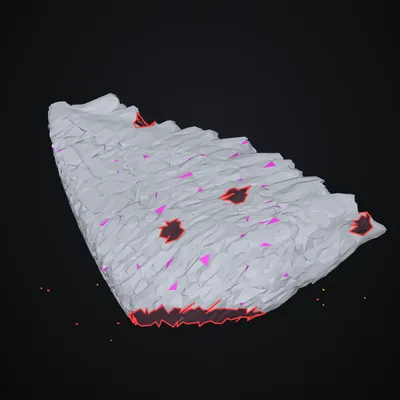
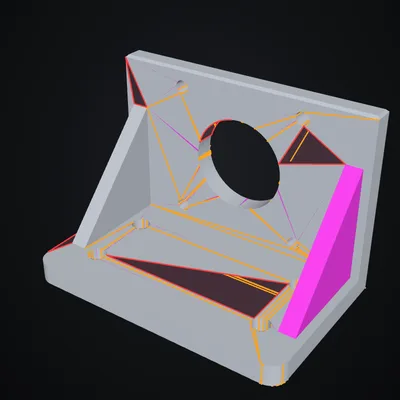
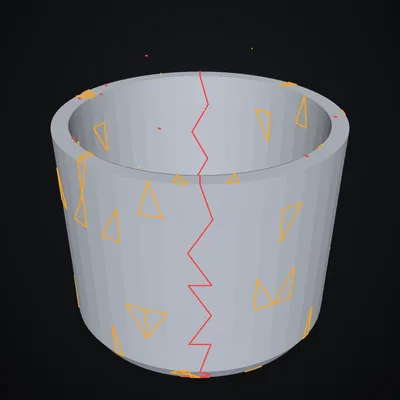
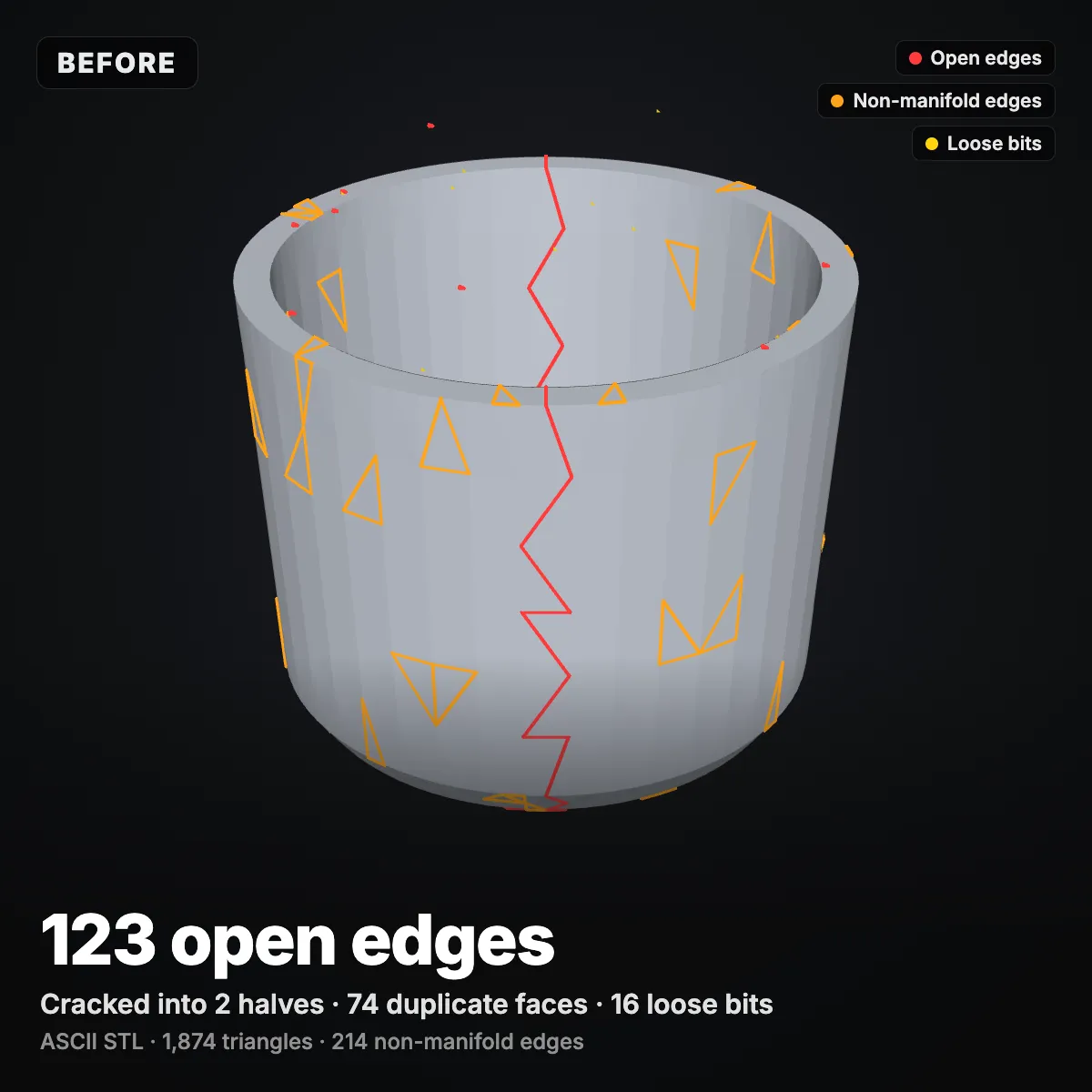
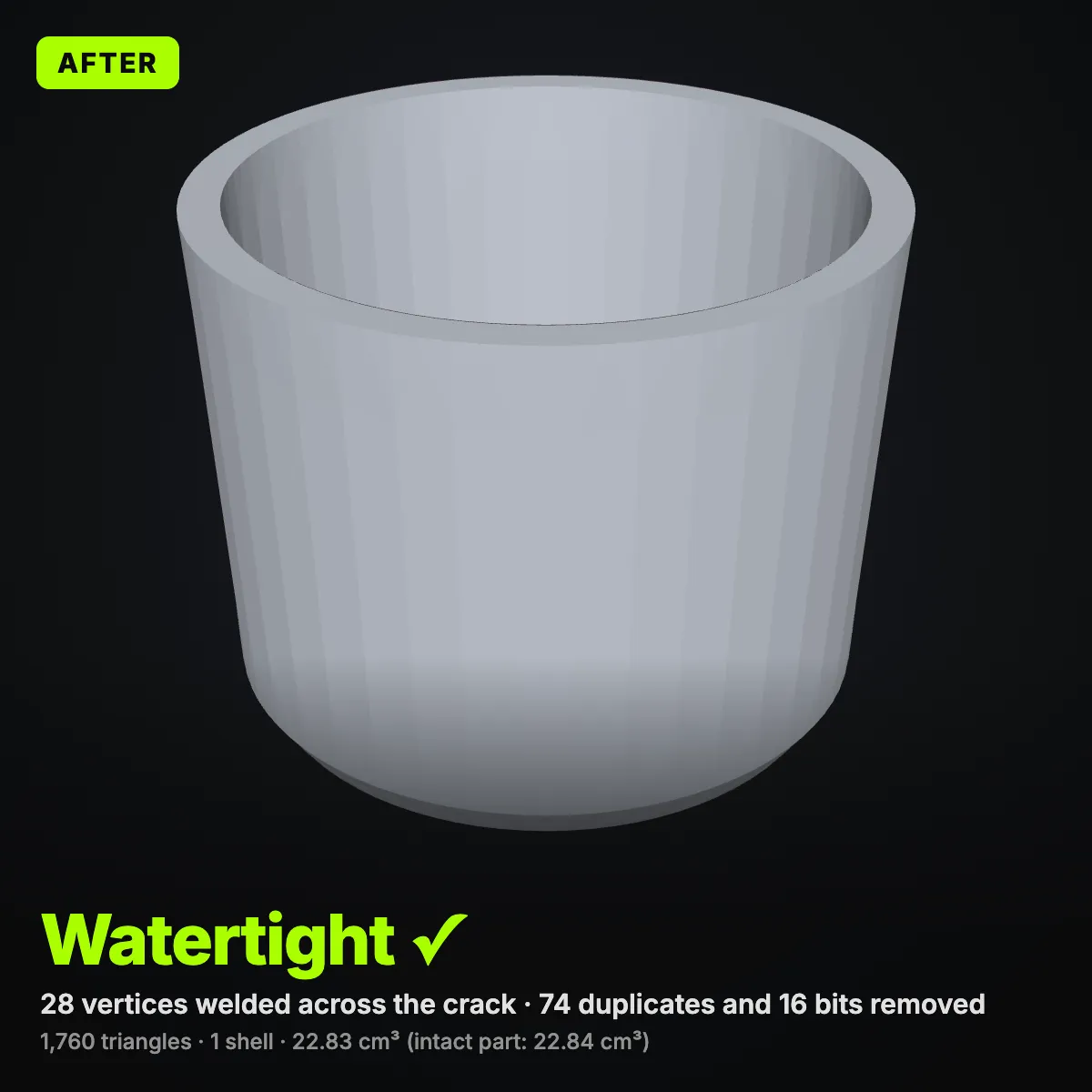
Each sample was damaged on purpose, in a different and repeatable way: a museum scan with an open base and specks of noise, a CAD bracket that lost facets and has an inside-out gusset, and an ASCII cup cracked in two. Click Try to run the STL repair on one straight away, or download it and see what your slicer reports first.
STL repair demo: a holey scan made watertight in 16 seconds
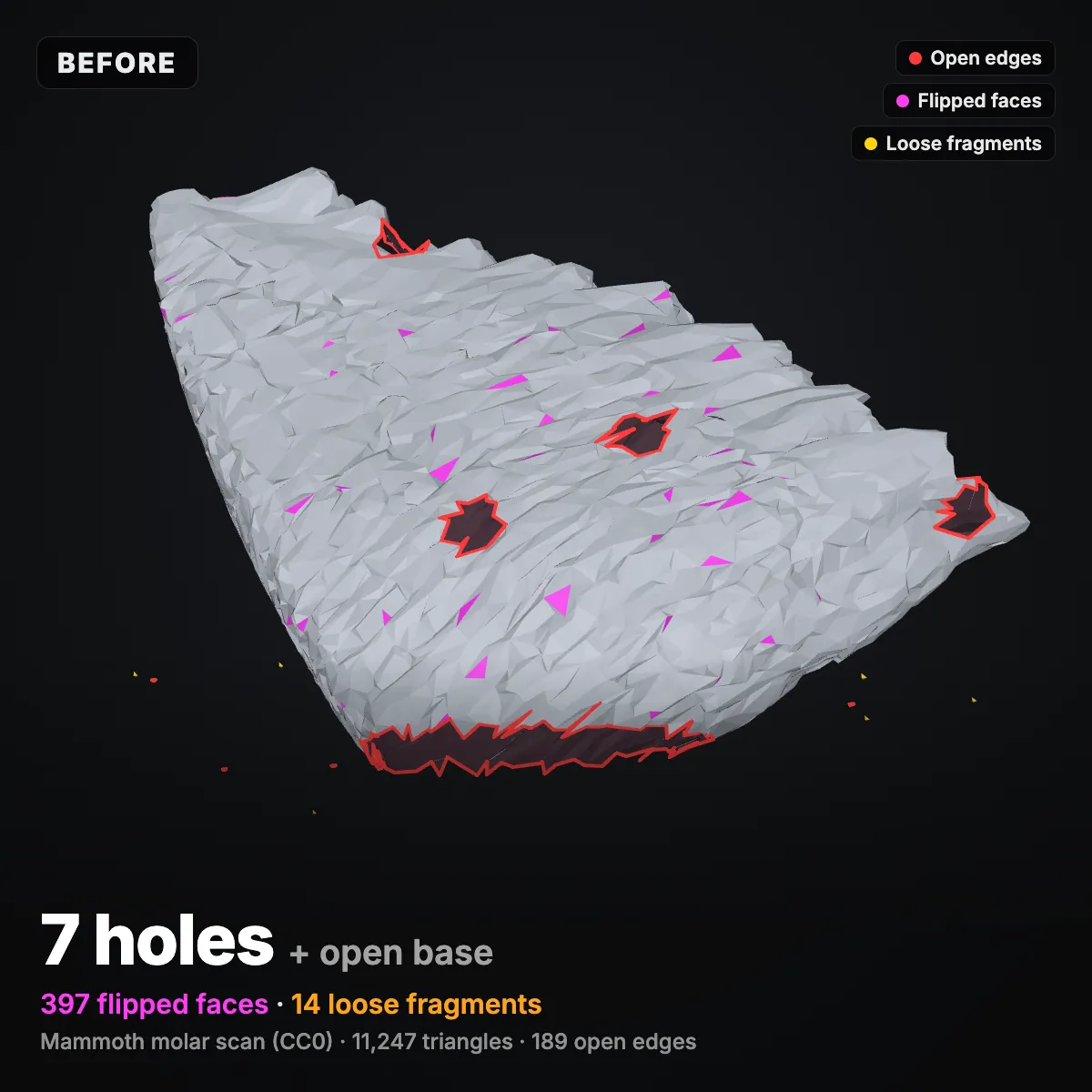
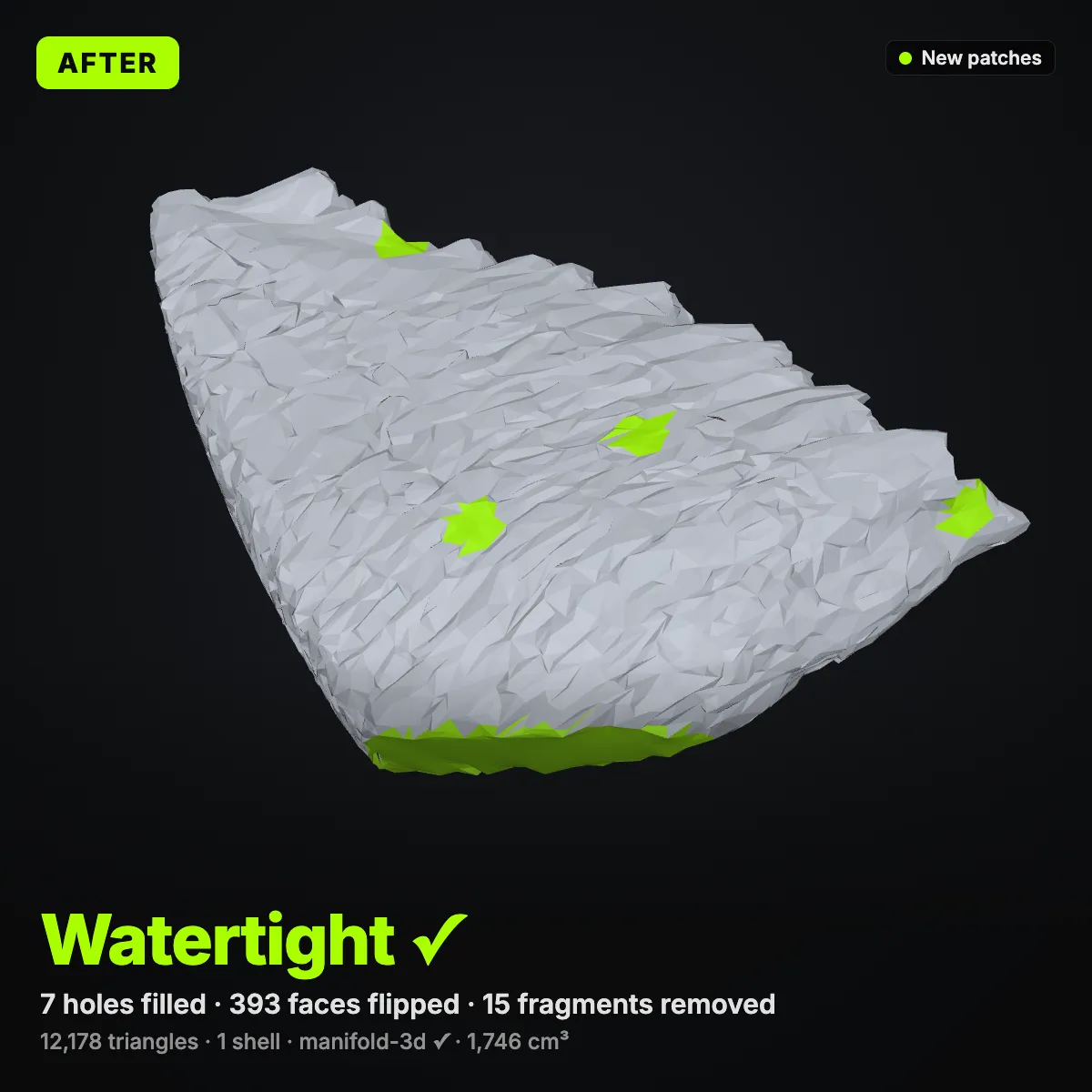
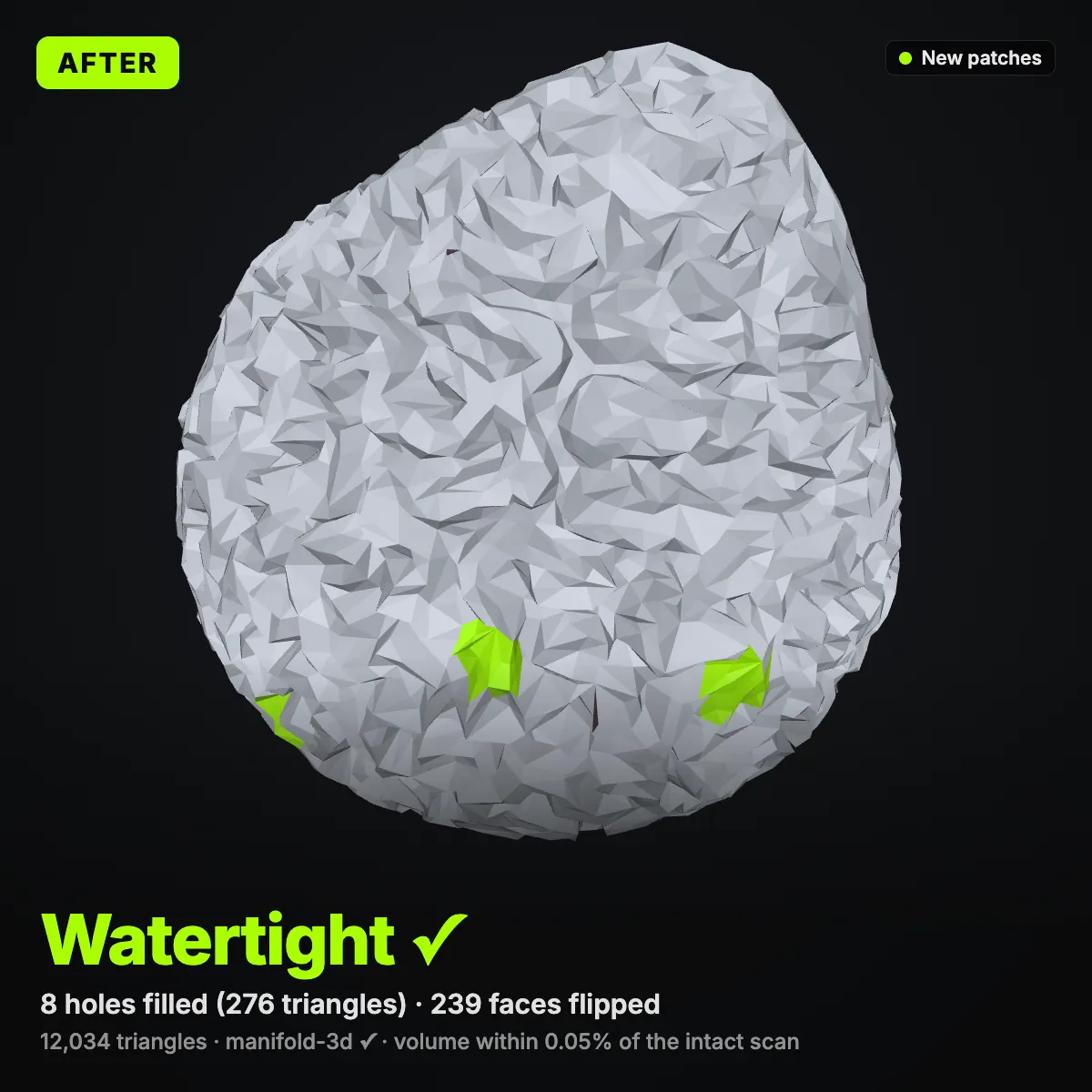
The recording drops the mammoth molar sample into the tool. The report lists 7 holes and 397 flipped faces, the camera turns to show the red open edges around the cut-off base, and one click on Repair STL fills the holes with 970 new triangles, flips 393 faces and clears 15 loose shells. The split view then wipes between the broken scan and the STL repair result before the file is downloaded: 12,178 triangles, one shell, 1,746 cm³.
STL repair before and after: two scans, two CAD parts
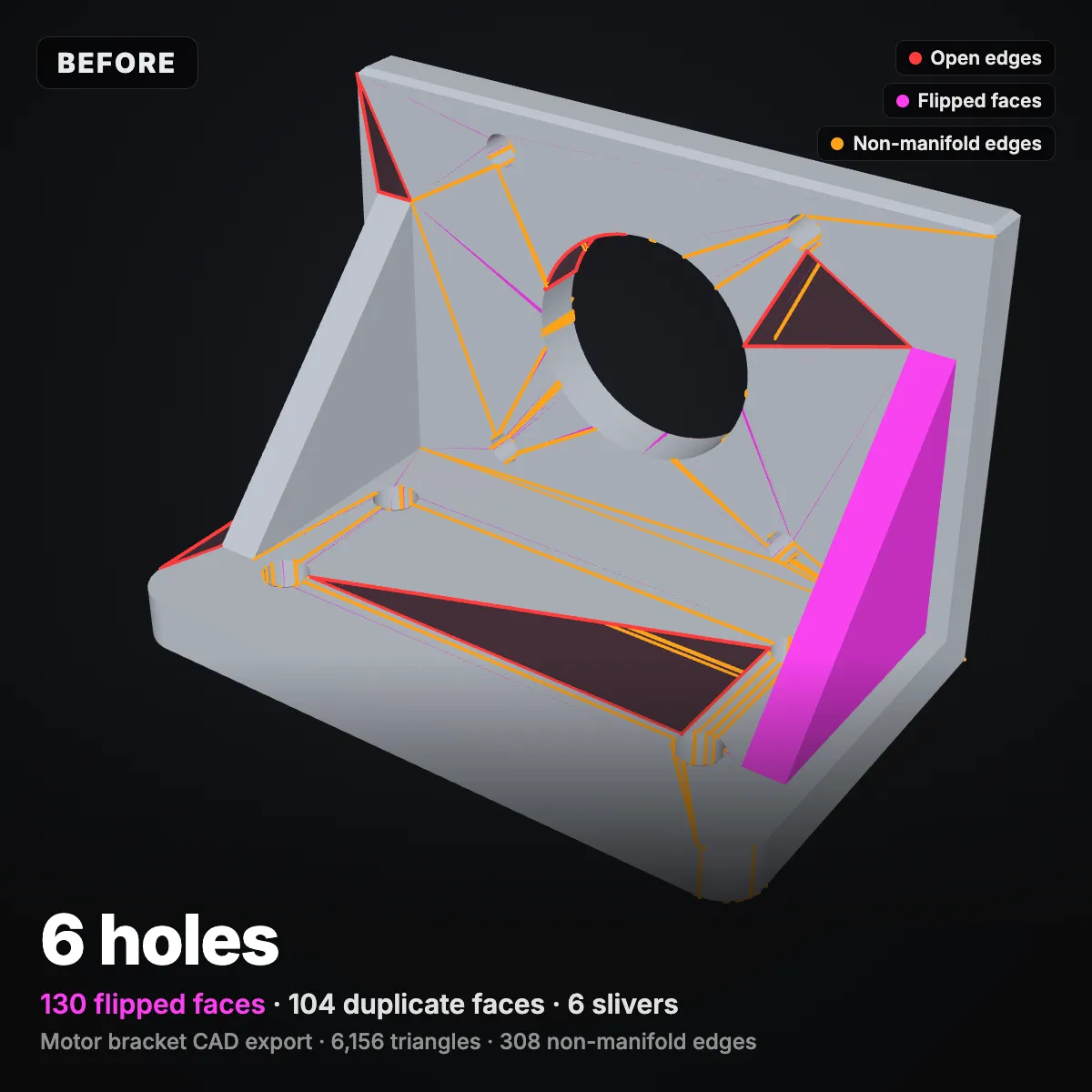
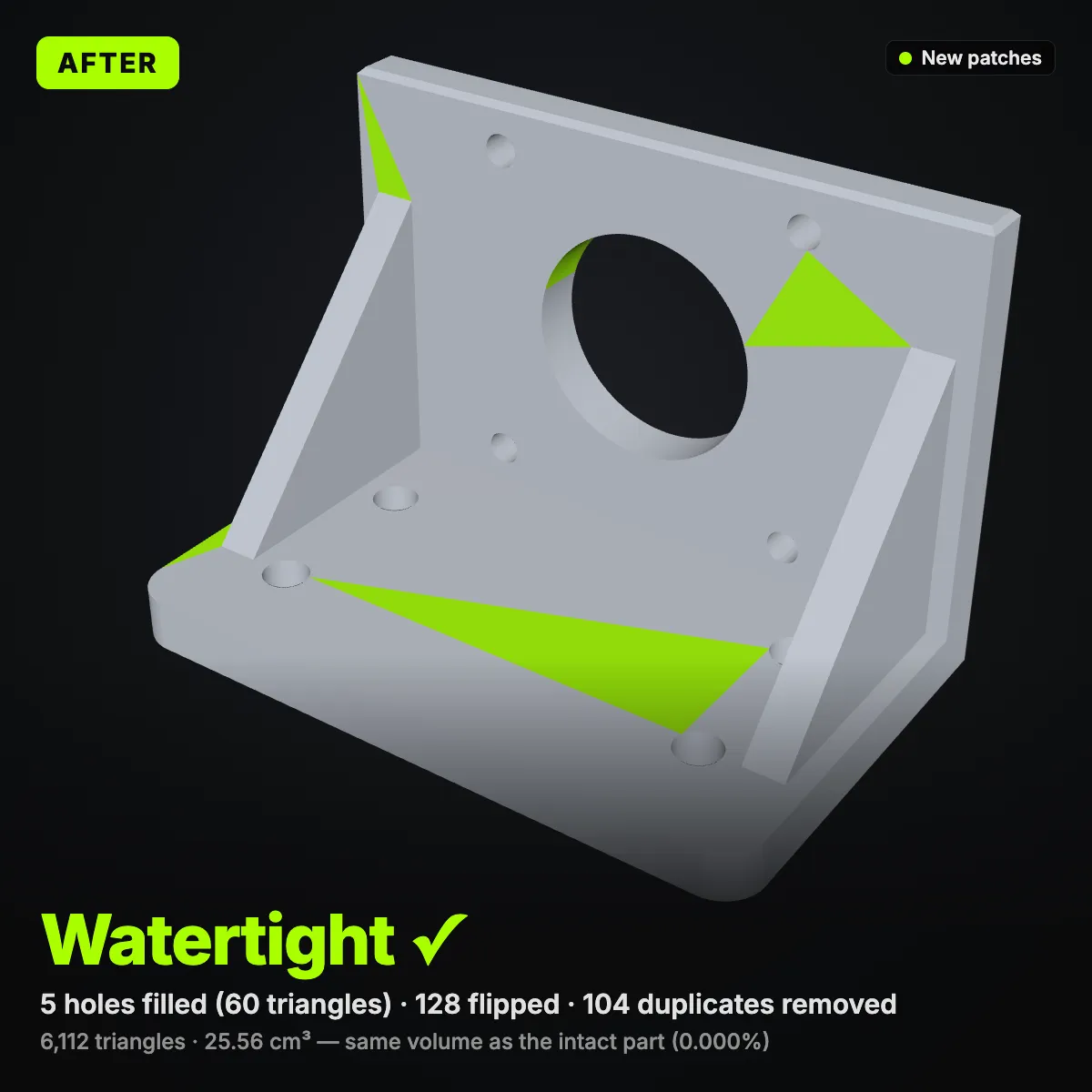
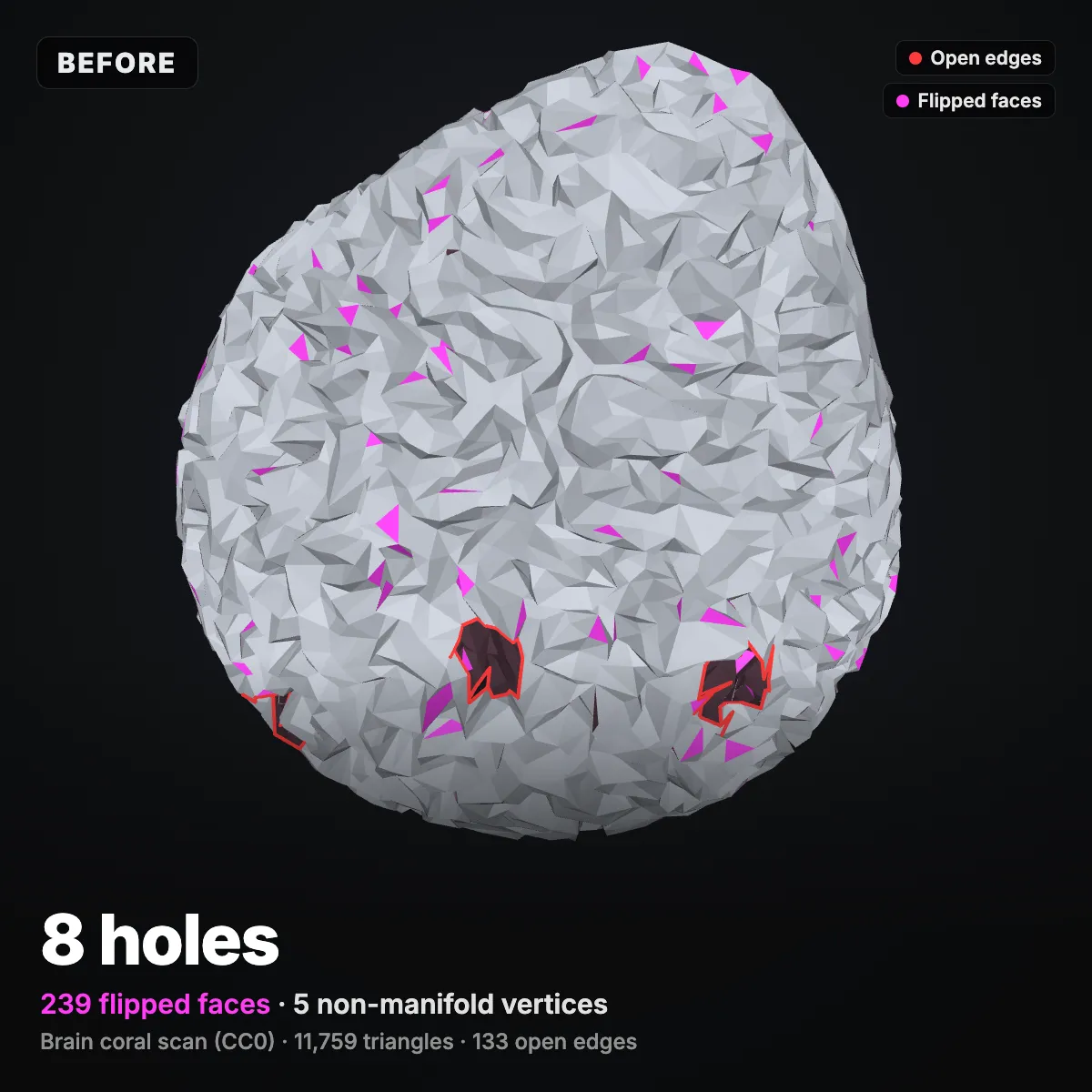
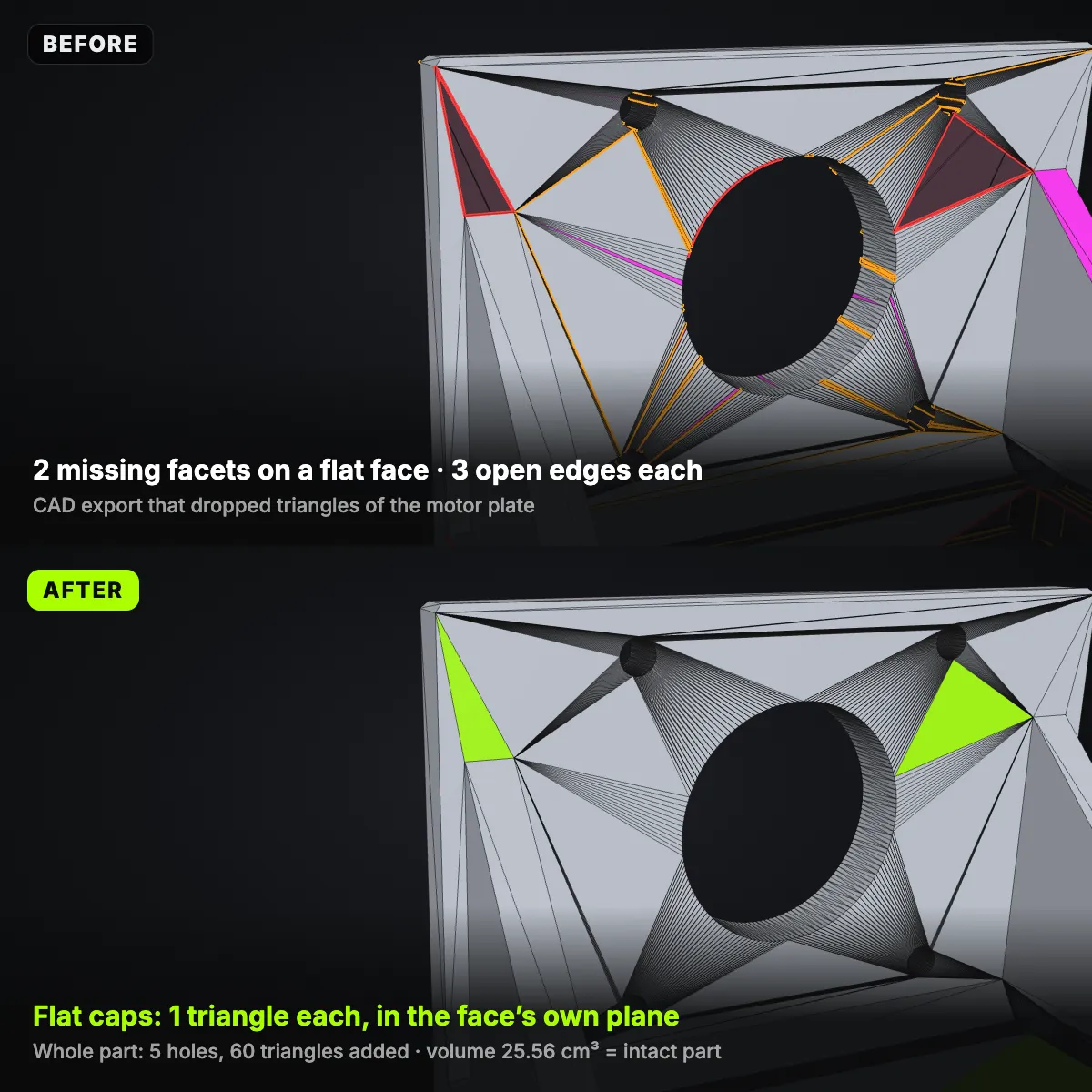
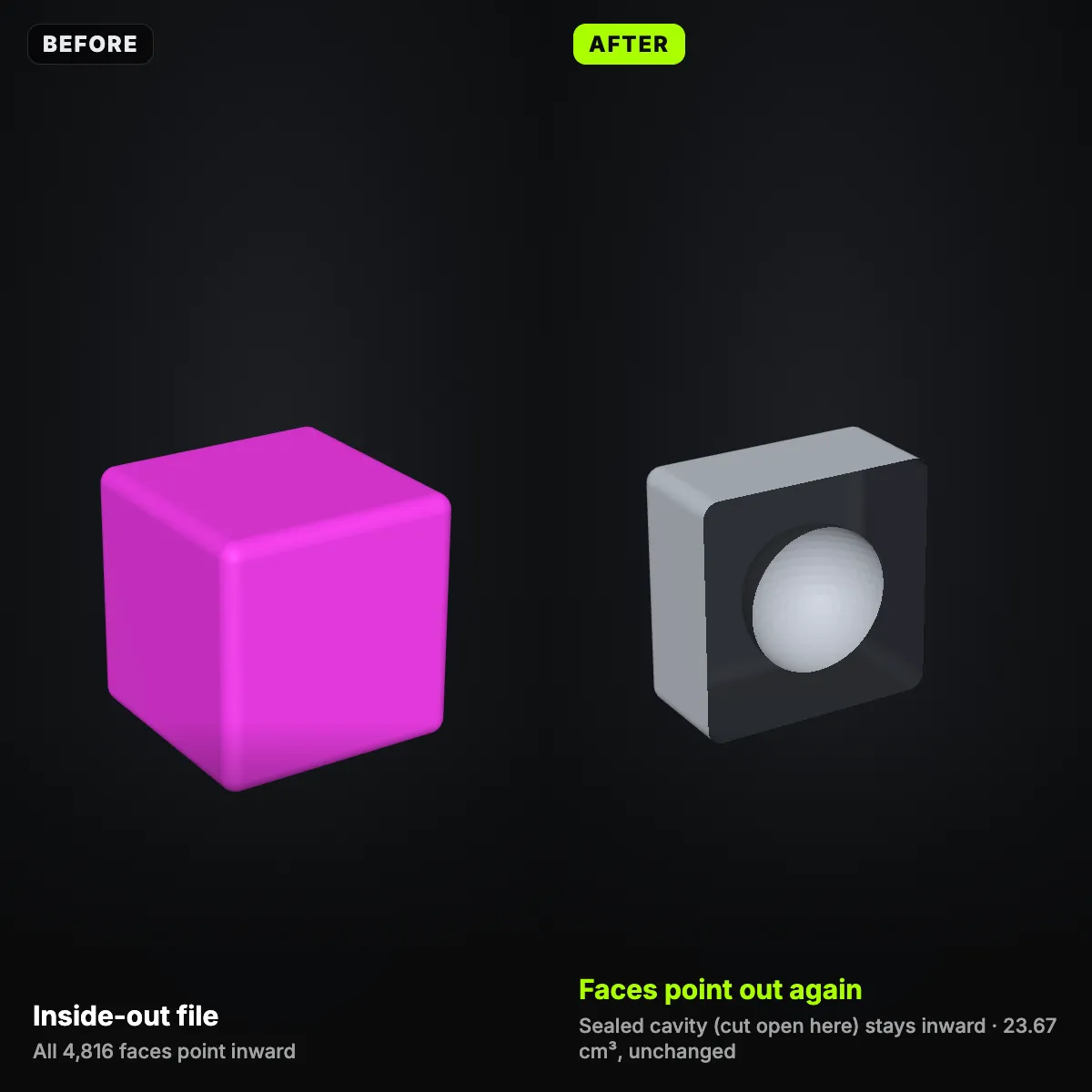
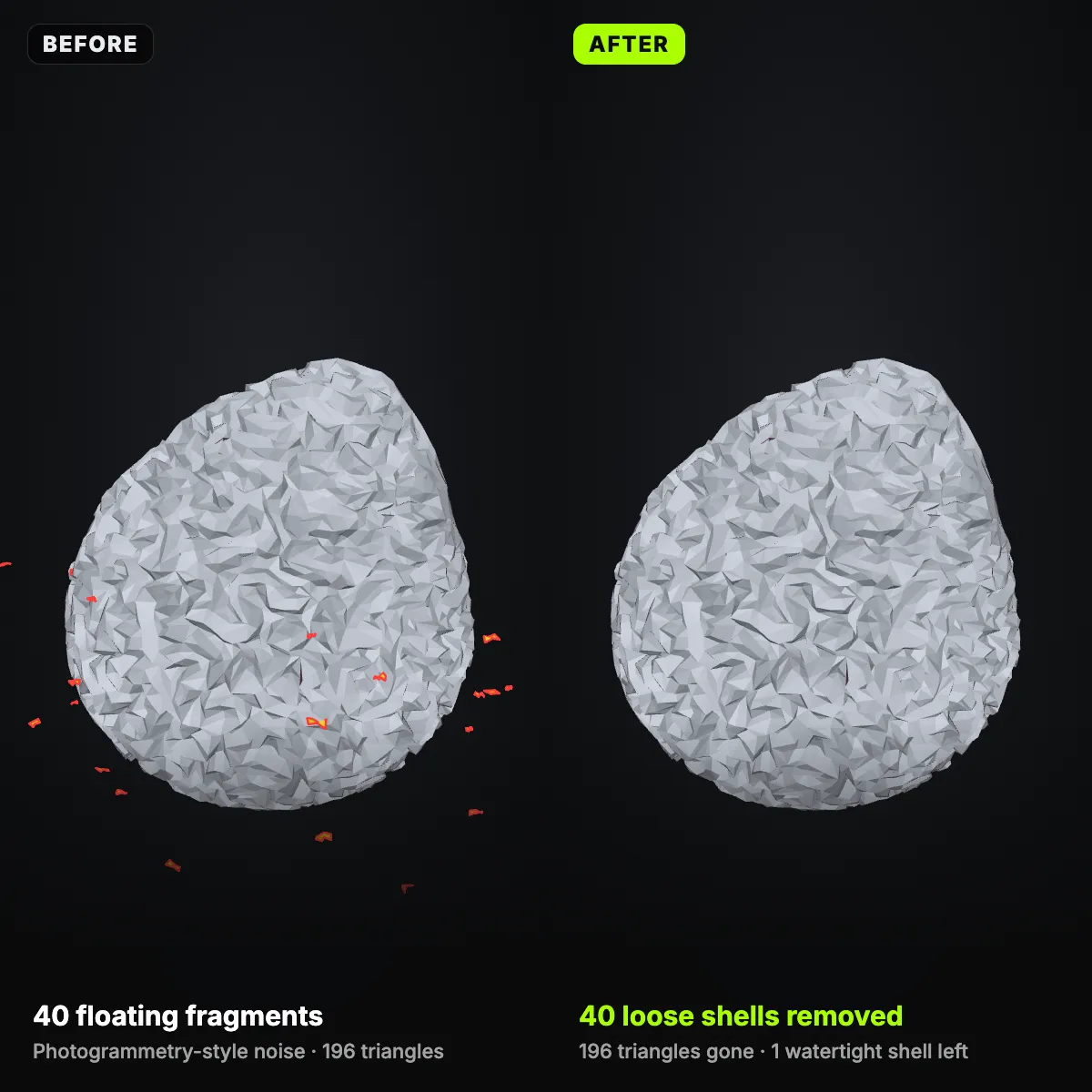
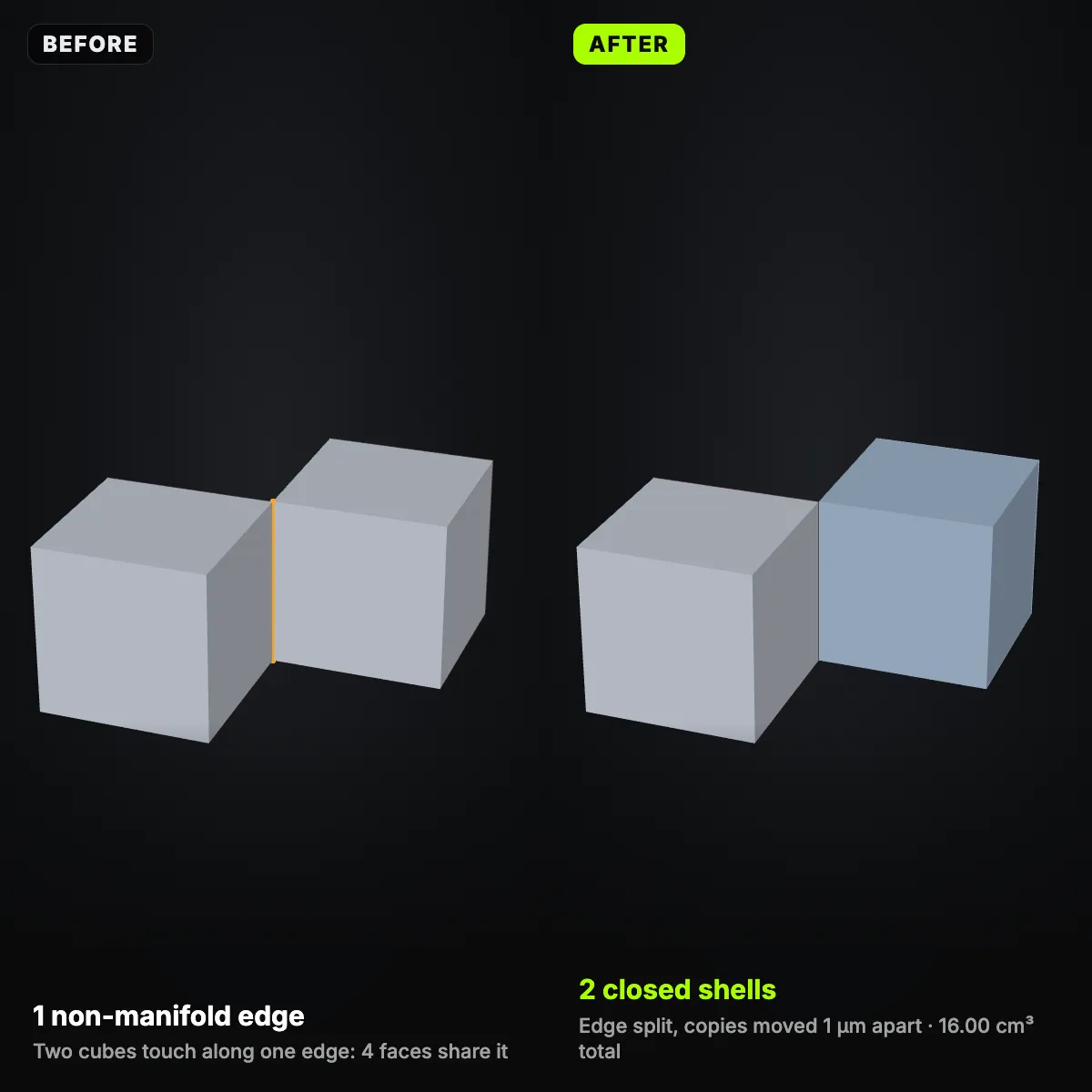
Four damaged files rendered from one camera before and after the fix, in the tool’s own colours: open edges red, flipped faces magenta, non-manifold edges orange, loose bits yellow, new patches lime. Every number comes from the report of the STL repair, and volumes are compared with the undamaged originals.
Close-ups: what each STL repair step changes
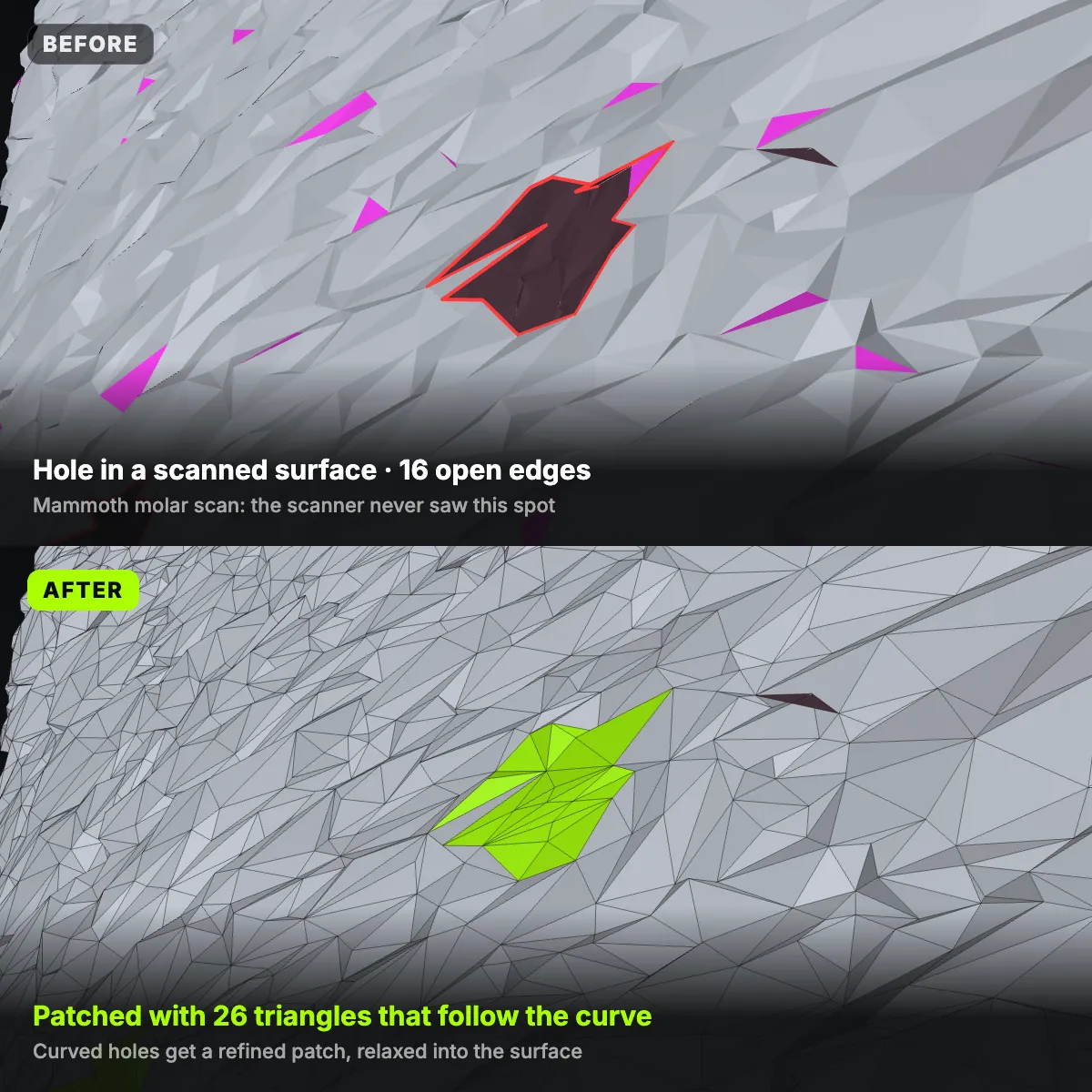
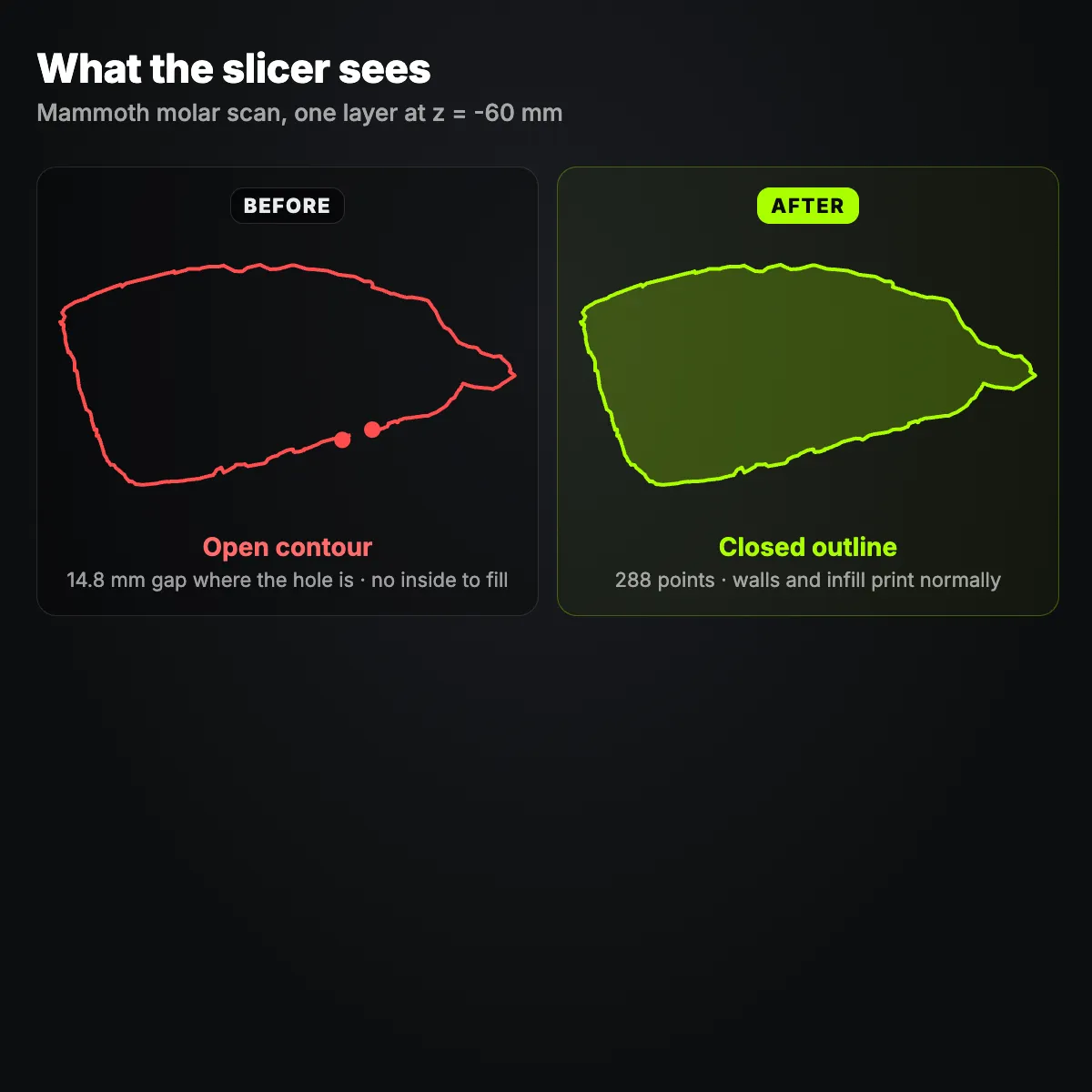
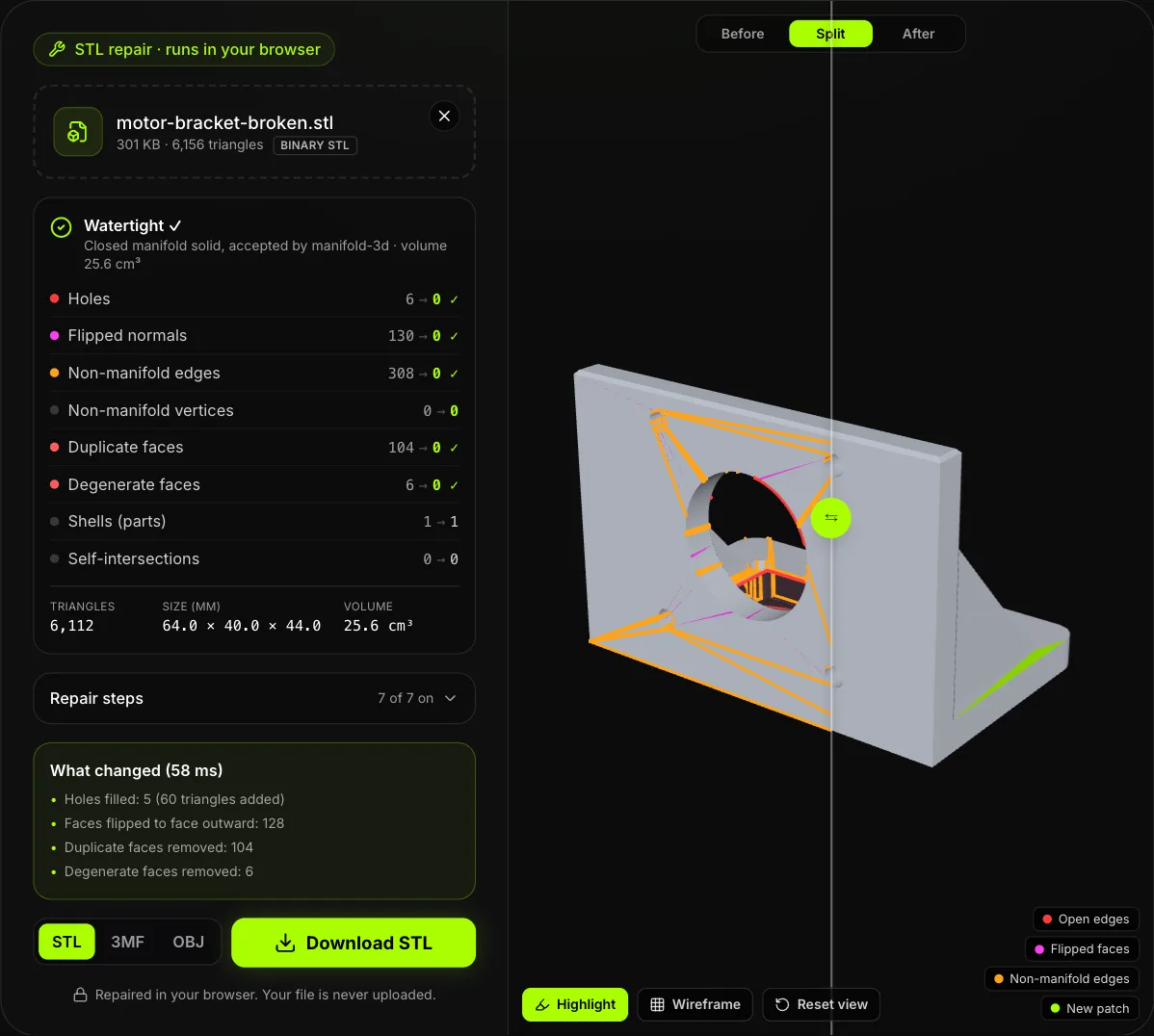
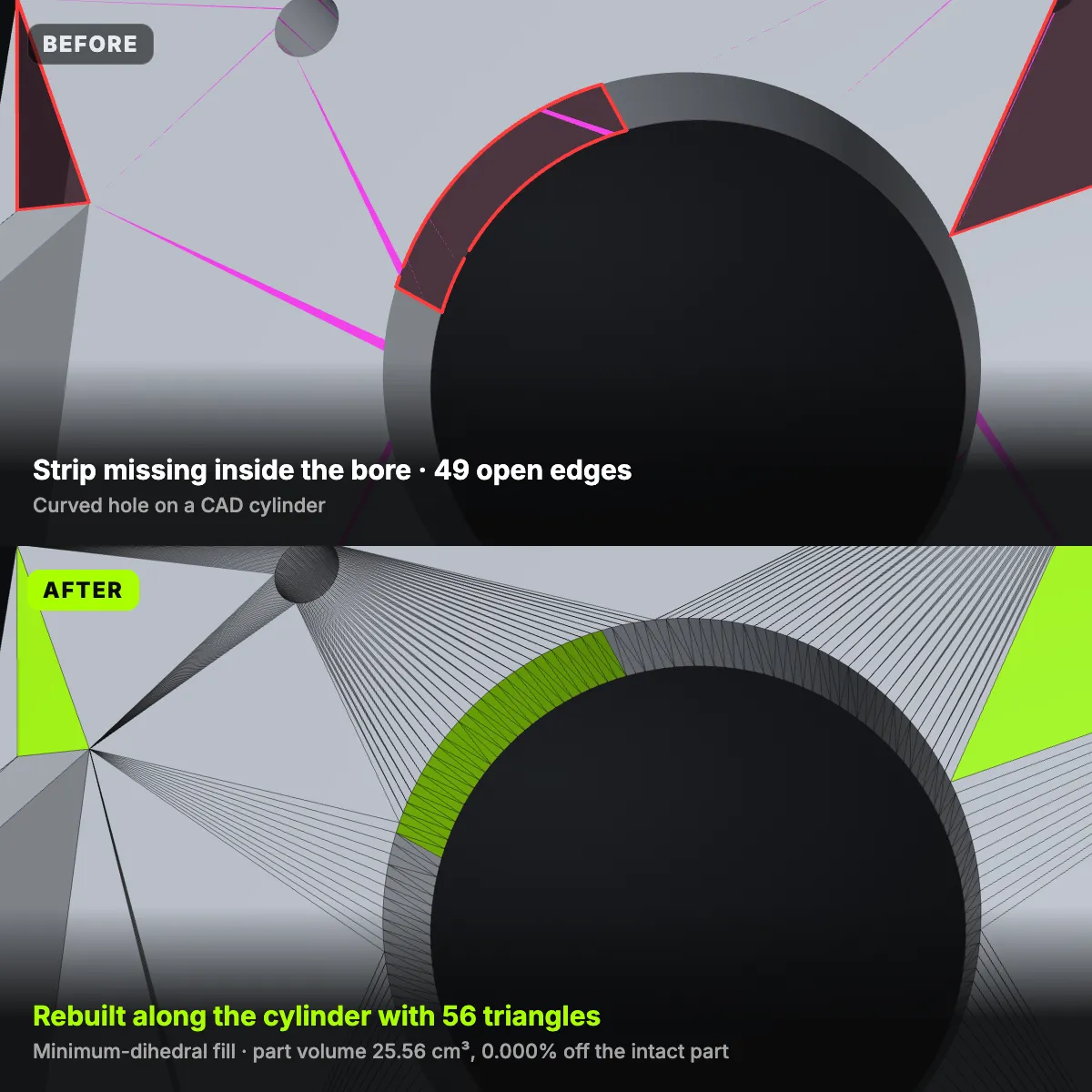
Eight images from the test files on this page: six close-up renders, one slice through a scan and a screenshot of the tool itself. Each isolates one step of the STL repair, so you can see what a hole patch, a normal fix or a shell cleanup does to the triangles.
How STL repair works, step by step
- 11
Drop the broken file
Drag an STL onto the drop zone or click to pick one. ASCII and binary STL, OBJ, PLY, 3MF and GLB up to 200 MB are read in a background worker; other formats become a triangle mesh first, so every file gets the same checks.
- 22
Read the mesh report
The panel counts holes with their open edges, flipped normals, non-manifold edges and vertices, duplicate and degenerate faces, shells and self-intersections (checked up to 600,000 triangles), plus the size in mm and, for closed meshes, the volume. In the preview, holes are outlined red, flipped faces tinted magenta and non-manifold edges drawn orange.
- 33
Choose the repair steps
All seven steps start switched on. Open Repair steps to change the weld distance (0.001, 0.01, 0.05 or 0.1 mm), the loose-shell threshold (0.5–5% of the model size), the largest hole to fill, or Smooth curved patches. A step you switch off leaves that problem exactly as it was.
- 44
Run the STL repair
Press Repair STL and the tool works in a fixed order: weld cracks, drop duplicate and zero-area faces, untangle non-manifold edges and bow-tie vertices, delete loose shells, make the winding consistent, fill holes, then point every face outward while sealed cavities keep facing in. A list shows what changed and how many milliseconds it took.
- 55
Check Before, Split and After
manifold-3d validates the new mesh and reports its volume in cm³; Watertight ✓ means one closed solid. Drag the split handle across the model, switch on Wireframe and look at the lime patches, above all where a big hole spanned several faces of a CAD part.
- 66
Download STL, 3MF or OBJ
Save binary STL for any slicer, 3MF that stores millimetres and is zipped, or OBJ with the mesh only. If some holes were larger than your limit, the list says how many stayed open; raise the limit and repair again.
STL errors: what the slicer shows, what STL repair does
Each problem the report counts, the symptom you usually meet first in a slicer such as Cura, PrusaSlicer, Bambu Studio or OrcaSlicer, and the step of the STL repair that handles it. Self-intersections are the one item that is reported and left alone.
| Problem in the mesh | What you see in the slicer | What STL repair does |
|---|---|---|
| Holes and open edges | Model flagged as not watertight; missing layers, gaps in walls, open contours in the layer preview | Flat holes get a cap in the plane of the face, curved ones a minimum-dihedral patch, refined and smoothed on scans. Holes above the size limit stay open and are listed |
| Cracks between parts | A seam of open edges; the object falls apart into several pieces | Welds open-edge vertices closer than 0.001–0.1 mm (0.01 mm by default) |
| Flipped normals, inside-out parts | Faces shown red or dark, missing walls or infill, an inside-out file slicing as empty | Makes the winding consistent and turns faces outward; sealed inner cavities keep facing in |
| Non-manifold edges | Error count or warning on import; thin walls vanish or odd perimeters appear where faces meet | Pairs the faces around each edge into solid wedges and splits the rest; solids touching along an edge end up 1 µm apart |
| Bow-tie vertices | Two parts joined at a single point that slice unpredictably | Gives each fan of triangles its own copy of the vertex |
| Duplicate faces | Mostly invisible, yet every edge they touch counts as non-manifold | Deletes the extra copies and keeps one |
| Degenerate faces | Nothing you can see; slivers and T-junctions leave tiny gaps that raise the error count | Removes zero-area slivers and needles and re-splits T-junctions |
| Loose shells | Specks printed in mid-air; dozens of parts after split to objects | Deletes floating pieces smaller than 0.5–5% of the model size (1% by default) |
| Self-intersections | Usually nothing: slicers merge overlapping volumes layer by layer | Counted up to 600,000 triangles, never changed; overlapping parts are not merged |
When STL repair is enough, and when to remodel
3D scan clean-up
Scanners and photogrammetry leave an open base where the object stood, holes where the camera could not see and specks of background. STL repair caps the base, fills the holes with patches that follow the curvature and throws the debris away; the molar scan here went from 15 shells to one watertight body.
CAD exports with missing facets
A tessellation glitch or an old exporter can drop a handful of triangles or flip a whole face. STL repair caps flat holes in their own plane and lets curved ones follow the cylinder, so the bracket sample came back at exactly the volume of the intact part.
Downloaded and sculpted meshes
Files from model libraries, sculpting apps and mesh generators often carry duplicate faces, inside-out patches or stray fragments. One pass through the STL fixer plus the manifold-3d check tells you whether a file is printable before an hour of slicing and supports.
Before you cut or split a model
Cutting a model into solid halves or splitting it into parts needs a closed mesh, which is why the STL editor on this site refuses open files. Fix STL files here first, then cut, scale or split them there.
When remodelling is the better fix
Go back to CAD when the shape itself is wrong rather than the mesh: a big hole across several features (the patch may cross nearby faces, so check the lime areas), overlapping bodies you want merged, or two solids touching along an edge that should be one part, which the repair keeps 1 µm apart. Fix the source, or cut the bad piece away in the STL editor.
Before a print service or a friend’s printer
Online print services and shared printers often check meshes on arrival and either reject errors or patch them without telling you how. Run the STL repair yourself, look at the split view, and send a 3MF with millimetres stored so the part arrives exactly as you checked it.
STL repair questions
Drop it into the STL repair tool above and press Repair STL. The default steps weld cracks, remove duplicate and zero-area faces, untangle non-manifold edges, delete loose shells, fix normals and fill holes, then manifold-3d checks the result. Once the badge reads Watertight ✓, download STL or 3MF and slice it as usual.
It is a mesh that cannot be the skin of a real solid: an edge shared by three or more triangles, a vertex where two parts meet at one point, or an edge with only one triangle, which is a hole. A slicer needs every edge to sit between exactly two faces to know what is inside. The motor bracket sample shows how 104 duplicate faces alone created 308 non-manifold edges.
Because the mesh is not closed or not consistent: open edges, flipped normals, non-manifold edges or duplicate faces. Slicers quietly fix small errors on import, but bigger ones show up as missing layers, gaps in walls or specks in mid-air. STL repair lists the same problems by type and shows where they are, so you can fix STL file errors before you print.
Yes. This STL repair tool is free, needs no sign-up, adds no watermark and does not limit how many files you fix. You repair STL online in your browser, yet the file never leaves your computer; the only limits are 200 MB per file and the memory of your device.
STL repair changes the mesh only where something was broken. Nothing is scaled or smoothed as a whole: welding moves a vertex by at most the weld distance, and new triangles appear only inside holes. The bracket sample came back at 25.56 cm³, the volume of the intact part, and of 25 known-good files from this site, 21 came out unchanged while the other 4 lost tiny defects with no measurable change in volume.
No, STL repair only reports self-intersections. The tool counts crossing triangles on meshes up to 600,000 triangles, but it does not merge overlapping parts, because a Boolean union can change the shape. Most slicers print overlapping shells without trouble; if yours does not, union the parts in your CAD program or a mesh editor.
Related tools




Starting from a photo instead of a file?
Ship3D’s AI generator builds a 3D model from a picture or a short description and exports STL. Run the download through STL repair here, then send it to your slicer.
Free to sign up, no credit card required. Try it once for free.