Meshy Alternative: When Ship3D Is Enough and When to Stay
A good Meshy alternative depends on what you need. If you rely on rigging, animation, Blender or Unity plugins and a large asset library, stay on Meshy. If you mostly want a textured model from one image in about a minute, with GLB, STL, OBJ and USDZ downloads and free in-browser converters, Ship3D is a smaller but simpler option.
Updated 2026-11-19
This is a fair, sourced comparison for people searching for a Meshy alternative. Information checked in November 2026 on meshy.ai/pricing and the Meshy API pricing docs. Meshy is the larger product, and in several areas it is simply stronger.
Verdict in one line
Stay on Meshy if you need rigging, animation, plugins, API access or a big feature surface. Consider Ship3D if you want a lightweight, photo-first generator with a straightforward Pro / Standard choice, direct STL download for printing, and free converters in the browser.
Where Meshy is stronger
- Rigging and animation. Meshy lists rigging and animation on every plan, including the free one (20 library items), and 500+ animations on paid plans. The API docs price rigging at 5 credits per request and animation at 3 credits per action.
- Editing and texturing tools. Beyond generation, Meshy offers retexturing and remeshing (5 credits per remesh request in the API docs).
- More export formats. Meshy lists .fbx, .obj, .usdz, .glb, .stl and .blend for downloads.
- Integrations and API. Paid plans include API access and DCC integrations and plugins.
- Team features. The Studio plan adds shared credits and central billing; Enterprise adds workspaces and SAML SSO.
Ship3D has none of these. If one of them is a hard requirement, the rest of this page is not for you.
Limits to know before you pay Meshy
- Free output is public. The free plan gives 100 credits a month and 10 model downloads of Meshy 6 Lite. Free output is under CC BY 4.0, so attribution is expected and models are public. Private, commercial-ready use starts at Pro.
- Credits go fast on top models. According to the API pricing page, an image-to-3D task with textures on Meshy 6 costs 30 credits at 2K or 4K (35 at 8K), and 15 credits with Meshy 6 Lite. With 100 free credits that is a handful of full-quality models a month.
- Free queue. The free plan has low queue priority and one concurrent task.
Comparison table
| Meshy | Ship3D | |
|---|---|---|
| Free tier | 100 credits a month, 10 Meshy 6 Lite downloads (source) | Free sign-up, one free image-to-3D try; browser converters free |
| Paid plans | Pro, Premium, Ultra, Studio, Enterprise; Pro includes 1,000 credits a month (price shown in local currency, ¥3,084 when we checked) | Paid plans on the pricing page |
| Input | Text, single image, multi-image | One image, or text on Text to 3D |
| AI models | Meshy's own models (Meshy 6, Meshy 6 Lite) | Hyper3D Rodin and TRELLIS for images; Tripo H3.1 for text |
| Image-to-3D cost | 30 credits with textures on Meshy 6 at 2K/4K (docs) | Pro (Hyper3D Rodin) or Standard (TRELLIS); credits shown in the generator before you start |
| Download formats | FBX, OBJ, USDZ, GLB, STL, Blend | GLB, STL, OBJ, USDZ |
| Rigging / animation | Yes, 500+ animations on paid plans | No |
| Editing | Retexture, remesh | None; free converters only |
| Commercial use | Free: CC BY 4.0, public. Paid: private, commercial-ready | Models made on a paid plan; see the terms |
Credit numbers are not comparable between products, so check what one finished model costs you on each pricing page.
A Meshy alternative: what Ship3D does differently
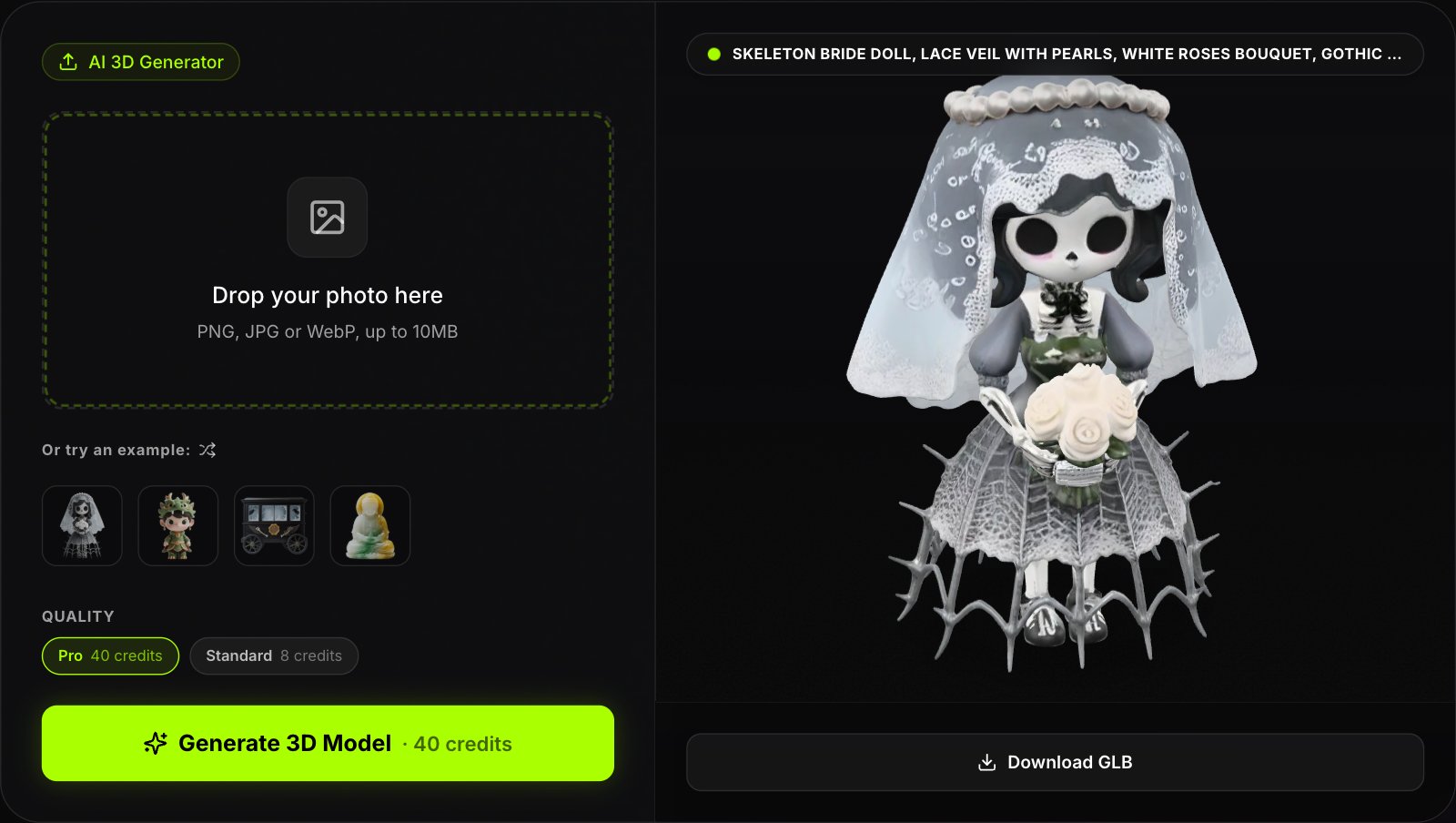
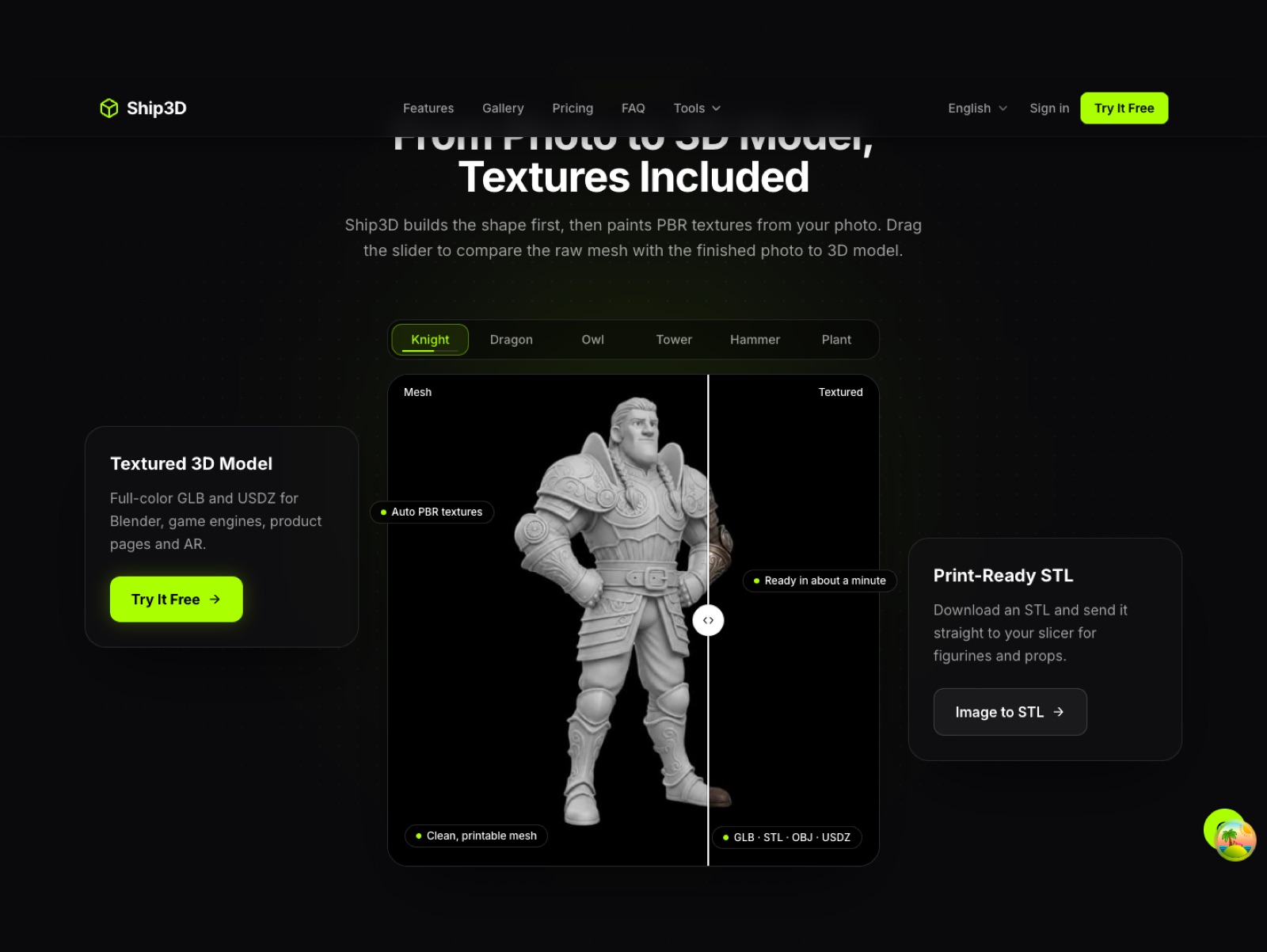
- One-image workflow. Upload a photo, pick a tier and wait about 40 seconds. Credits per tier are shown before you generate. Text to 3D takes longer, about three minutes.
- Print-friendly downloads. GLB, STL, OBJ and USDZ. See image to STL for printing.
- Browser converters. GLB to STL and GLB to OBJ run locally; files are never uploaded and no sign-up is needed.
- A deliberately smaller feature set. No rigging, no part splitting, no FBX or 3MF export from the generator.
Try one model before you decide
Sign up free and try one photo to 3D model for free.
When Meshy is the better choice
- You need a rigged character or animation clips.
- Your pipeline needs FBX or .blend, or a Blender, Unity or Unreal plugin.
- You generate at volume and need API access, concurrency or team billing.
- You want retexturing or remeshing in the same tool.
How to switch
- Download every model you still need from Meshy before a plan lapses; Meshy lists asset retention of 3 days on Pro, so do not rely on the cloud copy.
- Open any GLB, OBJ, STL, FBX or 3MF file in the GLB viewer or a converter to check it.
- Run a test photo through the generator, then compare against your Meshy result.
- Keep Meshy for anything that needs rigging; use Ship3D for quick static models and prints.
Trademark note
Meshy is a trademark of its owner. Ship3D is not affiliated with, endorsed by or sponsored by Meshy. Facts about Meshy come from its public pages, listed above, and may change; check the source before buying.
Frequently asked questions
What is the best free Meshy alternative?
It depends on the job. Meshy itself has a free plan with 100 credits a month, but free output is licensed CC BY 4.0 and public. Ship3D is free to sign up with no credit card, and you can try image to 3D once for free (text to 3D is not part of that free try), plus free browser converters that need no account. Ship3D has no rigging, so animation work should stay on Meshy.
Is there a Meshy AI alternative that exports STL for 3D printing?
Yes. Ship3D downloads STL directly from the image generator, and its free GLB to STL converter runs in your browser. Meshy also exports STL, so this is not a reason to leave Meshy on its own.
Does Ship3D rig or animate models like Meshy?
No. Ship3D does not auto-rig, split parts or export FBX or 3MF from the generator. Meshy offers rigging and an animation library on its plans.
Can I move my Meshy models to Ship3D?
Models you already have as GLB, OBJ, STL, FBX or 3MF can be opened and converted in Ship3D browser tools without uploading. Ship3D cannot import your Meshy account library; download the files from Meshy first.
Are my Meshy credits transferable?
No. Credits are specific to each service, and credit counts mean different things on different products, so compare the cost of one finished model rather than the credit number.