What Is a 3MF File? Inside the 3MF File Format
What is a 3MF file? It is a 3D model saved as a ZIP package: inside sits an XML file with the mesh, its unit, colours and materials, and the list of parts to print, usually next to a thumbnail and some metadata. Bambu Studio, PrusaSlicer and UltiMaker Cura also save whole slicer projects as .3mf files, so the same extension can hold a bare model or a complete print job.
Updated 2026-11-16
What is a 3MF file?
3MF stands for 3D Manufacturing Format. It is maintained by the 3MF Consortium, which launched in 2015 as a Joint Development Foundation project. Its founding members include Microsoft, Autodesk, HP, 3D Systems, Dassault Systèmes, Materialise, Siemens PLM Software, Stratasys and Ultimaker. The consortium's site describes 3MF as an open, XML-based standard for full-fidelity 3D model transfer and says it was recognised as ISO/IEC 25422:2025 (checked November 2026).
As a 3MF file type, .3mf has its own registered media type, model/3mf, with the 3MF Consortium as change controller (IANA).
Inside the 3MF file format: a ZIP package
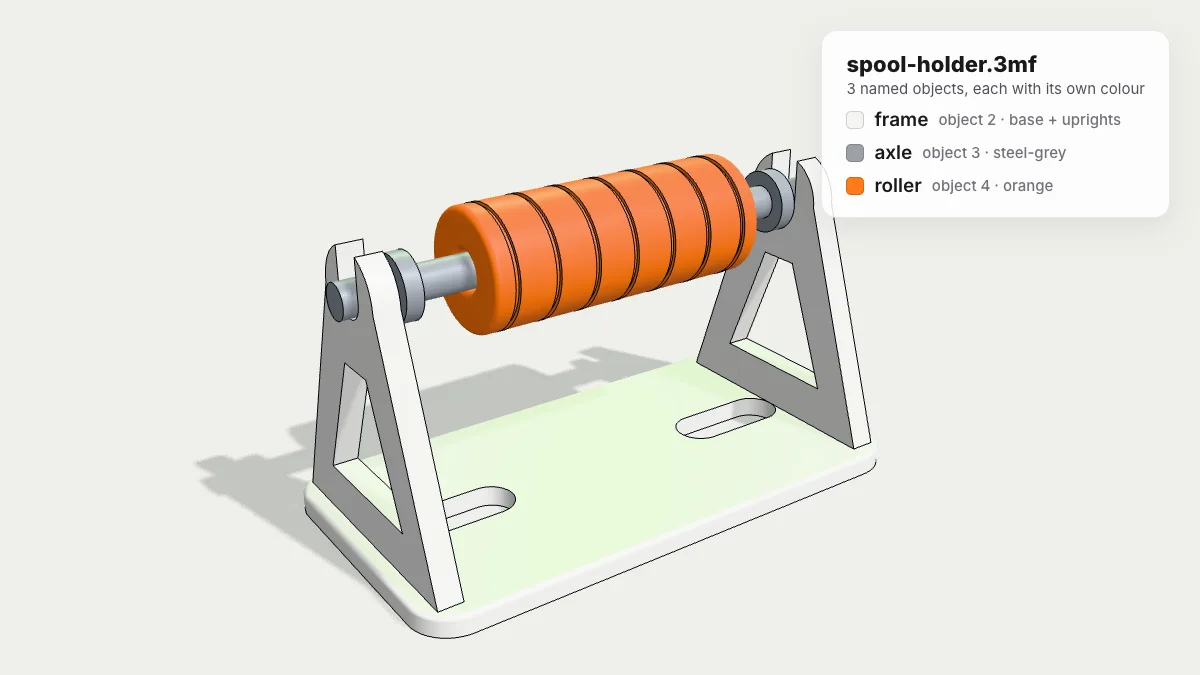
The 3MF Core Specification (v1.4.0, February 2025) says a 3MF document must use a ZIP archive, organised by the Open Packaging Conventions (OPC) into parts and the relationships between them. Rename a copy of any .3mf to .zip and you can browse it. This is what our sample spool-holder.3mf contains:
| Part | Role | Unzipped → zipped |
|---|---|---|
[Content_Types].xml | Declares the content type of each file in the package | 376 B → 209 B |
_rels/.rels | Relationships: points to the 3D model and the thumbnail | 410 B → 215 B |
3D/3dmodel.model | The model itself, written in XML | 1,007,848 B → 106,232 B |
Metadata/thumbnail.png | Preview picture for file browsers and slicers | 49,560 B → 49,398 B |
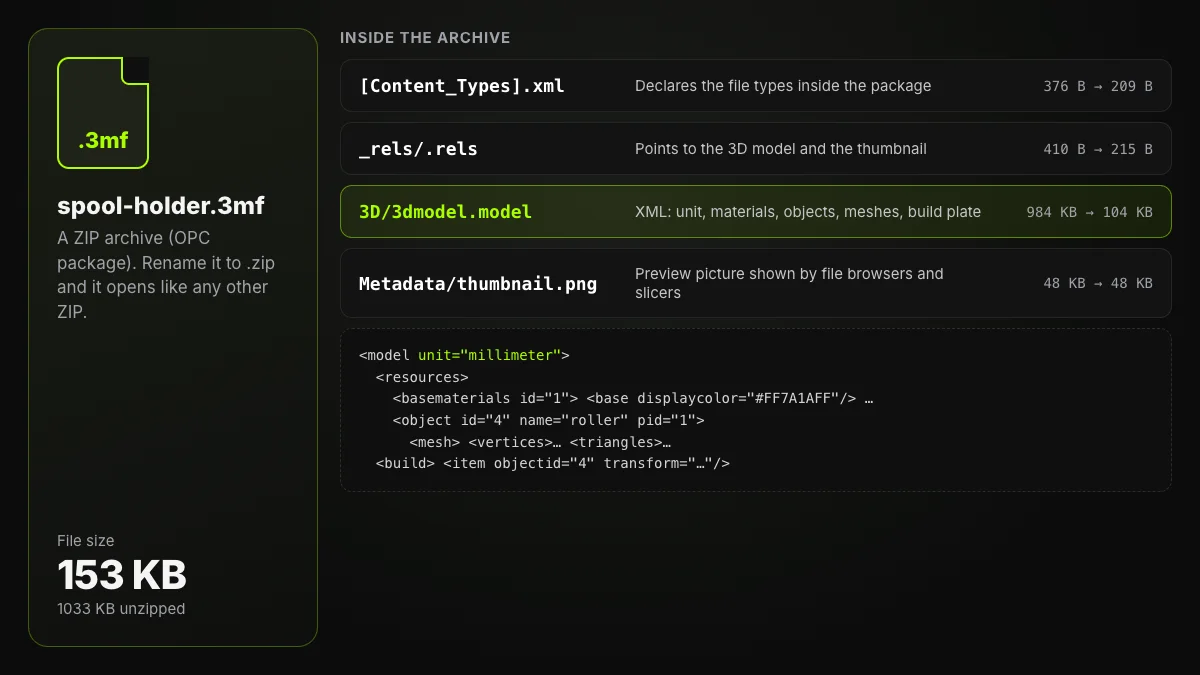
The spec recommends keeping the model part in a /3D/ folder with a .model extension and requires thumbnails to be JPEG or PNG. Slicers add files of their own next to these, which is why a project saved by one slicer can carry data another one ignores.
Here is the model part, shortened:
<model unit="millimeter" xmlns="http://schemas.microsoft.com/3dmanufacturing/core/2015/02">
 <metadata name="Title">Filament spool holder</metadata>
 <resources>
  <basematerials id="1">
   <base name="#F4F4F2" displaycolor="#F4F4F2FF"/>
   <base name="#9AA0A8" displaycolor="#9AA0A8FF"/>
   <base name="#FF7A1A" displaycolor="#FF7A1AFF"/>
  </basematerials>
  <object id="4" name="roller" type="model" pid="1" pindex="2">
   <mesh>
    <vertices> <vertex x="…" y="…" z="…"/> … </vertices>
    <triangles> <triangle v1="0" v2="3" v3="2"/> … </triangles>
   </mesh>
  </object>
 </resources>
 <build>
  <item objectid="4" transform="1 0 0 0 1 0 0 0 1 0.000 0.000 0.000"/>
 </build>
</model>
Vertices are listed once and each triangle points at three of them by index, where STL repeats every corner for every triangle. Add ZIP compression and files stay small: this spool holder has 12,152 triangles and 9,314 vertices, and the whole .3mf, thumbnail included, is 156,516 bytes. The same triangles as a binary STL would take 607,684 bytes.
What a 3MF file can store
A unit
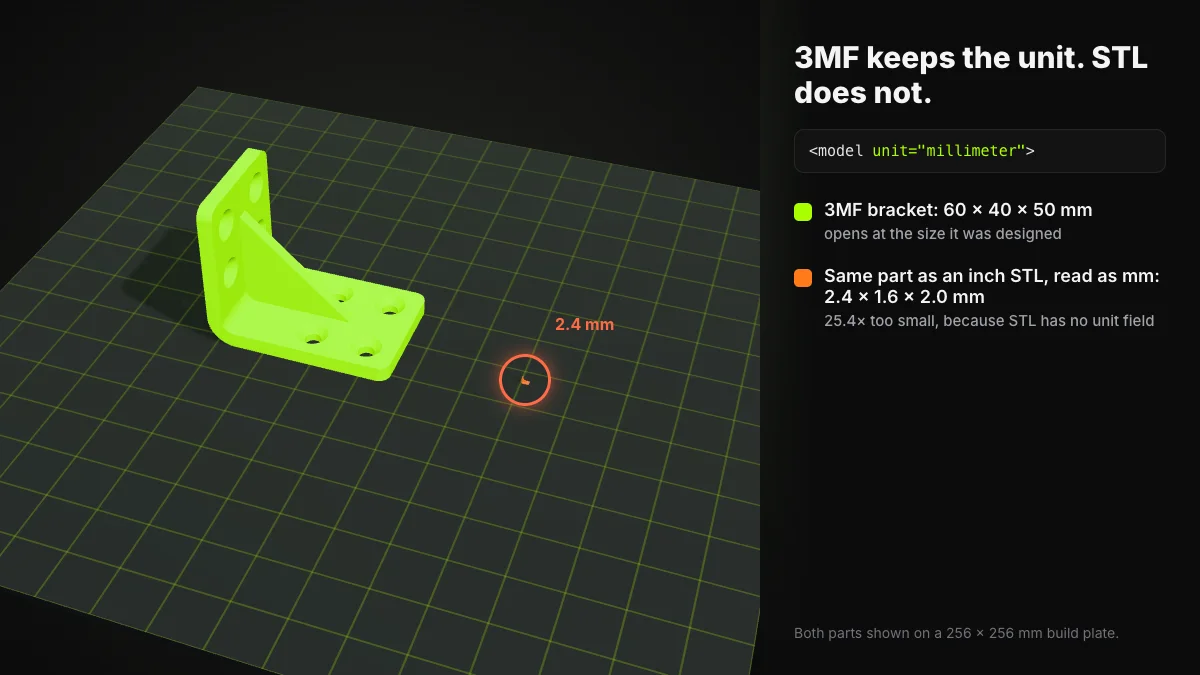
The unit attribute accepts micron, millimeter, centimeter, inch, foot or meter, and defaults to millimeter. A part therefore opens at the size it was designed. STL has no such field, so an inch-based part read as millimetres comes out 25.4 times too small.
Colours and materials
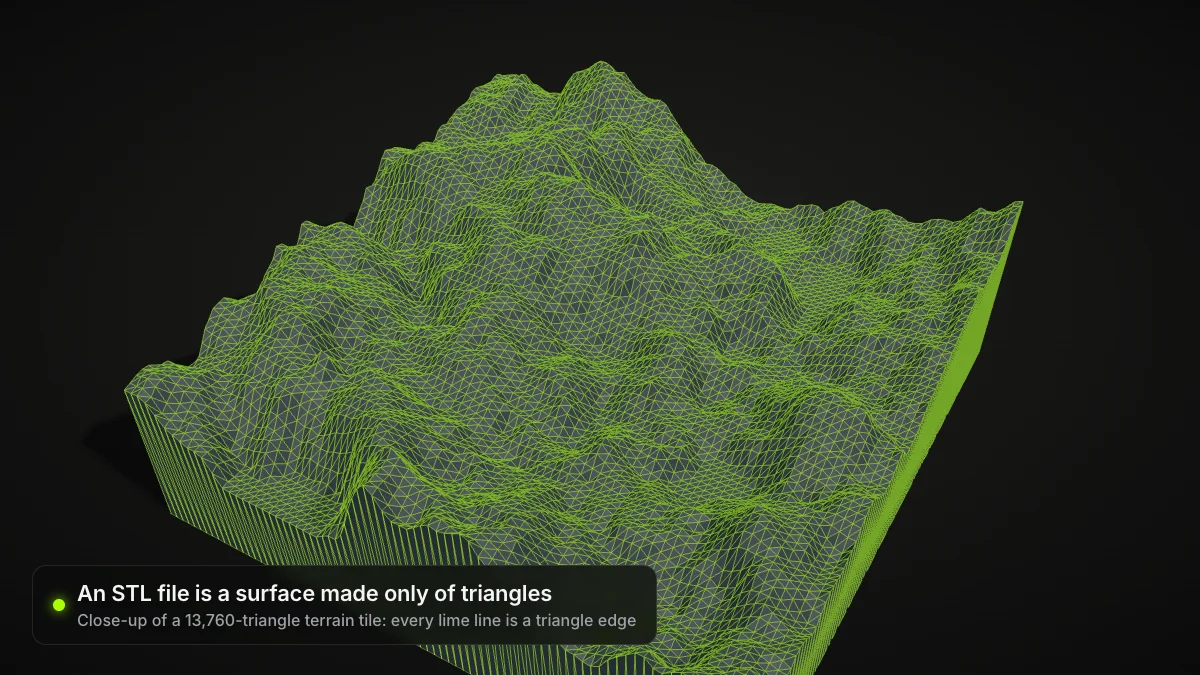
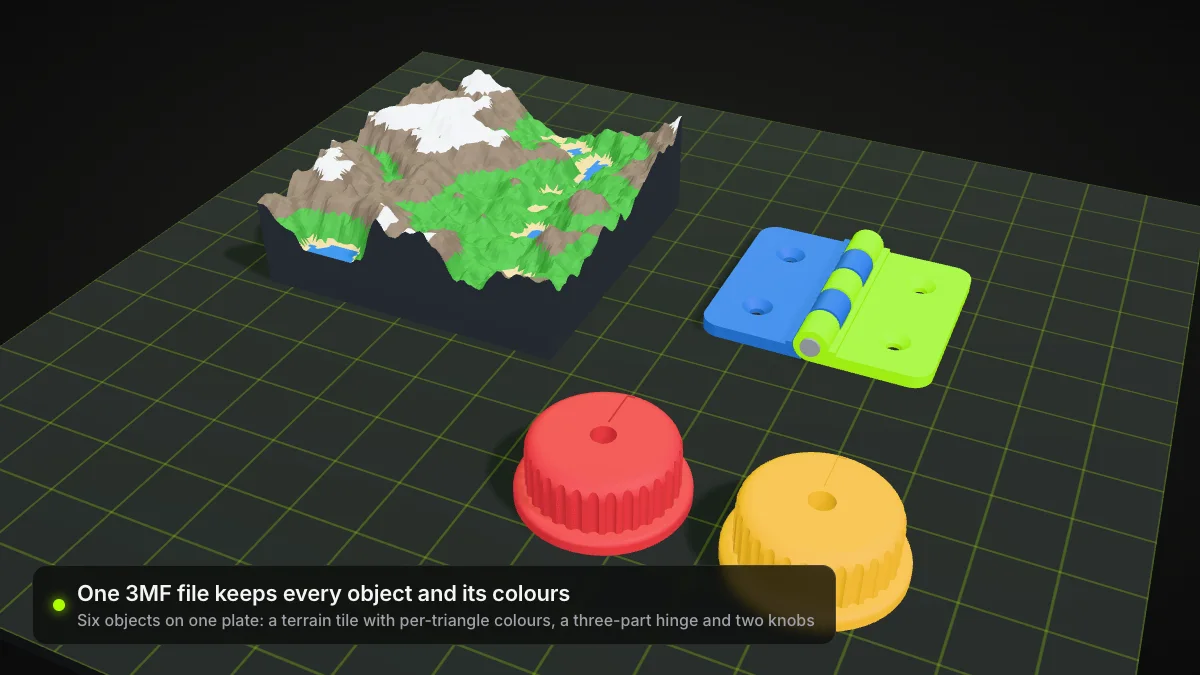
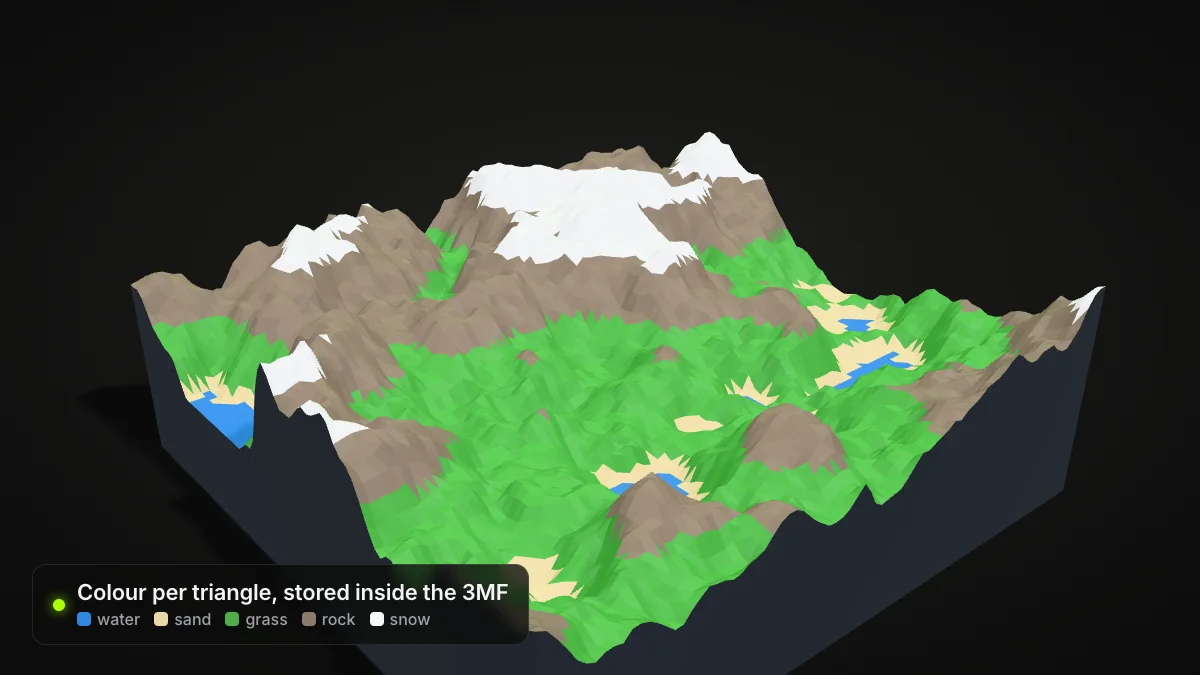
The core spec defines base materials with an sRGB display colour, and an object, or a single triangle, can point at one. Our terrain sample uses that to give each of its 13,760 triangles a colour: water, sand, grass, rock or snow. The Materials and Properties extension goes further with colour groups, 2D textures, composite materials, multi-properties and PBR display properties.
Several named objects
The resources section can hold any number of objects, each with its own name and colour, and components let one object reuse others with a transform.
The build plate
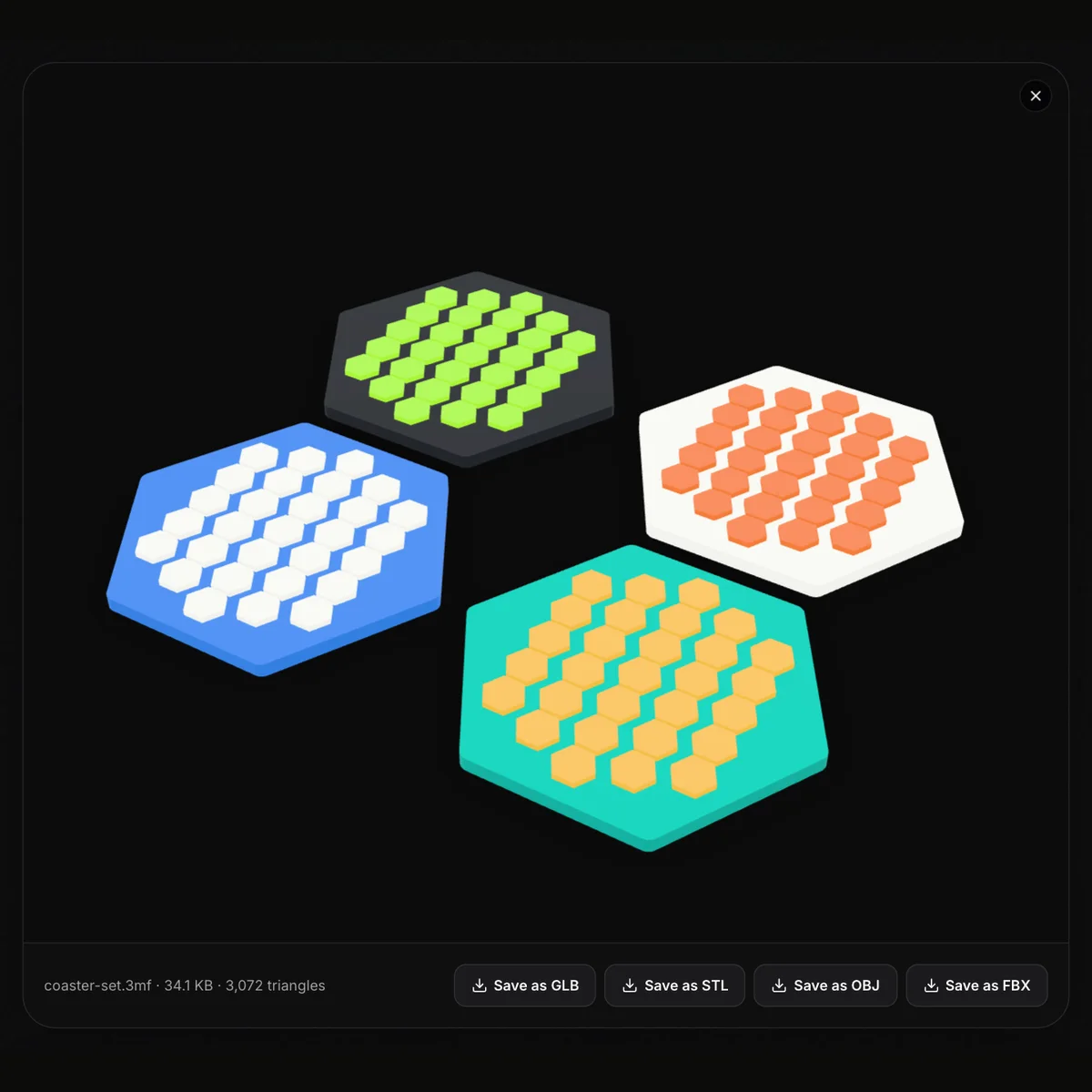
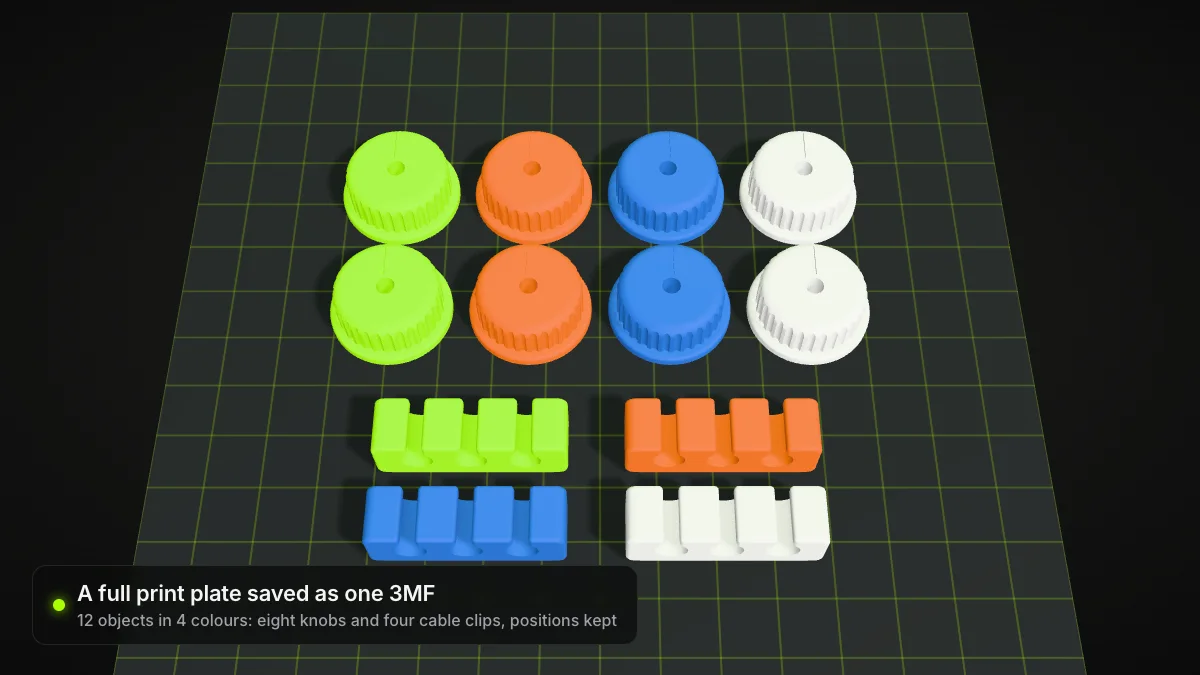
The build section lists the items to manufacture, each with a transform that places it. A full plate, here eight knobs and four cable clips in four colours, travels as one file with every position kept.
Metadata, object types and extensions
The well-known metadata names are Title, Designer, Description, Copyright, LicenseTerms, Rating, CreationDate, ModificationDate and Application. Each object has a type (model, solidsupport, support, surface or other), and for model and solid-support objects the spec demands a closed mesh: every edge shared with exactly one other triangle, outward normals, no holes or open edges.
Beyond the core, the consortium publishes extensions for Materials and Properties, Production, Slice, Beam Lattice, Secure Content, Volumetric, Displacement, Boolean Operations and Toolpath. A model that depends on one lists it in requiredextensions, and software that lacks a required extension must not process the file. That is one reason a 3MF can open in one program and be refused by another.
Which programs open and save 3MF files?
| Program | Opens 3MF | How it writes 3MF |
|---|---|---|
| Bambu Studio | Yes | Save Project; File > Export > Export Generic 3MF; Export plate sliced file |
| PrusaSlicer | Yes, its preferred format | File > Save Project as |
| UltiMaker Cura | Yes | File > Save Project |
| Ship3D 3MF viewer (browser) | Yes | Does not write 3MF; saves as STL, GLB or OBJ |
| Ship3D STL to 3MF (browser) | STL in | Core-spec 3MF in millimetres |
Sources: the Bambu Studio menu code, Prusa's supported formats and UltiMaker's project file guide.
How to open a 3MF file online
- Open the 3MF viewer and drop in your .3mf file, or load one of the sample files on the page.
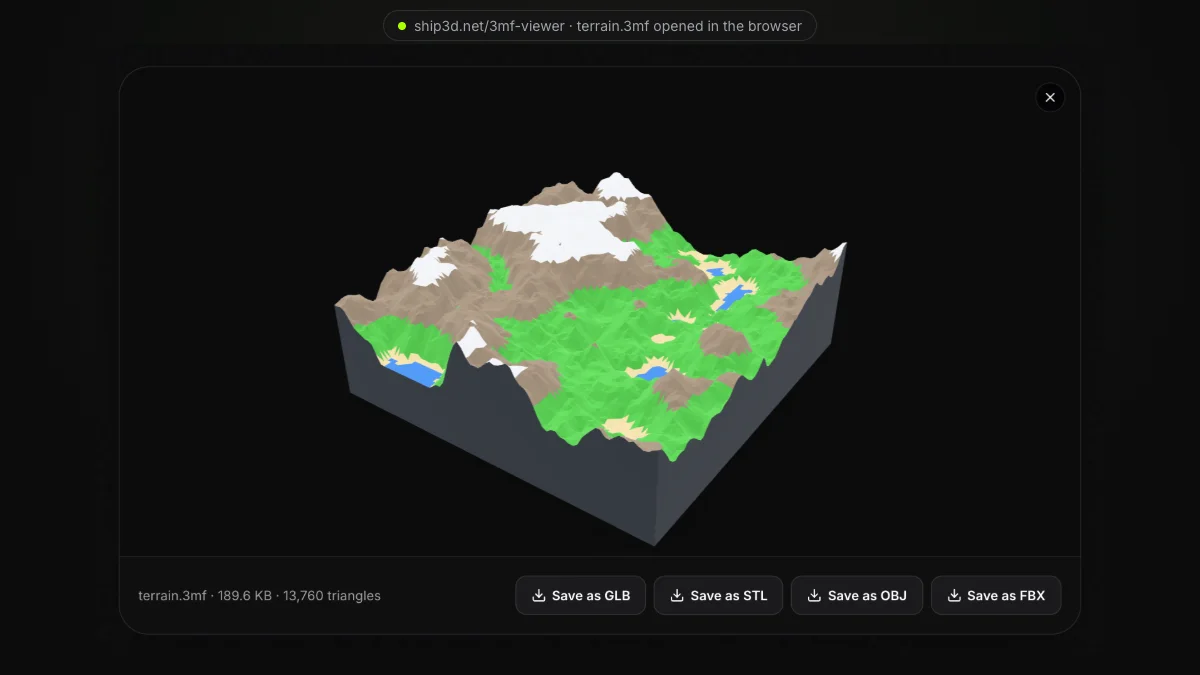
- Rotate and zoom the model. The bar under it shows the file name, size and triangle count.
- Need another format? Click Save as STL, GLB or OBJ.
The viewer runs in your browser with three.js, takes files up to 200 MB and uploads nothing. It shows the geometry and colours, not slicer profiles or print settings.
Open a 3MF file online
Free and private: the file stays in your browser. Rotate, zoom, check the triangle count, then save as STL, GLB or OBJ.
How to get a 3MF file from Bambu Studio
Bambu Studio writes .3mf files in three ways, and they are not interchangeable:
- File > Save Project (Ctrl/Cmd+S) saves the whole project. According to Bambu Lab, these files are based on the 3MF Production Extension.
- File > Export > Export Generic 3MF writes a 3MF "without using some 3mf-extensions", in the words of the menu's own tooltip. Bambu Lab recommends it when the file has to open in Cura or PrusaSlicer.
- File > Export > Export plate sliced file (Ctrl/Cmd+G) saves the sliced plate as a
.gcode.3mffor the printer.
PrusaSlicer and Cura
In PrusaSlicer, File > Save Project as writes a 3MF with every object, modifier and setting (Prusa), while File > Export > Export Plate as STL/OBJ gives you geometry only (Prusa). In UltiMaker Cura, File > Save Project creates a .3mf project file.
Project file or geometry only?
A project 3MF is for reopening in the same slicer with all its settings. To hand a model to someone on a different slicer, send geometry instead: a generic 3MF, or an STL if that is what their tool wants.
Converting 3MF to STL and STL to 3MF
3MF to STL. The 3MF to STL converter keeps the meshes and writes a binary STL. Colours, the unit and metadata are dropped because STL has nowhere to put them, so check the scale in your slicer.
STL to 3MF. The STL to 3MF converter writes a core-spec 3MF in millimetres, merges the duplicate STL vertices into an indexed mesh and uses the file name as the model title. It cannot recover a unit the STL never had: if the part was modelled in inches, scale it by 25.4 in your slicer.
For a side-by-side table of the two formats and advice on which to pick, see 3MF vs STL.
Summary
A 3MF file is a ZIP package around an XML model that keeps what STL throws away: the unit, colours, named parts, plate positions and metadata, with extensions for much more. Open it in Bambu Studio, PrusaSlicer, Cura or your browser, export a generic 3MF when sharing across slicers, and convert to STL only when a tool insists on it.
Frequently asked questions
What is a 3MF file used for?
For 3D printing and other additive manufacturing. A 3MF file carries a model together with its unit, colours, materials and plate layout, and slicers also use it as their project format, with print settings stored inside.
How do I open a 3MF file?
Open it in a slicer such as Bambu Studio, PrusaSlicer or UltiMaker Cura, or drop it into our free 3MF viewer, which runs in the browser without uploading the file. To see the raw contents, rename a copy to .zip and open it like any archive.
How do I get a 3MF file from Bambu Studio?
Use File > Save Project for a Bambu project file, or File > Export > Export Generic 3MF for a file that Cura and PrusaSlicer can open. Export plate sliced file writes a .gcode.3mf, which is meant for sending to the printer.
Why won’t my 3MF open in another slicer?
Project 3MF files can depend on extensions or slicer-specific data the other program does not support. Export a generic 3MF (or an STL) from the slicer that made it and open that instead.
Is a 3MF file just a ZIP file?
The container is. The 3MF Core Specification requires a ZIP archive organised by the Open Packaging Conventions. Inside you find [Content_Types].xml, a _rels folder, the XML model under 3D/ and often a thumbnail image.
Is 3MF an open standard?
Yes. The 3MF Consortium publishes the core specification and its extensions openly on GitHub and 3mf.io, and its website says the format was recognised as the international standard ISO/IEC 25422:2025.