Can Blender Open STL Files? Import, Edit and Export STL in Blender
Can Blender open STL files? Yes. Blender has a built-in STL importer and exporter, so you open a file with File › Import › STL (.stl) or by dragging it into the 3D Viewport, with no add-on to install. The catch is size: STL stores no units and Blender reads every number as metres, so a part drawn in millimetres arrives 1000 times too big. Below: the Blender STL import options, the scale fix, cleaning and shrinking the mesh, and the export settings that hand your slicer the right file.
Updated 2026-11-17
Every screenshot and number in this Blender STL guide comes from Blender 4.2.23 LTS and two real files: a 96 × 44 × 22 mm SD-card holder (2,676 triangles) and a CC0 scan of The Dying Tecumseh from the Smithsonian American Art Museum (150,000 triangles). The Blender manual's STL page lists the same options for current releases.
Can Blender open STL files without an add-on?
Yes. Older versions used a bundled Python add-on; today the Blender STL importer and exporter are written in C++ and built into Blender. The switch took three releases:
| Blender version | What changed for STL |
|---|---|
| 3.3 | Experimental C++ importer, about 8 times faster than the Python one (release notes) |
| 4.1 | C++ exporter, 3 to 10 times faster; Python add-on marked legacy; scripts move to wm.stl_import / wm.stl_export; .stl files can be dragged into the viewport (release notes) |
| 4.2 LTS | Legacy add-on no longer bundled (it survives as the STL format (legacy) extension); Validate Mesh on by default (release notes) |
So if a search for "can Blender open STL files" lands you on a tutorial that asks you to enable "Import-Export: STL format" in Preferences, that tutorial predates 4.2. Now there is nothing to switch on.
How to open STL files in Blender
- Choose File › Import › STL (.stl), or drag the file into the 3D Viewport.
- Check the Blender STL import options in the file browser's side panel.
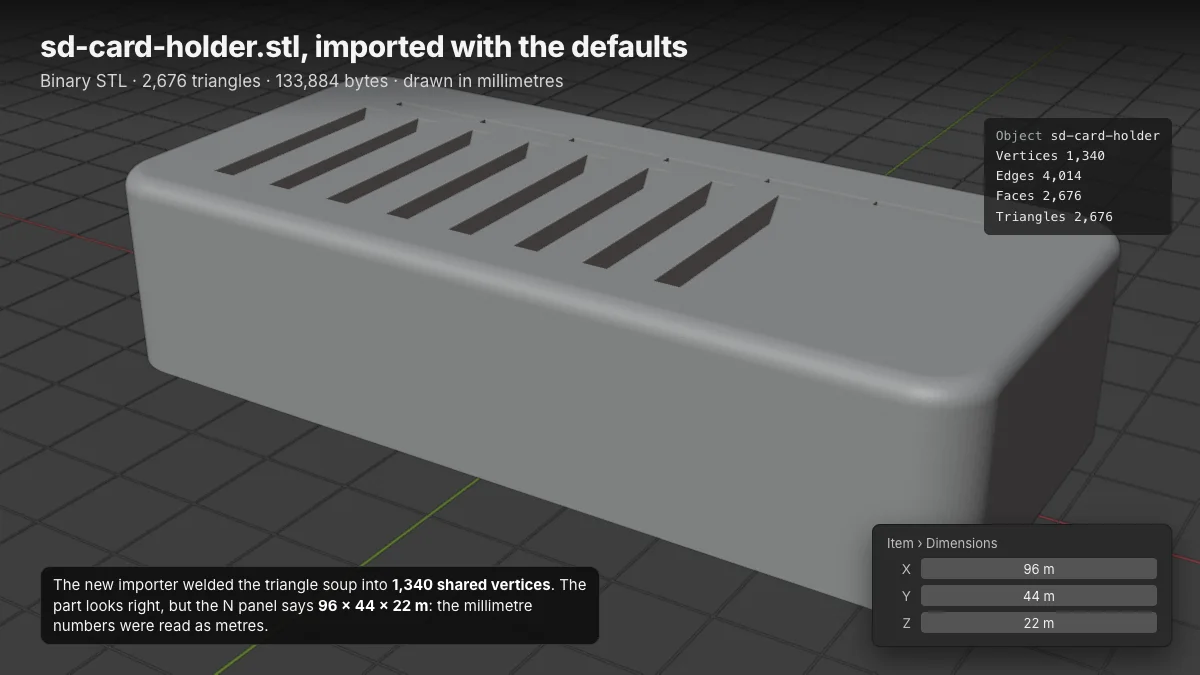
- Click Import STL, press N and read Item › Dimensions.
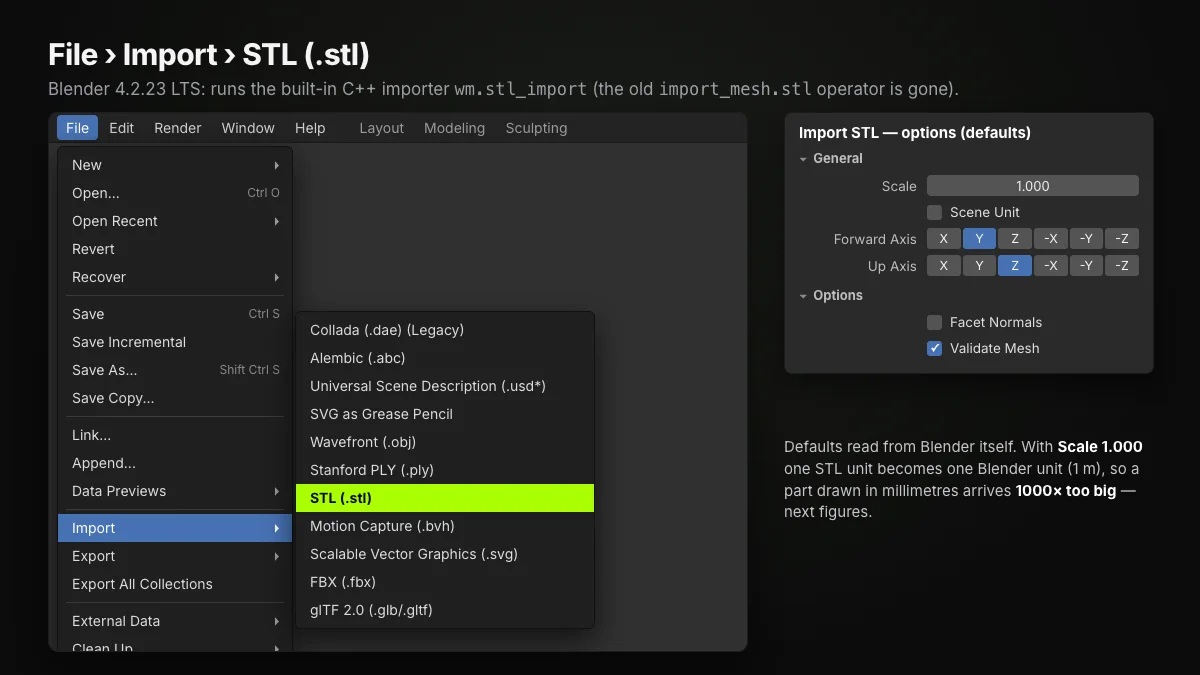
- Scale (1.000) multiplies every coordinate: the unit fix below.
- Scene Unit (off) applies the scene's Unit Scale to the data.
- Forward / Up Axis (Y / Z): Blender's convention, shared by slicers; a file from a Y-up program needs −Z forward, Y up.
- Facet Normals (off) uses the normals stored in the file; shading stays flat.
- Validate Mesh (on) finds and fixes corrupt data. Slower, but it prevents crashes; on our scan it dropped 2 duplicate triangles.
There is no Apply Transform checkbox: a scale set here lands on the object, which matters for modifiers later.
Why Blender STL files open 1000× too big (or too small)
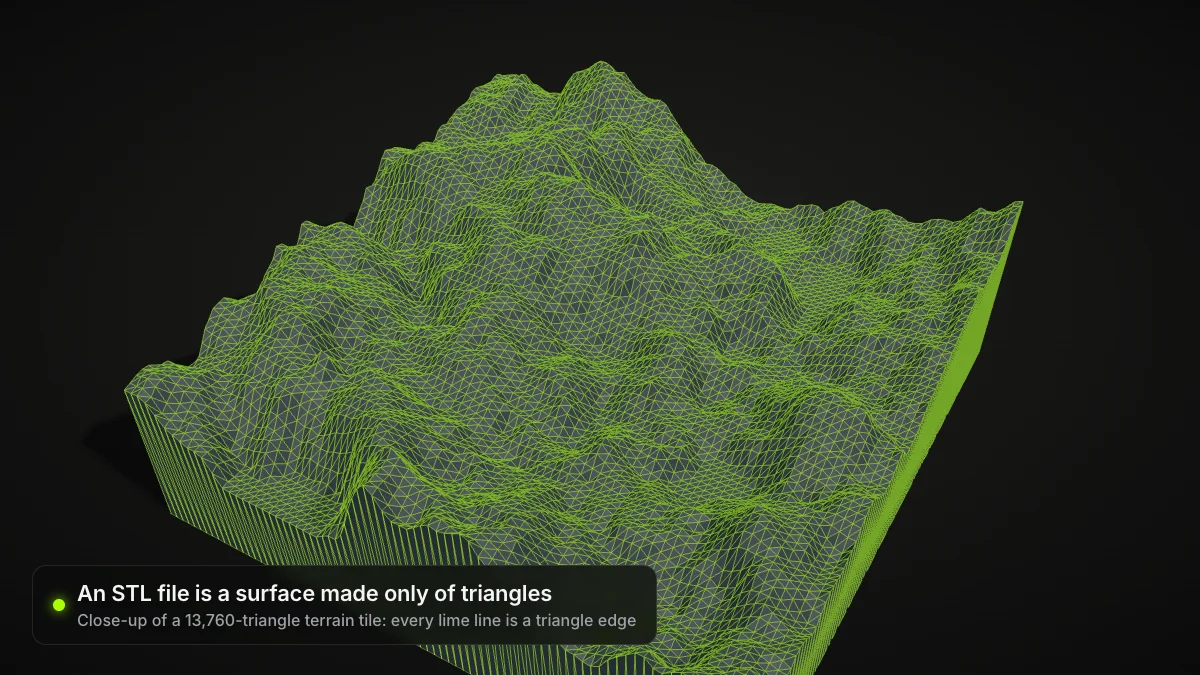
An STL is a list of triangles with bare coordinates and no unit field (what is an STL file). Blender reads one STL unit as one Blender unit, and a new scene is metric with Unit Scale 1.0, so one unit is one metre. CAD programs and slicers write millimetres, so the card holder lands as a 96-metre slab beside the 2 m default cube.
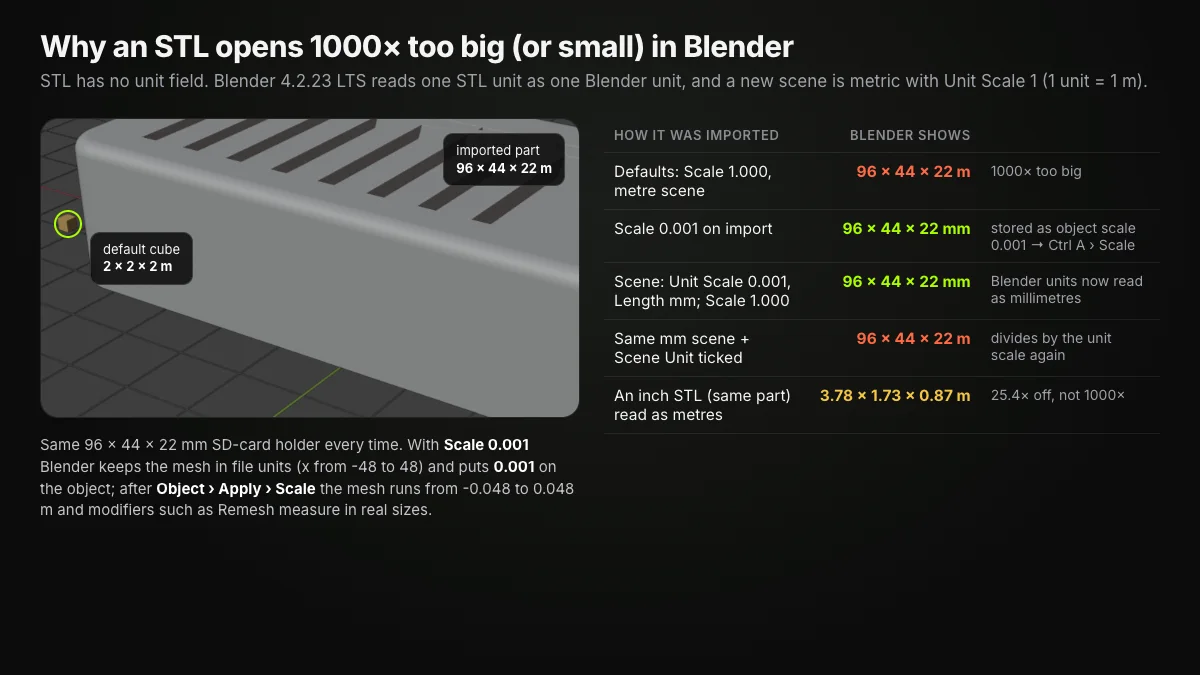
Three fixes, tested on the same part:
- Scale 0.001 on import. Dimensions read 96 × 44 × 22 mm, but Blender keeps the mesh in file units and puts 0.001 on the object. Run Object › Apply › Scale (Ctrl A): the vertices then span −0.048 to 0.048 m and modifiers work in real sizes.
- A millimetre scene. In Scene Properties › Units set Unit Scale 0.001 and Length to Millimeters, then import at Scale 1.000 (manual: units).
- Inch files are 25.4× off: the same part saved in inches reads 3.78 × 1.73 × 0.87 m. Import at Scale 0.0254.
Don't convert twice
In a millimetre scene, leave Scene Unit unticked. Ticked, it divides by the unit scale again and the part is back at 96 × 44 × 22 m.
In reverse, a model kept in metres and exported at Scale 1.000 reaches the slicer as a 0.096 mm speck; the export section fixes that.
How to edit STL files in Blender
Press Tab for Edit Mode. A Blender STL import is a pure triangle mesh, so each flat CAD face shows up as long, thin fans: 1,340 vertices, 4,014 edges and 2,676 faces here. Select, move, extrude and delete as on any mesh, or sculpt organic scans. For exact dimension changes to a CAD part, the original CAD file is usually quicker.
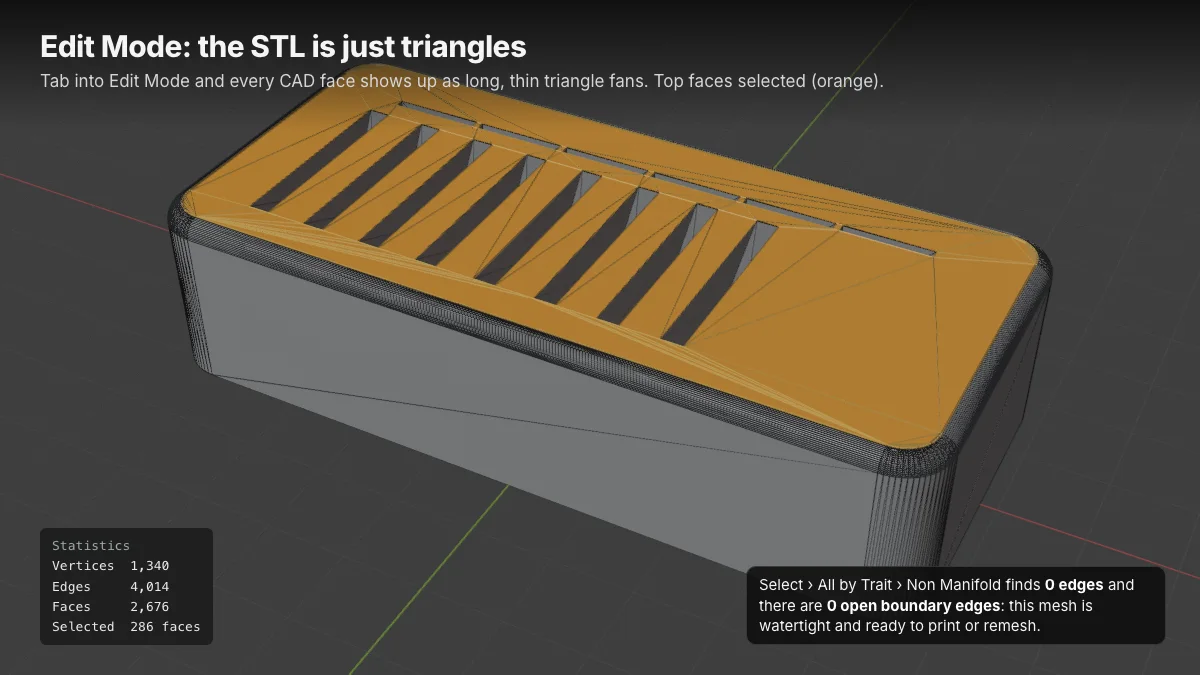
Three checks before printing a Blender STL:
- Select › Select All by Trait › Non Manifold (manual) highlights holes and edges shared by more than two faces. Nothing selected means a closed surface.
- Mesh › Normals › Recalculate Outside (Shift N) on the whole mesh turns every face outward, which slicers need to tell inside from outside (manual).
- Mesh › Clean Up › Merge by Distance joins vertices closer than a set distance (manual).
For more, add the 3D Print Toolbox. Bundled up to 4.1, it has been an extension since 4.2, installed from Edit › Preferences › Get Extensions. Its sidebar panel measures volume and area, flags bad geometry, runs Make Manifold, hollows a model and exports the selection to STL.
Shrink a Blender STL: Decimate or Remesh
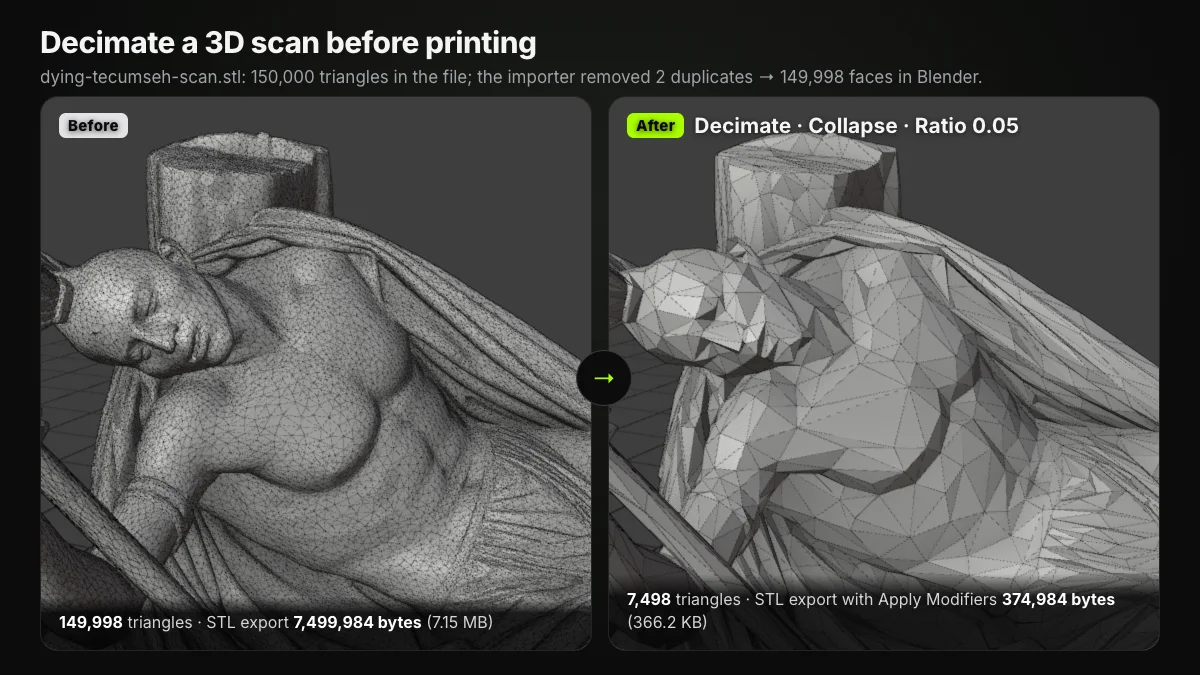
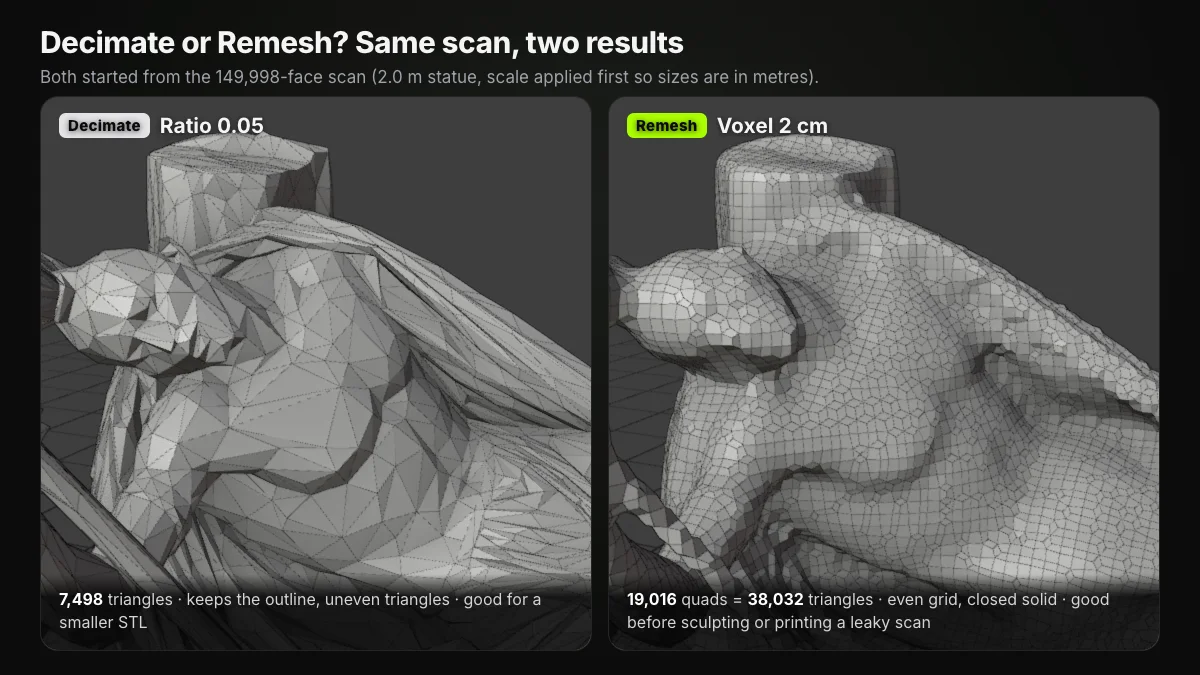
The Tecumseh statue imports with 149,998 triangles and exports as a 7.15 MB STL. A Decimate modifier (Collapse, Ratio 0.05) keeps 5 % of the faces: 7,498 triangles and a 366.2 KB file, 20× smaller, silhouette intact (manual: Decimate).
Remesh rebuilds instead of thinning: Voxel mode uses OpenVDB to make a new manifold mesh while trying to keep the volume (manual: Remesh). At a 2 cm voxel the scan became 19,016 quads (38,032 triangles in an STL): heavier than the decimated mesh, but even and closed, a good base for sculpting or for printing a scan with holes. Apply scale first so the voxel size is in real units.
Blender to STL: export settings that matter
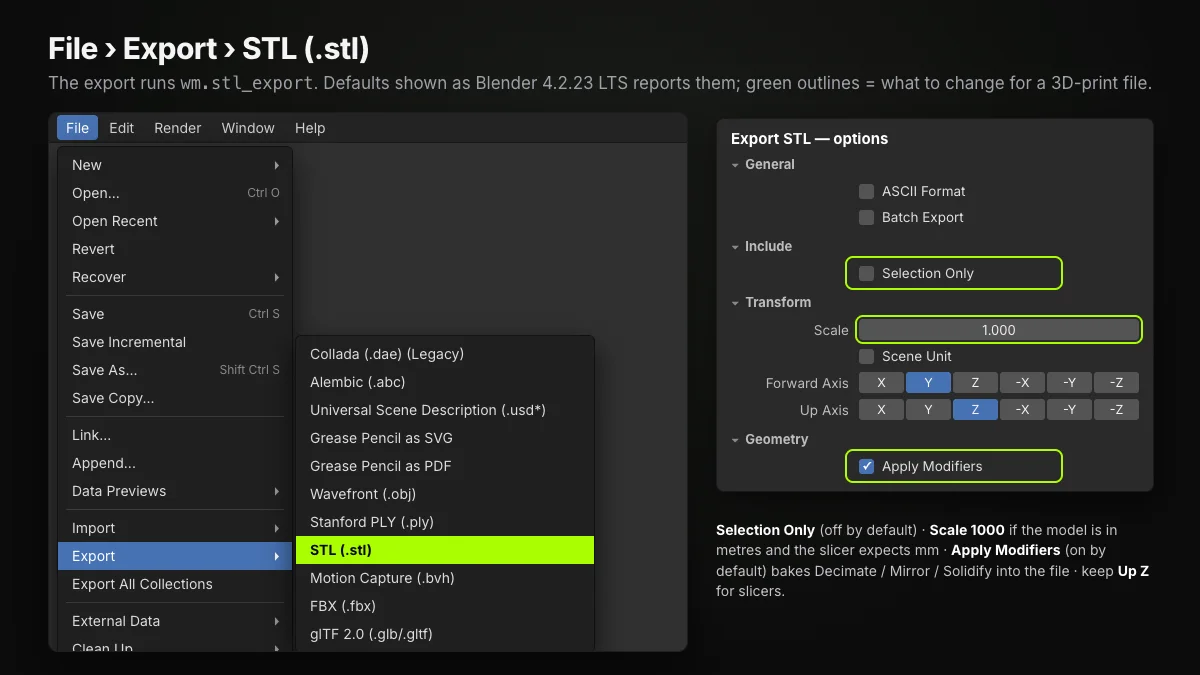
Choose File › Export › STL (.stl). The Blender STL export options and their defaults:
- ASCII Format (off): text instead of binary, same triangles at about 3.7× the size.
- Batch Export (off): one file per object.
- Selection Only (off): turn it on, or every mesh in the scene is written, default cube included.
- Scale (1.000): set 1000 when the model is in metres and the slicer expects millimetres.
- Scene Unit (off): uses the scene's Unit Scale instead.
- Forward / Up (Y / Z): keep Z up for slicers.
- Apply Modifiers (on): writes the evaluated mesh, so Decimate, Mirror or Solidify reach the file.
We exported the card holder (0.096 m long after applying scale) five ways and read the files back:
| Export settings | File size | Extent in file | Result |
|---|---|---|---|
| Defaults | 134,484 B | 2.048 × 2 × 2 | Default cube included |
| Selection Only | 133,884 B | 0.096 × 0.044 × 0.022 | Slicer reads 0.096 mm |
| + Scale 1000 | 133,884 B | 96 × 44 × 22 | Ready to slice |
| + ASCII Format | 495,955 B | 96 × 44 × 22 | Same mesh as text |
| + Forward −Z, Up Y | 133,884 B | 96 × 22 × 44 | Y and Z swapped |
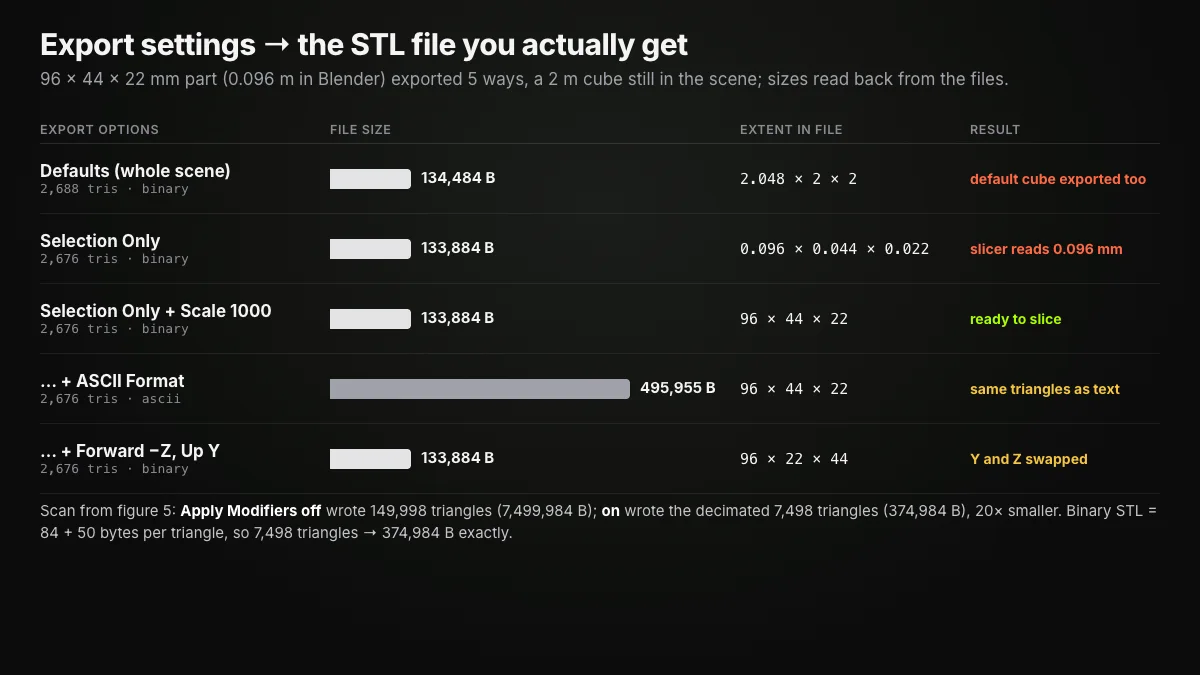
Binary STL is 84 bytes plus 50 per triangle, so 7,498 triangles make exactly 374,984 bytes. With Apply Modifiers off, the scan exported all 149,998 triangles (7,499,984 bytes) although the viewport showed the decimated version.
How to convert .blend to STL
A .blend is Blender's project format (scenes, modifiers, materials, cameras), and only Blender reads it fully. So .blend to STL means: open the file in Blender, select the parts, and run the Blender STL exporter with Selection Only, Apply Modifiers and the right Scale; Batch Export gives each object its own STL.
Ship3D's converters cannot read .blend files. Without Blender, ask the sender for an STL, or a GLB or OBJ you can turn into STL with GLB to STL or OBJ to STL.
When a browser tool is quicker than Blender
Blender is free and complete, but a lot of program for a two-minute fix. If all you need from a Blender STL editor is to scale, cut or split a part, Ship3D's free tools run in your browser, with no sign-up and nothing uploaded:
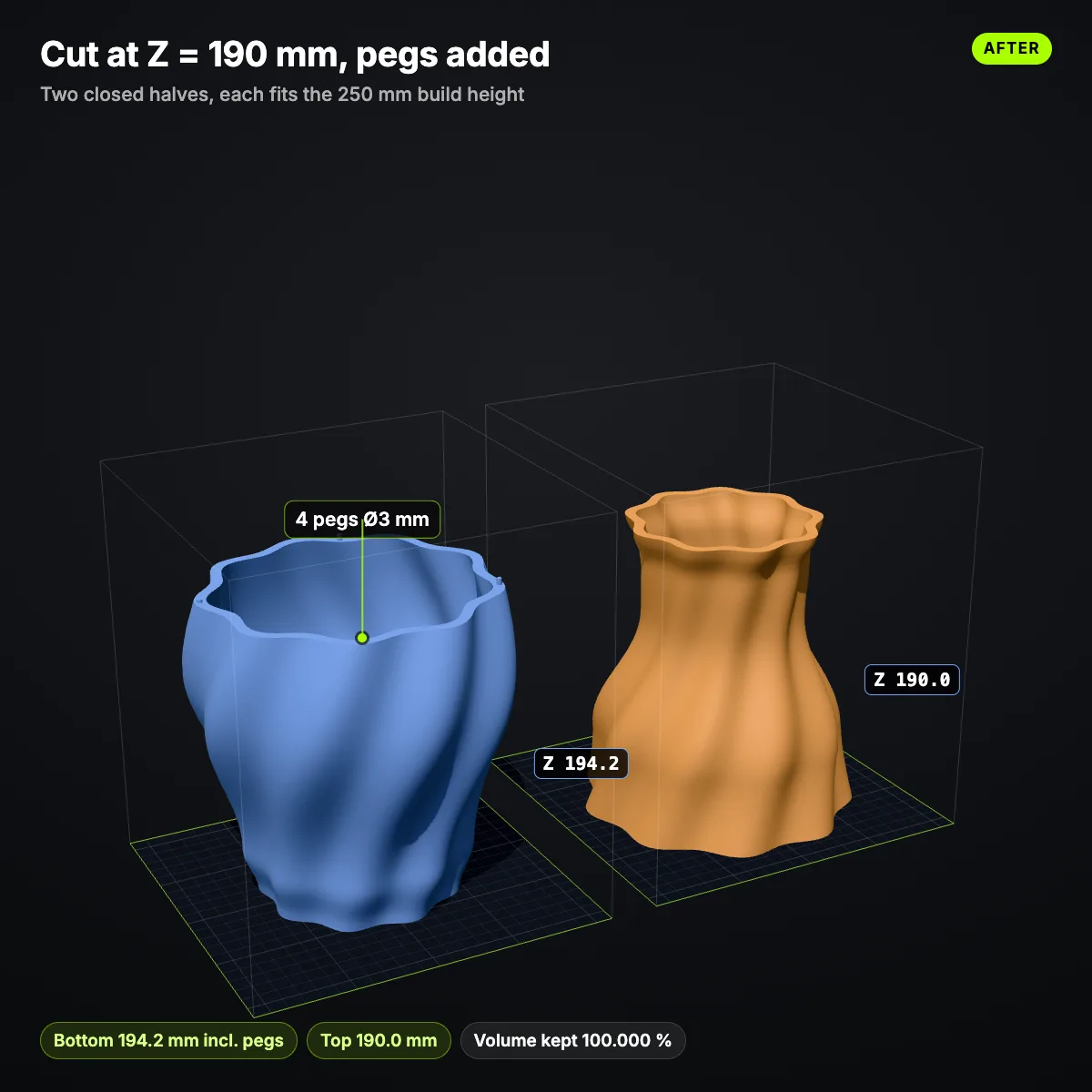
- STL editor: exact millimetre scaling, rotate, mirror, lay flat, cut along X, Y or Z with pegs or dowel holes, split, merge. A model under 5 mm gets one-click m → mm, inch → mm and cm → mm buttons, which rescues the 0.096 mm export above.
- STL repair: fixes holes, flipped normals, non-manifold edges and duplicate faces.
- Reduce STL file size: cuts triangles to a tolerance in millimetres, with a before / after view.
- STL viewer: just look, with size and triangle count.
Scale, cut or split an STL without installing Blender
Free, no sign-up, nothing uploaded. Fix metre or inch exports in one click, cut a part along X, Y or Z, and save STL, 3MF or OBJ.
Other alternatives: MeshLab is an open-source program for processing and editing triangle meshes, and most slicers scale, rotate and cut. How to edit STL files compares Tinkercad, Fusion and slicers; how to make STL files starts from scratch.
Summary
Can Blender open STL files? Yes, natively, and it writes them too. The whole Blender STL workflow: import with File › Import › STL, fix the size with Scale 0.001 or a millimetre scene, check normals and holes in Edit Mode, shrink scans with Decimate, and export with Selection Only, the right Scale and Apply Modifiers on.
Frequently asked questions
Can Blender open STL files?
Yes. Blender 4.2 and later read and write STL with built-in C++ code under File › Import › STL (.stl) and File › Export › STL (.stl), so there is nothing to enable or download. The C++ importer arrived in 3.3; the old Python add-on stopped shipping with Blender in 4.2.
How do I open an STL file in Blender?
Choose File › Import › STL (.stl), pick the file and click Import STL, or drag the .stl from your file manager into the 3D Viewport (supported since 4.1). Then press N and read Item › Dimensions to check the size before you edit anything.
Why is my STL tiny or huge in Blender?
Because STL has no units. The Blender STL importer treats one file unit as one metre, so a millimetre part comes in 1000 times too big and an inch part 25.4 times off. Import at Scale 0.001 (or 0.0254 for inches) and apply the scale, or set the scene to millimetres with Unit Scale 0.001.
How do I export STL from Blender?
Select the object and choose File › Export › STL (.stl). In the Blender STL exporter tick Selection Only, keep Apply Modifiers on and ASCII Format off, and set Scale to 1000 if the model is in metres. Leave Forward Y and Up Z so the part stands upright in the slicer.
Can Blender edit STL files?
Yes, as a triangle mesh. In Edit Mode you can move, extrude, delete and merge vertices, in Sculpt Mode you can reshape scans, and modifiers such as Decimate, Remesh, Boolean or Solidify change the whole mesh. What you cannot get back is the CAD history: an STL has no sketches or features.
How do I convert .blend to STL?
Open the .blend in Blender, select the objects you want, and use File › Export › STL (.stl) with Selection Only and Apply Modifiers on; Batch Export writes one STL per object. Online converters, including ours, cannot read .blend files, so Blender is the tool for this step.